Screen share in progress. End session.
All information on this page is hidden from your Expert.
All personal information on this page is hidden from your Expert.
[](https://www.t-mobile.com/)
# Customize your device
call
[](tel:+18442221938)
[Cart](https://www.t-mobile.com/cart)
[Home](https://www.t-mobile.com/)
[Help & Support](https://www.t-mobile.com/support)
[1-800-T-MOBILE](tel:+18334524262)
[My Account](https://www.t-mobile.com/my-account/dashboard)
[Log in](https://www.t-mobile.com/signin?INTNAV=tNav%3AsubMenu%3ALogin)
Screen share with an Expert
[Home Internet](https://www.t-mobile.com/home-internet/eligibility)
### Choose language
- [English](https://www.t-mobile.com)
- [Español](https://www.t-mobile.com)
Cancel
[](https://www.t-mobile.com)
1. [Smart watches](https://www.t-mobile.com/smart-watches) /
2. [Apple](https://www.t-mobile.com/smart-watches/brand/apple) /
3. Watch Ultra 4
See 1 promotions
Buy One Apple Watch, and Get a Second Apple Watch $300 off.
Apple
# Watch Ultra 4
- 
- 
- 
- 
Get it now
Shopping at __storeLocation__
Could not retrieve store information.
## Customize your device
See 1 promotions
Buy One Apple Watch, and Get a Second Apple Watch $300 off.
Same-day
Delivery to sddZipcode
or __get it shipped__ by selecting Ship to me in cart.
## Starting at $0
A T‑Mobile SIM card connects your device to the T‑Mobile network. Insert this SIM into your new phone and start enjoying all the benefits of our unlimited plans.
Already have a phone you love? Use this SIM card in your unlocked, compatible device to access the T‑Mobile network.
Not sure if your phone is compatible?
## Shop for SIM cards for as low
as $0 today.
The SIM stores your account information and connects your device to the T‑Mobile network. Your phone may have two options for SIM cards, a digital eSIM or a Physical SIM card. Please select one of the following to continue bringing your own device. To select a digital eSIM, please check your device compatibility below by entering your IMEI number.
## Starting at $0
The SIM stores your account information and connects your device to the T‑Mobile network.
## Shop for SIM cards for as low
as $0 today.
The SIM stores your account information and connects your device to the T‑Mobile network.
# Your deviceMarketingName needs a physical SIM card
After checkout, you'll receive a free SIM card to get your device connected.
[Try another device](https://www.t-mobile.com/commerce/bring-your-own-phone)
Contact your current carrier to make sure your device is unlocked.
Check device unlock status
Compatibility details
- Your device is compatible with T-Mobile’s network.
Your device is partailly compatible with T-Mobile’s network.
- Your device is available to use on T-Mobile’s network.
We can’t confirm that this device is unblocked. Please contact the original wireless carrier for more information.
- Your phone uses a physical SIM card to connect to wireless networks.
Great news, your phone works with T-Satellite!
Your device isn’t compatible with T-Mobile satellite service.
__Get it now__
Shopping at __storeLocation__
Could not retrieve store information.
__Pick up in-store__
Showing items at __storeLocation__
Could not retrieve store information.
or __get it shipped__ by selecting Ship to me in cart.
## Device options
Loading color options, please wait
Loading
- Loading
Loading
- Loading
Loading
- Loading
Loading
- Loading
Loading
### Color
Device colors
Unfortunately, this combination is currently out of stock.
* * *
### Storage and payment
With promotion
With trade-in promotion
Pay monthly Pay in full
Storage Options - Pay Monthly
Original monthly price before discount credit/mo. with discount Get it by Out of stock Coming soon Back order Available for pre-order $XX.XX $XX.XX/month for XX months Due today: $XX.XX Full price: $XX.XX + tax
Storage Options - Pay in Full
Original monthly price before discount + tax Get it by Out of stock Coming soon Back order Available for pre-order $XX.XX + tax
Storage Options - Pay in Full
Original monthly price before discount + tax Get it by Out of stock Coming soon Back order Available for pre-order $XX.XX + tax
### Color
Device colors
Black Titanium Case Burgundy Alpine Loop - S Natural Titanium Case Translucent Gray Ocean Band Natural Titanium Case Desert Alpine Loop - M Black Titanium Case Burgundy Alpine Loop - L Black Titanium Case Translucent Black Ocean Band Natural Titanium Case Sand Trail Loop - M/L Black Titanium Case Burgundy Trail Loop - M/L Natural Titanium Case Sand Trail Loop - S/M Natural Titanium Case Desert Alpine Loop - S Black Titanium Case Burgundy Alpine Loop - M Natural Titanium Case Desert Alpine Loop - L Black Titanium Case Burgundy Trail Loop - S/M
Unfortunately, this combination is currently out of stock.
* * *
### Storage and payment
With promotion
With trade-in promotion
Pay monthly Pay in full
Storage Options - Pay Monthly
Original monthly price before discount credit/mo. with discount Get it by Out of stock Coming soon Back order Available for pre-order $XX.XX $XX.XX/month for XX months Due today: $XX.XX Full price: $XX.XX + tax
64GB Original monthly price before discount credit/mo. with discount Get it by Out of stock Coming soon Back order Available for pre-order Original monthly price {{ strikeThroughValue }} before discount $22.23/month $22.23 credit/mo. with discount for 36 months Due today: __$0.00__ Full price: $799.99 + tax Get it by Out of stock Coming soon Back order Available for pre-order $XX.XX $XX.XX/month for XX months Due today: $XX.XX Full price: $XX.XX + tax
Storage Options - Pay in Full
Original monthly price before discount + tax Get it by Out of stock Coming soon Back order Available for pre-order $XX.XX + tax
64GB Original monthly price before discount + tax Get it by Out of stock Coming soon Back order Available for pre-order Save ${{listPrice}} limited time Original monthly price {{ payInFullStrikeThroughValue }} before discount $799.99 + tax Get it by Out of stock Coming soon Back order Available for pre-order $XX.XX + tax
Storage Options - Pay in Full
Original monthly price before discount + tax Get it by Out of stock Coming soon Back order Available for pre-order $XX.XX + tax
Due today: __$0.00__ + tax & other charges
Full price: $799.99 + tax
If this device qualifies for Flex financing, your payment terms will be updated when you add it to your cart.
Pricing when you choose plan
Plus up to $35 device connection charge
If you select to pay monthly and cancel wireless service, the remaining balance on the device becomes due. For well-qualified buyers, 0% APR. Qualifying service required.
You already have the maximum number of lines in your cart.
[Go to cart](https://www.t-mobile.com/cart)
You have reached the maximum number of non-phone lines.
[Go to cart](https://www.t-mobile.com/cart)
You have reached the maximum number of phone lines.
[Go to cart](https://www.t-mobile.com/cart)
Loading
Loading
Loading
Loading
Loading
Loading
Loading
Loading
Loading
Loading
Loading
Loading
Loading
Loading delivery options, please wait
Delivery and pickup options
Same-day delivery
Not available
Get it by expectedDeliveryTime
Actual delivery cost: $9.99 Discounted delivery cost: Free
Pick up in store
Not available at currentZipCode
Not available
Today at storeName
Free
Shipping
Not available
Est. ship date: shippingDate
Free
Delivery and pickup options
Same-day delivery
Not available
Get it by expectedDeliveryTime
Actual delivery cost: $9.99 Discounted delivery cost: Free
Same-day delivery
Not available
Get it by expectedDeliveryTime
Actual delivery cost: $9.99 Discounted delivery cost: Free
Pick up in store
Not available at currentZipCode
Not available
Today at storeName
Free
Pick up in store
Not available at currentZipCode
Not available Not available
Today at storeName
Free
Shipping
Not available
Est. ship date: shippingDate
Free
Shipping
Not available
Est. ship date: Sep 18
Free
__Your store:__
[storeLocation (storeDistance mi)](#)
Find a store nearby
[Edit Location](#)
Not Available at currentZipCode
Not Available at 20146
# Deliver to currentZipCode
Edit Location
# Deliver to currentZipCode
Edit Location
### Already a T-Mobile customer?
Existing customer
New customer
### Welcome to T-Mobile (new customer)
If you're an existing customer, please log in.
Edit
## Adding a line to your account
message
message
message
Edit
## Upgrade for undefined
model | phoneNumber
__jumpEligibleText__
message
message
message
Edit
### Phone number
Do you want keep your number, or get a new one?
Keep your number
Get a new number
### Phone number
Enter the phone number you want to transfer
### Transfer Metro number
Choose which line you'd like to transfer from Metro to T-Mobile.
Loading
Loading
Select phone number , items selected
Select phone number
This number will remain active on Metro until you set up your new device.
Already a T-Mobile customer, number can't be transferred to T-Mobile. We'll provide a new phone number after your purchase complete.
You already entered this number for another line.
Phone number
Sorry, this FIRST COMM LLC OH number can't be transferred to T-Mobile. We'll provide a new phone number after your purchase complete.
Check number Verifying Phone number
Get a new number
## Keep your phone number
__pillTemplate Transferring: phoneNumberTemplate__
This number will remain active on your current device.
When you receive your new device, call us to transfer the number to T-Mobile.
This number will remain active on your current device. Your mobile expert will help you transfer your number
to T-Mobile.
### Phone number
__pillTemplate__ __This number is eligible: phoneNumberTemplate__
This number will remain active on your current carrier until you set up your new device.
This number will remain active on Metro until you set up your new device.
### Getting a new number
Edit
### Trade-in device
Your trade in device
marketingName | capacity
firstName phoneNumber
__Device Condition__
selectedDeviceCondition
Estimated one-time trade-in credit: $oneTimeCredit
In deviceCondition condition
## Outstanding trade-in balance: $__installmentBalance__
This amount must be paid before completing your order. The remaining amount will be added to your cart.
### Trade-in device
Trade in your device and save, based on its condition and model.
Have a damaged device? You may still qualify for a promotion.
Get a trade-in estimate
Skip trade-in
### Skip trade-in
By skipping trade in, your monthly device payment is now price
Add a trade-in and get this device for only discountPrice
# Want to trade in?
currentDevice
firstName msisdn
Get a trade-in estimate
Skip trade-in
Edit
## Trade-in device
Your trade in device
marketingName
firstName phoneNumber
__Device Condition__
selectedDeviceCondition
Estimated one-time trade-in credit: $oneTimeCredit
__Estimated one-time trade-in credit: $oneTimeCredit__
In deviceCondition condition
## Outstanding trade-in balance: $__installmentBalance__
This amount must be paid before completing your order. The remaining amount will be added to your cart.
## Trade-in skipped
## Select a trade-in device
Choose a trade-in device
Skip trade-in
Edit
Trade-in device
Your trade in device
marketingName | capacity
firstName phoneNumber
To continue, we need more information to verify your trade-in. Please call 1-800-T-MOBILE, or dial 611 from your T-Mobile phone.
Trade In
Skip trade in
Edit
### Promotion
__Applied__
promoName
__Recurring promotional savings: totalPromotionalValue__
Credit of recurringCreditAmount over paymentTerms months
If you cancel before paymentTerms credits, credits stop and balance on required finance agreement may be due; contact us. For well-qualified customers, plus tax. View promotion details
[](https://www.t-mobile.com)
__Device protection__
Add worry-free protection to your brand new device.
Showing device protection for Virginia
75% of people have had their phone lost, broken or damaged
Assurant, 2026
protectionTitle
protectionDescription
Showing device protection for Virginia
protectionStatText
Assurant, 2026
loading plan
loading plan
Recommended Most popular
## Basic Device Protection
Taxes may apply to monthly cost. Renews monthly until cancelled. You can cancel any time in the T-Life app.
Just the essentials, our __basic plan__ includes:
- Replacement for loss, theft, and accidental damage
- Repairs for cracked front screens
- Coverage for mechanical and electrical failure
See more benefits
## Basic Device Protection for
## Basic Device Protection
Cancel anytime
Just the essentials, our __basic plan__ includes:
- Replacement for loss, theft, and accidental damage
- Repairs for cracked front screens
- Coverage for mechanical and electrical failure
See more benefits
Taxes may apply to monthly cost. Renews monthly until cancelled. You can cancel any time in the T-Life app.
## Basic Device Protection for
## Basic Device Protection
Cancel anytime
## Basic Device Protection
## Basic Device Protection
Cover your $799.99 device for
Cancel anytime
Just the essentials, our __basic plan__ includes:
- Replacement for loss, theft, and accidental damage
- Repairs for cracked front screens
- Coverage for mechanical and electrical failure
See more benefits
Taxes may apply to monthly cost. Renews monthly until cancelled. You can cancel any time in the T-Life app.
Select
Recommended Most popular
## Insurance Device Protection
Starting April 1, some plans will have lower fees and a $1 price change. Learn more at [mytmoclaim.com/update](http://mytmoclaim.com/update "http://mytmoclaim.com/update"). Taxes may apply to monthly cost. Renews monthly until cancelled. Cancel at any time in the T-Life app.
Just the essentials. Our __insurance plan__ includes:
- Replacement for loss & theft
- Unlimited accidental damage claims
- $0 Repairs for cracked front screens
See more benefits
## Insurance Device Protection for
## Insurance Device Protection
Cancel anytime
Just the essentials. Our __insurance plan__ includes:
- Replacement for loss & theft
- Unlimited accidental damage claims
- $0 Repairs for cracked front screens
See more benefits
Starting April 1, some plans will have lower fees and a $1 price change. Learn more at [mytmoclaim.com/update](http://mytmoclaim.com/update "http://mytmoclaim.com/update"). Taxes may apply to monthly cost. Renews monthly until cancelled. Cancel at any time in the T-Life app.
## Insurance Device Protection for
## Insurance Device Protection
Cancel anytime
## Insurance Device Protection
## Insurance Device Protection
Cover your $799.99 device for
Cancel anytime
Just the essentials. Our __insurance plan__ includes:
- Replacement for loss & theft
- Unlimited accidental damage claims
- $0 Repairs for cracked front screens
See more benefits
Starting April 1, some plans will have lower fees and a $1 price change. Learn more at [mytmoclaim.com/update](http://mytmoclaim.com/update "http://mytmoclaim.com/update"). Taxes may apply to monthly cost. Renews monthly until cancelled. Cancel at any time in the T-Life app.
Select
Recommended Most popular
## Protection 360®
Taxes may apply to monthly cost. Renews monthly until cancelled. Cancel at any time in the T-Life app.
Our __most comprehensive plan__ includes:
- Replacement for loss & theft
- Unlimited accidental damage claims including broken screens
- Unlimited replacements for screen protectors
- Coverage for mechanical and electrical failure
See more benefits
## Protection 360® for
## Protection 360®
Cancel anytime
Our __most comprehensive plan__ includes:
- Replacement for loss & theft
- Unlimited accidental damage claims including broken screens
- Unlimited replacements for screen protectors
- Coverage for mechanical and electrical failure
See more benefits
Taxes may apply to monthly cost. Renews monthly until cancelled. Cancel at any time in the T-Life app.
## Protection 360® for
## Protection 360®
Cancel anytime
Most comprehensive
## Protection 360®
## Protection 360®
Cover your $799.99 device for
Cancel anytime
Our __most comprehensive plan__ includes:
- Replacement for loss & theft
- Unlimited accidental damage claims including broken screens
- Unlimited replacements for screen protectors
- Coverage for mechanical and electrical failure
See more benefits
Taxes may apply to monthly cost. Renews monthly until cancelled. Cancel at any time in the T-Life app.
Select
Recommended Most popular
## No device protection
Taxes may apply to monthly cost
Pay full price on repairs or replacements, and keep making payments on a financed device even if it’s lost or stolen.
If you decline, you have 30 days to add protection if you change your mind.
## No device protection for
## No device protection
Cancel anytime
Pay full price on repairs or replacements, and keep making payments on a financed device even if it’s lost or stolen.
If you decline, you have 30 days to add protection if you change your mind.
Taxes may apply to monthly cost. Renews monthly until canceled. You can cancel at any time in the T-Life app.
## No device protection for
## No device protection
Cancel anytime
## No device protection
## No device protection
Cover your $799.99 device for
Cancel anytime
Pay full price on repairs or replacements, and keep making payments on a financed device even if it’s lost or stolen.
If you decline, you have 30 days to add protection if you change your mind.
Taxes may apply to monthly cost. Renews monthly until canceled. You can cancel at any time in the T-Life app. Taxes may apply to monthly cost. Renews monthly until canceled. You can cancel at any time in the T-Life app.
Select
Recommended Most popular
## Basic Device Protection
Taxes may apply to monthly cost. Renews monthly until cancelled. Cancel at any time in the T-Life app.
Just the essentials, our __basic plan__ includes:
- Replacement for loss, theft, and accidental damage
- Coverage for mechanical and electrical failure
See more benefits
## Basic Device Protection for
## Basic Device Protection
Cancel anytime
Just the essentials, our __basic plan__ includes:
- Replacement for loss, theft, and accidental damage
- Coverage for mechanical and electrical failure
See more benefits
Taxes may apply to monthly cost. Renews monthly until cancelled. Cancel at any time in the T-Life app.
## Basic Device Protection for
## Basic Device Protection
Cancel anytime
## Basic Device Protection
## Basic Device Protection
Cover your $799.99 device for
Cancel anytime
Just the essentials, our __basic plan__ includes:
- Replacement for loss, theft, and accidental damage
- Coverage for mechanical and electrical failure
See more benefits
Taxes may apply to monthly cost. Renews monthly until cancelled. Cancel at any time in the T-Life app.
Select
Recommended Most popular
## Protection 360®
Starting April 1, some plans will have lower fees and a $1 price change. Learn more at [mytmoclaim.com/update](http://mytmoclaim.com/update "http://mytmoclaim.com/update"). Taxes may apply to monthly cost. Renews monthly until cancelled. Cancel at any time in the T-Life app.
Our __most comprehensive plan__ includes:
- Replacement for loss & theft
- Unlimited accidental damage claims
- $0 Repairs for cracked front screens
- Unlimited replacements for screen protectors
- Coverage for mechanical and electrical failure
See more benefits
## Protection 360® for
## Protection 360®
Cancel anytime
Our __most comprehensive plan__ includes:
- Replacement for loss & theft
- Unlimited accidental damage claims
- $0 Repairs for cracked front screens
- Unlimited replacements for screen protectors
- Coverage for mechanical and electrical failure
See more benefits
Starting April 1, some plans will have lower fees and a $1 price change. Learn more at [mytmoclaim.com/update](http://mytmoclaim.com/update "http://mytmoclaim.com/update"). Taxes may apply to monthly cost. Renews monthly until cancelled. Cancel at any time in the T-Life app.
## Protection 360® for
## Protection 360®
Cancel anytime
Most popular
## Protection 360®
## Protection 360®
Cover your $799.99 device for
Cancel anytime
Our __most comprehensive plan__ includes:
- Replacement for loss & theft
- Unlimited accidental damage claims
- $0 Repairs for cracked front screens
- Unlimited replacements for screen protectors
- Coverage for mechanical and electrical failure
See more benefits
Starting April 1, some plans will have lower fees and a $1 price change. Learn more at [mytmoclaim.com/update](http://mytmoclaim.com/update "http://mytmoclaim.com/update"). Taxes may apply to monthly cost. Renews monthly until cancelled. Cancel at any time in the T-Life app.
Select
Recommended Most popular
## Service Contract Device Protection Plan
Starting April 1, some plans will have lower fees and a $1 price change. Learn more at [mytmoclaim.com/update](http://mytmoclaim.com/update "http://mytmoclaim.com/update"). Taxes may apply to monthly cost. Renews monthly until cancelled. Cancel at any time in the T-Life app.
Limited coverage. Our __service contract plan__ includes:
- Coverage for mechanical and electrical failure
- Unlimited replacements for screen protectors
In addition, __you also get:__
- McAfee® Security for T-Mobile with identity theft protection
See more benefits
## Service Contract Device Protection Plan for
## Service Contract Device Protection Plan
Cancel anytime
Limited coverage. Our __service contract plan__ includes:
- Coverage for mechanical and electrical failure
- Unlimited replacements for screen protectors
In addition, __you also get:__
- McAfee® Security for T-Mobile with identity theft protection
See more benefits
Starting April 1, some plans will have lower fees and a $1 price change. Learn more at [mytmoclaim.com/update](http://mytmoclaim.com/update "http://mytmoclaim.com/update"). Taxes may apply to monthly cost. Renews monthly until cancelled. Cancel at any time in the T-Life app.
## Service Contract Device Protection Plan for
## Service Contract Device Protection Plan
Cancel anytime
## Service Contract Device Protection Plan
## Service Contract Device Protection Plan
Cover your $799.99 device for
Cancel anytime
Limited coverage. Our __service contract plan__ includes:
- Coverage for mechanical and electrical failure
- Unlimited replacements for screen protectors
In addition, __you also get:__
- McAfee® Security for T-Mobile with identity theft protection
See more benefits
Starting April 1, some plans will have lower fees and a $1 price change. Learn more at [mytmoclaim.com/update](http://mytmoclaim.com/update "http://mytmoclaim.com/update"). Taxes may apply to monthly cost. Renews monthly until cancelled. Cancel at any time in the T-Life app.
Select
Recommended Most popular
## Basic Device Protection
Taxes may apply to monthly cost. Renews monthly until cancelled. Cancel at any time in the T-Life app.
Just the essentials, our __basic plan__ includes:
- Replacement for loss, theft, and accidental damage
- Coverage for mechanical and electrical failure
See more benefits
## Basic Device Protection for
## Basic Device Protection
Cancel anytime
Just the essentials, our __basic plan__ includes:
- Replacement for loss, theft, and accidental damage
- Coverage for mechanical and electrical failure
See more benefits
Taxes may apply to monthly cost. Renews monthly until cancelled. Cancel at any time in the T-Life app.
## Basic Device Protection for
## Basic Device Protection
Cancel anytime
## Basic Device Protection
## Basic Device Protection
Cover your $799.99 device for
Cancel anytime
Just the essentials, our __basic plan__ includes:
- Replacement for loss, theft, and accidental damage
- Coverage for mechanical and electrical failure
See more benefits
Taxes may apply to monthly cost. Renews monthly until cancelled. Cancel at any time in the T-Life app.
Select
Recommended Most popular
## Insurance Device Protection plan
Taxes may apply to monthly cost. Renews monthly until cancelled. Cancel at any time in the T-Life app.
Just the essentials. Our __insurance plan__ includes:
- Replacement for loss & theft
- Unlimited accidental damage claims
- $0 Repairs for cracked front screens
See more benefits
## Insurance Device Protection plan for
## Insurance Device Protection plan
Cancel anytime
Just the essentials. Our __insurance plan__ includes:
- Replacement for loss & theft
- Unlimited accidental damage claims
- $0 Repairs for cracked front screens
See more benefits
Taxes may apply to monthly cost. Renews monthly until cancelled. Cancel at any time in the T-Life app.
## Insurance Device Protection plan for
## Insurance Device Protection plan
Cancel anytime
## Insurance Device Protection plan
## Insurance Device Protection plan
Cover your $799.99 device for
Cancel anytime
Just the essentials. Our __insurance plan__ includes:
- Replacement for loss & theft
- Unlimited accidental damage claims
- $0 Repairs for cracked front screens
See more benefits
Taxes may apply to monthly cost. Renews monthly until cancelled. Cancel at any time in the T-Life app.
Select
Recommended Most popular
## Protection 360®
Taxes may apply to monthly cost. Renews monthly until cancelled. Cancel at any time in the T-Life app.
Our __most comprehensive plan__ includes:
- Replacement for loss & theft
- Unlimited accidental damage claims
- Unlimited replacements for screen protectors
- Coverage for mechanical and electrical failure
See more benefits
## Protection 360® for
## Protection 360®
Cancel anytime
Our __most comprehensive plan__ includes:
- Replacement for loss & theft
- Unlimited accidental damage claims
- Unlimited replacements for screen protectors
- Coverage for mechanical and electrical failure
See more benefits
Taxes may apply to monthly cost. Renews monthly until cancelled. Cancel at any time in the T-Life app.
## Protection 360® for
## Protection 360®
Cancel anytime
Most comprehensive
## Protection 360®
## Protection 360®
Cover your $799.99 device for
Cancel anytime
Our __most comprehensive plan__ includes:
- Replacement for loss & theft
- Unlimited accidental damage claims
- Unlimited replacements for screen protectors
- Coverage for mechanical and electrical failure
See more benefits
Taxes may apply to monthly cost. Renews monthly until cancelled. Cancel at any time in the T-Life app.
Select
Recommended Most popular
## No device protection
Taxes may apply to monthly cost
I understand that I may be responsible to pay full price on repairs or replacements even if the device is lost or stolen.
## No device protection for
## No device protection
Cancel anytime
I understand that I may be responsible to pay full price on repairs or replacements even if the device is lost or stolen.
Taxes may apply to monthly cost. Renews monthly until canceled. You can cancel at any time in the T-Life app.
## No device protection for
## No device protection
Cancel anytime
I choose not to protect my $799.99 device.
## No device protection
Cancel anytime
I understand that I may be responsible to pay full price on repairs or replacements even if the device is lost or stolen.
Taxes may apply to monthly cost. Renews monthly until canceled. You can cancel at any time in the T-Life app.
Decline
Recommended Most popular
## Service Contract Device Protection plan
Taxes may apply to monthly cost. Renews monthly until cancelled. Cancel at any time in the T-Life app.
Limited coverage. Our __service contract plan__ includes:
- Coverage for mechanical and electrical failure
- Unlimited replacements for screen protectors
In addition, you also get:
- McAfee® Security for T-Mobile with identity theft protection
See more benefits
## Service Contract Device Protection plan for
## Service Contract Device Protection plan
Cancel anytime
Limited coverage. Our __service contract plan__ includes:
- Coverage for mechanical and electrical failure
- Unlimited replacements for screen protectors
In addition, you also get:
- McAfee® Security for T-Mobile with identity theft protection
See more benefits
Taxes may apply to monthly cost. Renews monthly until cancelled. Cancel at any time in the T-Life app.
## Service Contract Device Protection plan for
## Service Contract Device Protection plan
Cancel anytime
## Service Contract Device Protection plan
## Service Contract Device Protection plan
Cover your $799.99 device for
Cancel anytime
Limited coverage. Our __service contract plan__ includes:
- Coverage for mechanical and electrical failure
- Unlimited replacements for screen protectors
In addition, you also get:
- McAfee® Security for T-Mobile with identity theft protection
See more benefits
Taxes may apply to monthly cost. Renews monthly until cancelled. Cancel at any time in the T-Life app.
Select
Recommended Most popular
## Protection 360®
Taxes may apply to monthly cost. Renews monthly until cancelled. Cancel at any time in the T-Life app.
Our __most comprehensive plan__ includes:
- Replacement for loss & theft
- Unlimited accidental damage claims
- $0 Repairs for cracked front screens
- Unlimited replacements for screen protectors
- Coverage for mechanical and electrical failure
See more benefits
## Protection 360® for
## Protection 360®
Cancel anytime
Our __most comprehensive plan__ includes:
- Replacement for loss & theft
- Unlimited accidental damage claims
- $0 Repairs for cracked front screens
- Unlimited replacements for screen protectors
- Coverage for mechanical and electrical failure
See more benefits
Taxes may apply to monthly cost. Renews monthly until cancelled. Cancel at any time in the T-Life app.
## Protection 360® for
## Protection 360®
Cancel anytime
Most popular
## Protection 360®
## Protection 360®
Cover your $799.99 device for
Cancel anytime
Our __most comprehensive plan__ includes:
- Replacement for loss & theft
- Unlimited accidental damage claims
- $0 Repairs for cracked front screens
- Unlimited replacements for screen protectors
- Coverage for mechanical and electrical failure
See more benefits
Taxes may apply to monthly cost. Renews monthly until cancelled. Cancel at any time in the T-Life app.
Select
Recommended Most popular
## Basic Device Protection
Taxes may apply to monthly cost. Renews monthly until cancelled. Cancel at any time in the T-Life app.
Just the essentials, our __basic plan__ includes:
- Replacement for loss, theft, and accidental damage
- Repairs for cracked front screens
- Coverage for mechanical and electrical failure
See more benefits
## Basic Device Protection for
## Basic Device Protection
Cancel anytime
Just the essentials, our __basic plan__ includes:
- Replacement for loss, theft, and accidental damage
- Repairs for cracked front screens
- Coverage for mechanical and electrical failure
See more benefits
Taxes may apply to monthly cost. Renews monthly until cancelled. Cancel at any time in the T-Life app.
## Basic Device Protection for
## Basic Device Protection
Cancel anytime
## Basic Device Protection
## Basic Device Protection
Cover your $799.99 device for
Cancel anytime
Just the essentials, our __basic plan__ includes:
- Replacement for loss, theft, and accidental damage
- Repairs for cracked front screens
- Coverage for mechanical and electrical failure
See more benefits
Taxes may apply to monthly cost. Renews monthly until cancelled. Cancel at any time in the T-Life app.
Select
Recommended Most popular
## Protection 360®
Taxes may apply to monthly cost. Renews monthly until cancelled. Cancel at any time in the T-Life app.
Our __most comprehensive plan__ includes:
- Replacement for loss & theft
- Unlimited accidental damage claims
- $0 Repairs for cracked front screens
- Unlimited replacements for screen protectors
- Coverage for mechanical and electrical failure
See more benefits
## Protection 360® for
## Protection 360®
Cancel anytime
Our __most comprehensive plan__ includes:
- Replacement for loss & theft
- Unlimited accidental damage claims
- $0 Repairs for cracked front screens
- Unlimited replacements for screen protectors
- Coverage for mechanical and electrical failure
See more benefits
Taxes may apply to monthly cost. Renews monthly until cancelled. Cancel at any time in the T-Life app.
## Protection 360® for
## Protection 360®
Cancel anytime
Most comprehensive
## Protection 360®
## Protection 360®
Cover your $799.99 device for
Cancel anytime
Our __most comprehensive plan__ includes:
- Replacement for loss & theft
- Unlimited accidental damage claims
- $0 Repairs for cracked front screens
- Unlimited replacements for screen protectors
- Coverage for mechanical and electrical failure
See more benefits
Taxes may apply to monthly cost. Renews monthly until cancelled. Cancel at any time in the T-Life app.
Select
Recommended Most popular
## No device protection
Taxes may apply to monthly cost
I understand that I may be responsible to pay full price on repairs or replacements even if the device is lost or stolen.
## No device protection for
## No device protection
Cancel anytime
I understand that I may be responsible to pay full price on repairs or replacements even if the device is lost or stolen.
Taxes may apply to monthly cost. Renews monthly until canceled. You can cancel at any time in the T-Life app.
## No device protection for
## No device protection
Cancel anytime
I choose not to protect my $799.99 device.
## No device protection
Cancel anytime
I understand that I may be responsible to pay full price on repairs or replacements even if the device is lost or stolen.
Taxes may apply to monthly cost. Renews monthly until canceled. You can cancel at any time in the T-Life app.
Decline
Recommended Most popular
## No device Protection
Taxes may apply to monthly cost
I understand that I may be responsible to pay full price on repairs or replacements even if the device is lost or stolen.
## No device Protection for
## No device Protection
Cancel anytime
I understand that I may be responsible to pay full price on repairs or replacements even if the device is lost or stolen.
Taxes may apply to monthly cost. Renews monthly until canceled. You can cancel at any time in the T-Life app.
## No device Protection for
## No device Protection
Cancel anytime
I choose not to protect my $799.99 device.
## No device Protection
Cancel anytime
I understand that I may be responsible to pay full price on repairs or replacements even if the device is lost or stolen.
Taxes may apply to monthly cost. Renews monthly until canceled. You can cancel at any time in the T-Life app.
Decline
Recommended Most popular
## No device protection
Taxes may apply to monthly cost
I understand that I may be responsible to pay full price on repairs or replacements and keep making payments on a financed device even if it’s lost or stolen.
## No device protection for
## No device protection
Cancel anytime
I understand that I may be responsible to pay full price on repairs or replacements and keep making payments on a financed device even if it’s lost or stolen.
Taxes may apply to monthly cost. Renews monthly until canceled. You can cancel at any time in the T-Life app.
## No device protection for
## No device protection
Cancel anytime
I choose not to protect my $799.99 device.
## No device protection
Cancel anytime
I understand that I may be responsible to pay full price on repairs or replacements and keep making payments on a financed device even if it’s lost or stolen.
Taxes may apply to monthly cost. Renews monthly until canceled. You can cancel at any time in the T-Life app.
Decline
Recommended Most popular
## Standard Device Protection
Taxes may apply to monthly cost. Renews monthly until cancelled. Cancel at any time in the T-Life app.
__Core coverage__ for everyday accidents and breakdowns.
- One claim in any rolling 12-month period for loss, theft, accidental damage.
- Coverage for mechanical and electrical failure.
See more benefits
## Standard Device Protection for
## Standard Device Protection
Cancel anytime
__Core coverage__ for everyday accidents and breakdowns.
- One claim in any rolling 12-month period for loss, theft, accidental damage.
- Coverage for mechanical and electrical failure.
See more benefits
Taxes may apply to monthly cost. Renews monthly until cancelled. Cancel at any time in the T-Life app.
## Standard Device Protection for
## Standard Device Protection
Cancel anytime
## Standard Device Protection
## Standard Device Protection
Cover your $799.99 device for
Cancel anytime
__Core coverage__ for everyday accidents and breakdowns.
- One claim in any rolling 12-month period for loss, theft, accidental damage.
- Coverage for mechanical and electrical failure.
See more benefits
Taxes may apply to monthly cost. Renews monthly until cancelled. Cancel at any time in the T-Life app.
Select
Recommended Most popular
## Standard Device Protection
Taxes may apply to monthly cost. Renews monthly until cancelled. Cancel at any time in the T-Life app.
__Core coverage__ for everyday accidents and breakdowns.
- One claim in any rolling 12-month period for loss, theft, accidental damage.
- Coverage for mechanical and electrical failure.
See more benefits
## Standard Device Protection for
## Standard Device Protection
Cancel anytime
__Core coverage__ for everyday accidents and breakdowns.
- One claim in any rolling 12-month period for loss, theft, accidental damage.
- Coverage for mechanical and electrical failure.
See more benefits
Taxes may apply to monthly cost. Renews monthly until cancelled. Cancel at any time in the T-Life app.
## Standard Device Protection for
## Standard Device Protection
Cancel anytime
## Standard Device Protection
## Standard Device Protection
Cover your $799.99 device for
Cancel anytime
__Core coverage__ for everyday accidents and breakdowns.
- One claim in any rolling 12-month period for loss, theft, accidental damage.
- Coverage for mechanical and electrical failure.
See more benefits
Taxes may apply to monthly cost. Renews monthly until cancelled. Cancel at any time in the T-Life app.
Select
Recommended Most popular
## Standard Device Protection
Taxes may apply to monthly cost. Renews monthly until cancelled. Cancel at any time in the T-Life app.
__Core coverage__ for everyday accidents and breakdowns.
- One claim in any rolling 12-month period for loss, theft, accidental damage, including $29 screen repair.
- Coverage for mechanical and electrical failure.
See more benefits
## Standard Device Protection for
## Standard Device Protection
Cancel anytime
__Core coverage__ for everyday accidents and breakdowns.
- One claim in any rolling 12-month period for loss, theft, accidental damage, including $29 screen repair.
- Coverage for mechanical and electrical failure.
See more benefits
Taxes may apply to monthly cost. Renews monthly until cancelled. Cancel at any time in the T-Life app.
## Standard Device Protection for
## Standard Device Protection
Cancel anytime
## Standard Device Protection
## Standard Device Protection
Cover your $799.99 device for
Cancel anytime
__Core coverage__ for everyday accidents and breakdowns.
- One claim in any rolling 12-month period for loss, theft, accidental damage, including $29 screen repair.
- Coverage for mechanical and electrical failure.
See more benefits
Taxes may apply to monthly cost. Renews monthly until cancelled. Cancel at any time in the T-Life app.
Select
Recommended Most popular
## Protection 360®
Taxes may apply to monthly cost. Renews monthly until cancelled. You can cancel any time in the T-Life app.
Our __most comprehensive plan__ includes:
- $0 screen fixes
- Unlimited accidental damage claims
- Replacement for loss & theft
- Unlimited replacements for screen protectors
- Coverage for device malfunctions
- McAfee® Security for T-Mobile
- AppleCare Services (Eligible devices only – see more benefits)
See more benefits
## Protection 360® for
## Protection 360®
Cancel anytime
Our __most comprehensive plan__ includes:
- $0 screen fixes
- Unlimited accidental damage claims
- Replacement for loss & theft
- Unlimited replacements for screen protectors
- Coverage for device malfunctions
- McAfee® Security for T-Mobile
- AppleCare Services (Eligible devices only – see more benefits)
See more benefits
Taxes may apply to monthly cost. Renews monthly until cancelled. You can cancel any time in the T-Life app.
## Protection 360® for
## Protection 360®
Cancel anytime
Most comprehensive
## Protection 360®
## Protection 360®
Cover your $799.99 device for
Cancel anytime $0.62 per day, $19 per month, Cancel anytime $0.62/day$19/mo Cancel anytime
Our __most comprehensive plan__ includes:
- $0 screen fixes
- Unlimited accidental damage claims
- Replacement for loss & theft
- Unlimited replacements for screen protectors
- Coverage for device malfunctions
- McAfee® Security for T-Mobile
- AppleCare Services (Eligible devices only – see more benefits)
See more benefits
Taxes may apply to monthly cost. Renews monthly until cancelled. You can cancel any time in the T-Life app.
Select
Recommended Most popular
## Standard Device Protection
Taxes may apply to monthly cost. Renews monthly until cancelled. You can cancel any time in the T-Life app.
__Core coverage__ for everyday accidents and breakdowns.
- One claim in any rolling 12-month period for loss, theft, accidental damage.
- Coverage for mechanical and electrical failure.
See more benefits
## Standard Device Protection for
## Standard Device Protection
Cancel anytime
__Core coverage__ for everyday accidents and breakdowns.
- One claim in any rolling 12-month period for loss, theft, accidental damage.
- Coverage for mechanical and electrical failure.
See more benefits
Taxes may apply to monthly cost. Renews monthly until cancelled. You can cancel any time in the T-Life app.
## Standard Device Protection for
## Standard Device Protection
Cancel anytime
## Standard Device Protection
## Standard Device Protection
Cover your $799.99 device for
Cancel anytime $0.33 per day, $10 per month, Cancel anytime $0.33/day$10/mo Cancel anytime
__Core coverage__ for everyday accidents and breakdowns.
- One claim in any rolling 12-month period for loss, theft, accidental damage.
- Coverage for mechanical and electrical failure.
See more benefits
Taxes may apply to monthly cost. Renews monthly until cancelled. You can cancel any time in the T-Life app.
Select
Recommended Most popular
## No device protection
Taxes may apply to monthly cost
I understand that I may be responsible to pay __full price__ on repairs or replacements and __keep making payments__ on a financed device, even if it’s lost or stolen.
## No device protection for
## No device protection
Cancel anytime
I understand that I may be responsible to pay __full price__ on repairs or replacements and __keep making payments__ on a financed device, even if it’s lost or stolen.
Taxes may apply to monthly cost. Renews monthly until canceled. You can cancel at any time in the T-Life app.
## No device protection for
## No device protection
Cancel anytime
I choose not to protect my $799.99 device.
## No device protection
Cancel anytime
I understand that I may be responsible to pay __full price__ on repairs or replacements and __keep making payments__ on a financed device, even if it’s lost or stolen.
Taxes may apply to monthly cost. Renews monthly until canceled. You can cancel at any time in the T-Life app.
Decline
Or
Recommended Most popular
## Basic Device Protection
Taxes may apply to monthly cost. Renews monthly until cancelled. You can cancel any time in the T-Life app.
Just the essentials, our __basic plan__ includes:
- Replacement for loss, theft, and accidental damage
- Repairs for cracked front screens
- Coverage for mechanical and electrical failure
See more benefits
## Basic Device Protection for
## Basic Device Protection
Cancel anytime
Just the essentials, our __basic plan__ includes:
- Replacement for loss, theft, and accidental damage
- Repairs for cracked front screens
- Coverage for mechanical and electrical failure
See more benefits
Taxes may apply to monthly cost. Renews monthly until cancelled. You can cancel any time in the T-Life app.
Recommended Most popular
## Protection 360®
Taxes may apply to monthly cost. Renews monthly until cancelled. You can cancel any time in the T-Life app.
Our __most comprehensive plan__ includes:
- $0 screen fixes
- Unlimited accidental damage claims
- Replacement for loss & theft
- Unlimited replacements for screen protectors
- Coverage for device malfunctions
- McAfee® Security for T-Mobile
- AppleCare Services (Eligible devices only – see more benefits)
See more benefits
## Protection 360® for
## Protection 360®
Cancel anytime
Our __most comprehensive plan__ includes:
- $0 screen fixes
- Unlimited accidental damage claims
- Replacement for loss & theft
- Unlimited replacements for screen protectors
- Coverage for device malfunctions
- McAfee® Security for T-Mobile
- AppleCare Services (Eligible devices only – see more benefits)
See more benefits
Taxes may apply to monthly cost. Renews monthly until cancelled. You can cancel any time in the T-Life app.
Recommended Most popular
## Insurance Device Protection
Starting April 1, some plans will have lower fees and a $1 price change. Learn more at [mytmoclaim.com/update](http://mytmoclaim.com/update "http://mytmoclaim.com/update"). Taxes may apply to monthly cost. Renews monthly until cancelled. Cancel at any time in the T-Life app.
Just the essentials. Our __insurance plan__ includes:
- Replacement for loss & theft
- Unlimited accidental damage claims
- $0 Repairs for cracked front screens
See more benefits
## Insurance Device Protection for
## Insurance Device Protection
Cancel anytime
Just the essentials. Our __insurance plan__ includes:
- Replacement for loss & theft
- Unlimited accidental damage claims
- $0 Repairs for cracked front screens
See more benefits
Starting April 1, some plans will have lower fees and a $1 price change. Learn more at [mytmoclaim.com/update](http://mytmoclaim.com/update "http://mytmoclaim.com/update"). Taxes may apply to monthly cost. Renews monthly until cancelled. Cancel at any time in the T-Life app.
Recommended Most popular
## Protection 360®
Taxes may apply to monthly cost. Renews monthly until cancelled. Cancel at any time in the T-Life app.
Our __most comprehensive plan__ includes:
- Replacement for loss & theft
- Unlimited accidental damage claims including broken screens
- Unlimited replacements for screen protectors
- Coverage for mechanical and electrical failure
See more benefits
## Protection 360® for
## Protection 360®
Cancel anytime
Our __most comprehensive plan__ includes:
- Replacement for loss & theft
- Unlimited accidental damage claims including broken screens
- Unlimited replacements for screen protectors
- Coverage for mechanical and electrical failure
See more benefits
Taxes may apply to monthly cost. Renews monthly until cancelled. Cancel at any time in the T-Life app.
Recommended Most popular
## No device protection
Taxes may apply to monthly cost
Pay full price on repairs or replacements, and keep making payments on a financed device even if it’s lost or stolen.
If you decline, you have 30 days to add protection if you change your mind.
## No device protection for
## No device protection
Cancel anytime
Pay full price on repairs or replacements, and keep making payments on a financed device even if it’s lost or stolen.
If you decline, you have 30 days to add protection if you change your mind.
Taxes may apply to monthly cost. Renews monthly until canceled. You can cancel at any time in the T-Life app.
Recommended Most popular
## No device protection
Taxes may apply to monthly cost
I understand that I may be responsible to pay __full price__ on repairs or replacements and __keep making payments__ on a financed device, even if it’s lost or stolen.
## No device protection for
## No device protection
Cancel anytime
I understand that I may be responsible to pay __full price__ on repairs or replacements and __keep making payments__ on a financed device, even if it’s lost or stolen.
Taxes may apply to monthly cost. Renews monthly until canceled. You can cancel at any time in the T-Life app.
Recommended Most popular
## Basic Device Protection
Taxes may apply to monthly cost. Renews monthly until cancelled. Cancel at any time in the T-Life app.
Just the essentials, our __basic plan__ includes:
- Replacement for loss, theft, and accidental damage
- Coverage for mechanical and electrical failure
See more benefits
## Basic Device Protection for
## Basic Device Protection
Cancel anytime
Just the essentials, our __basic plan__ includes:
- Replacement for loss, theft, and accidental damage
- Coverage for mechanical and electrical failure
See more benefits
Taxes may apply to monthly cost. Renews monthly until cancelled. Cancel at any time in the T-Life app.
Recommended Most popular
## Protection 360®
Starting April 1, some plans will have lower fees and a $1 price change. Learn more at [mytmoclaim.com/update](http://mytmoclaim.com/update "http://mytmoclaim.com/update"). Taxes may apply to monthly cost. Renews monthly until cancelled. Cancel at any time in the T-Life app.
Our __most comprehensive plan__ includes:
- Replacement for loss & theft
- Unlimited accidental damage claims
- $0 Repairs for cracked front screens
- Unlimited replacements for screen protectors
- Coverage for mechanical and electrical failure
See more benefits
## Protection 360® for
## Protection 360®
Cancel anytime
Our __most comprehensive plan__ includes:
- Replacement for loss & theft
- Unlimited accidental damage claims
- $0 Repairs for cracked front screens
- Unlimited replacements for screen protectors
- Coverage for mechanical and electrical failure
See more benefits
Starting April 1, some plans will have lower fees and a $1 price change. Learn more at [mytmoclaim.com/update](http://mytmoclaim.com/update "http://mytmoclaim.com/update"). Taxes may apply to monthly cost. Renews monthly until cancelled. Cancel at any time in the T-Life app.
Recommended Most popular
## Service Contract Device Protection Plan
Starting April 1, some plans will have lower fees and a $1 price change. Learn more at [mytmoclaim.com/update](http://mytmoclaim.com/update "http://mytmoclaim.com/update"). Taxes may apply to monthly cost. Renews monthly until cancelled. Cancel at any time in the T-Life app.
Limited coverage. Our __service contract plan__ includes:
- Coverage for mechanical and electrical failure
- Unlimited replacements for screen protectors
In addition, __you also get:__
- McAfee® Security for T-Mobile with identity theft protection
See more benefits
## Service Contract Device Protection Plan for
## Service Contract Device Protection Plan
Cancel anytime
Limited coverage. Our __service contract plan__ includes:
- Coverage for mechanical and electrical failure
- Unlimited replacements for screen protectors
In addition, __you also get:__
- McAfee® Security for T-Mobile with identity theft protection
See more benefits
Starting April 1, some plans will have lower fees and a $1 price change. Learn more at [mytmoclaim.com/update](http://mytmoclaim.com/update "http://mytmoclaim.com/update"). Taxes may apply to monthly cost. Renews monthly until cancelled. Cancel at any time in the T-Life app.
Recommended Most popular
## Basic Device Protection
Taxes may apply to monthly cost. Renews monthly until cancelled. Cancel at any time in the T-Life app.
Just the essentials, our __basic plan__ includes:
- Replacement for loss, theft, and accidental damage
- Coverage for mechanical and electrical failure
See more benefits
## Basic Device Protection for
## Basic Device Protection
Cancel anytime
Just the essentials, our __basic plan__ includes:
- Replacement for loss, theft, and accidental damage
- Coverage for mechanical and electrical failure
See more benefits
Taxes may apply to monthly cost. Renews monthly until cancelled. Cancel at any time in the T-Life app.
Recommended Most popular
## Insurance Device Protection plan
Taxes may apply to monthly cost. Renews monthly until cancelled. Cancel at any time in the T-Life app.
Just the essentials. Our __insurance plan__ includes:
- Replacement for loss & theft
- Unlimited accidental damage claims
- $0 Repairs for cracked front screens
See more benefits
## Insurance Device Protection plan for
## Insurance Device Protection plan
Cancel anytime
Just the essentials. Our __insurance plan__ includes:
- Replacement for loss & theft
- Unlimited accidental damage claims
- $0 Repairs for cracked front screens
See more benefits
Taxes may apply to monthly cost. Renews monthly until cancelled. Cancel at any time in the T-Life app.
Recommended Most popular
## Protection 360®
Taxes may apply to monthly cost. Renews monthly until cancelled. Cancel at any time in the T-Life app.
Our __most comprehensive plan__ includes:
- Replacement for loss & theft
- Unlimited accidental damage claims
- Unlimited replacements for screen protectors
- Coverage for mechanical and electrical failure
See more benefits
## Protection 360® for
## Protection 360®
Cancel anytime
Our __most comprehensive plan__ includes:
- Replacement for loss & theft
- Unlimited accidental damage claims
- Unlimited replacements for screen protectors
- Coverage for mechanical and electrical failure
See more benefits
Taxes may apply to monthly cost. Renews monthly until cancelled. Cancel at any time in the T-Life app.
Recommended Most popular
## No device protection
Taxes may apply to monthly cost
I understand that I may be responsible to pay full price on repairs or replacements even if the device is lost or stolen.
## No device protection for
## No device protection
Cancel anytime
I understand that I may be responsible to pay full price on repairs or replacements even if the device is lost or stolen.
Taxes may apply to monthly cost. Renews monthly until canceled. You can cancel at any time in the T-Life app.
Recommended Most popular
## Service Contract Device Protection plan
Taxes may apply to monthly cost. Renews monthly until cancelled. Cancel at any time in the T-Life app.
Limited coverage. Our __service contract plan__ includes:
- Coverage for mechanical and electrical failure
- Unlimited replacements for screen protectors
In addition, you also get:
- McAfee® Security for T-Mobile with identity theft protection
See more benefits
## Service Contract Device Protection plan for
## Service Contract Device Protection plan
Cancel anytime
Limited coverage. Our __service contract plan__ includes:
- Coverage for mechanical and electrical failure
- Unlimited replacements for screen protectors
In addition, you also get:
- McAfee® Security for T-Mobile with identity theft protection
See more benefits
Taxes may apply to monthly cost. Renews monthly until cancelled. Cancel at any time in the T-Life app.
Recommended Most popular
## Protection 360®
Taxes may apply to monthly cost. Renews monthly until cancelled. Cancel at any time in the T-Life app.
Our __most comprehensive plan__ includes:
- Replacement for loss & theft
- Unlimited accidental damage claims
- $0 Repairs for cracked front screens
- Unlimited replacements for screen protectors
- Coverage for mechanical and electrical failure
See more benefits
## Protection 360® for
## Protection 360®
Cancel anytime
Our __most comprehensive plan__ includes:
- Replacement for loss & theft
- Unlimited accidental damage claims
- $0 Repairs for cracked front screens
- Unlimited replacements for screen protectors
- Coverage for mechanical and electrical failure
See more benefits
Taxes may apply to monthly cost. Renews monthly until cancelled. Cancel at any time in the T-Life app.
Recommended Most popular
## Basic Device Protection
Taxes may apply to monthly cost. Renews monthly until cancelled. Cancel at any time in the T-Life app.
Just the essentials, our __basic plan__ includes:
- Replacement for loss, theft, and accidental damage
- Repairs for cracked front screens
- Coverage for mechanical and electrical failure
See more benefits
## Basic Device Protection for
## Basic Device Protection
Cancel anytime
Just the essentials, our __basic plan__ includes:
- Replacement for loss, theft, and accidental damage
- Repairs for cracked front screens
- Coverage for mechanical and electrical failure
See more benefits
Taxes may apply to monthly cost. Renews monthly until cancelled. Cancel at any time in the T-Life app.
Recommended Most popular
## Protection 360®
Taxes may apply to monthly cost. Renews monthly until cancelled. Cancel at any time in the T-Life app.
Our __most comprehensive plan__ includes:
- Replacement for loss & theft
- Unlimited accidental damage claims
- $0 Repairs for cracked front screens
- Unlimited replacements for screen protectors
- Coverage for mechanical and electrical failure
See more benefits
## Protection 360® for
## Protection 360®
Cancel anytime
Our __most comprehensive plan__ includes:
- Replacement for loss & theft
- Unlimited accidental damage claims
- $0 Repairs for cracked front screens
- Unlimited replacements for screen protectors
- Coverage for mechanical and electrical failure
See more benefits
Taxes may apply to monthly cost. Renews monthly until cancelled. Cancel at any time in the T-Life app.
Recommended Most popular
## No device protection
Taxes may apply to monthly cost
I understand that I may be responsible to pay full price on repairs or replacements even if the device is lost or stolen.
## No device protection for
## No device protection
Cancel anytime
I understand that I may be responsible to pay full price on repairs or replacements even if the device is lost or stolen.
Taxes may apply to monthly cost. Renews monthly until canceled. You can cancel at any time in the T-Life app.
Recommended Most popular
## No device Protection
Taxes may apply to monthly cost
I understand that I may be responsible to pay full price on repairs or replacements even if the device is lost or stolen.
## No device Protection for
## No device Protection
Cancel anytime
I understand that I may be responsible to pay full price on repairs or replacements even if the device is lost or stolen.
Taxes may apply to monthly cost. Renews monthly until canceled. You can cancel at any time in the T-Life app.
Recommended Most popular
## No device protection
Taxes may apply to monthly cost
I understand that I may be responsible to pay full price on repairs or replacements and keep making payments on a financed device even if it’s lost or stolen.
## No device protection for
## No device protection
Cancel anytime
I understand that I may be responsible to pay full price on repairs or replacements and keep making payments on a financed device even if it’s lost or stolen.
Taxes may apply to monthly cost. Renews monthly until canceled. You can cancel at any time in the T-Life app.
Recommended Most popular
## Standard Device Protection
Taxes may apply to monthly cost. Renews monthly until cancelled. You can cancel any time in the T-Life app.
__Core coverage__ for everyday accidents and breakdowns.
- One claim in any rolling 12-month period for loss, theft, accidental damage.
- Coverage for mechanical and electrical failure.
See more benefits
## Standard Device Protection for
## Standard Device Protection
Cancel anytime
__Core coverage__ for everyday accidents and breakdowns.
- One claim in any rolling 12-month period for loss, theft, accidental damage.
- Coverage for mechanical and electrical failure.
See more benefits
Taxes may apply to monthly cost. Renews monthly until cancelled. You can cancel any time in the T-Life app.
Recommended Most popular
## Standard Device Protection
Taxes may apply to monthly cost. Renews monthly until cancelled. Cancel at any time in the T-Life app.
__Core coverage__ for everyday accidents and breakdowns.
- One claim in any rolling 12-month period for loss, theft, accidental damage.
- Coverage for mechanical and electrical failure.
See more benefits
## Standard Device Protection for
## Standard Device Protection
Cancel anytime
__Core coverage__ for everyday accidents and breakdowns.
- One claim in any rolling 12-month period for loss, theft, accidental damage.
- Coverage for mechanical and electrical failure.
See more benefits
Taxes may apply to monthly cost. Renews monthly until cancelled. Cancel at any time in the T-Life app.
Recommended Most popular
## Standard Device Protection
Taxes may apply to monthly cost. Renews monthly until cancelled. Cancel at any time in the T-Life app.
__Core coverage__ for everyday accidents and breakdowns.
- One claim in any rolling 12-month period for loss, theft, accidental damage.
- Coverage for mechanical and electrical failure.
See more benefits
## Standard Device Protection for
## Standard Device Protection
Cancel anytime
__Core coverage__ for everyday accidents and breakdowns.
- One claim in any rolling 12-month period for loss, theft, accidental damage.
- Coverage for mechanical and electrical failure.
See more benefits
Taxes may apply to monthly cost. Renews monthly until cancelled. Cancel at any time in the T-Life app.
Recommended Most popular
## Standard Device Protection
Taxes may apply to monthly cost. Renews monthly until cancelled. Cancel at any time in the T-Life app.
__Core coverage__ for everyday accidents and breakdowns.
- One claim in any rolling 12-month period for loss, theft, accidental damage, including $29 screen repair.
- Coverage for mechanical and electrical failure.
See more benefits
## Standard Device Protection for
## Standard Device Protection
Cancel anytime
__Core coverage__ for everyday accidents and breakdowns.
- One claim in any rolling 12-month period for loss, theft, accidental damage, including $29 screen repair.
- Coverage for mechanical and electrical failure.
See more benefits
Taxes may apply to monthly cost. Renews monthly until cancelled. Cancel at any time in the T-Life app.
Show more plans
[See full program details , opens in a new window](https://mytmoclaim.com/terms)
# Can't load device protection right now
Please check back later. if you' re still having trouble adding device protection, give us a call at 1-800-937-8997.
## Confirm device eligibility
Does this device meet all of the following conditions?
- The device stays powered on
- The screen on my device is free of cracks (scratches and scuffs are acceptable)
Yes, add protection
No, continue without protection
## Protection added
__deviceName__
You're all set! Your device is now eligible for coverage—so you can stay protected from accidental drops, cracks, and more.
Edit
## Device protection unavailable
Your device has damage that disqualifies the device from coverage.
Edit
## You’re protected
Good news! Your current __title__ plan will transfer to your new device.
loading plan
Protection plan
Enjoy worry-free protection for your new device. Get covered for loss, theft, accidental damage like broken screens, and mechanical or electrical failures.
See benefits
Taxes may apply to monthly cost. Renews monthly until cancelled. You can cancel any time in the T-Life app.
Protection plan
Enjoy worry-free protection for your new device. Get covered for loss, theft, accidental damage like broken screens, and mechanical or electrical failures.
See benefits
Taxes may apply to monthly cost. Renews monthly until cancelled. Cancel at any time in the T-Life app.
Protection plan
See benefits
Starting April 1, some plans will have lower fees and a $1 price change. Learn more at [mytmoclaim.com/update](http://mytmoclaim.com/update "http://mytmoclaim.com/update"). Taxes may apply to monthly cost. Renews monthly until cancelled. Cancel at any time in the T-Life app.
Protection plan
Add Protection 360® for $19 a month
Enjoy worry-free protection for your new device. Get covered for loss, theft, accidental damage like broken screens, and mechanical or electrical failures.
See benefits
Taxes may apply to monthly cost. Renews monthly until cancelled. You can cancel any time in the T-Life app.
Protection plan
Enjoy worry-free protection for your new device. Get covered for loss, theft, accidental damage like broken screens, and mechanical or electrical failures.
See benefits
Taxes may apply to monthly cost. Renews monthly until cancelled. Cancel at any time in the T-Life app.
Protection plan
See benefits
Starting April 1, some plans will have lower fees and a $1 price change. Learn more at [mytmoclaim.com/update](http://mytmoclaim.com/update "http://mytmoclaim.com/update"). Taxes may apply to monthly cost. Renews monthly until cancelled. Cancel at any time in the T-Life app.
See benefits
Taxes may apply to monthly cost. Renews monthly until cancelled. You can cancel any time in the T-Life app.
See benefits
Taxes may apply to monthly cost. Renews monthly until cancelled. You can cancel any time in the T-Life app.
See benefits
Starting April 1, some plans will have lower fees and a $1 price change. Learn more at [mytmoclaim.com/update](http://mytmoclaim.com/update "http://mytmoclaim.com/update"). Taxes may apply to monthly cost. Renews monthly until cancelled. Cancel at any time in the T-Life app.
See benefits
Taxes may apply to monthly cost. Renews monthly until cancelled. Cancel at any time in the T-Life app.
See benefits
Taxes may apply to monthly cost. Renews monthly until cancelled. Cancel at any time in the T-Life app.
See benefits
Starting April 1, some plans will have lower fees and a $1 price change. Learn more at [mytmoclaim.com/update](http://mytmoclaim.com/update "http://mytmoclaim.com/update"). Taxes may apply to monthly cost. Renews monthly until cancelled. Cancel at any time in the T-Life app.
See benefits
Starting April 1, some plans will have lower fees and a $1 price change. Learn more at [mytmoclaim.com/update](http://mytmoclaim.com/update "http://mytmoclaim.com/update"). Taxes may apply to monthly cost. Renews monthly until cancelled. Cancel at any time in the T-Life app.
See benefits
Taxes may apply to monthly cost. Renews monthly until cancelled. Cancel at any time in the T-Life app.
See benefits
Taxes may apply to monthly cost. Renews monthly until cancelled. Cancel at any time in the T-Life app.
See benefits
Taxes may apply to monthly cost. Renews monthly until cancelled. Cancel at any time in the T-Life app.
See benefits
Taxes may apply to monthly cost. Renews monthly until cancelled. Cancel at any time in the T-Life app.
See benefits
Taxes may apply to monthly cost. Renews monthly until cancelled. Cancel at any time in the T-Life app.
See benefits
Taxes may apply to monthly cost. Renews monthly until cancelled. Cancel at any time in the T-Life app.
See benefits
Taxes may apply to monthly cost. Renews monthly until cancelled. Cancel at any time in the T-Life app.
See benefits
Taxes may apply to monthly cost. Renews monthly until cancelled. You can cancel any time in the T-Life app.
See benefits
Taxes may apply to monthly cost. Renews monthly until cancelled. Cancel at any time in the T-Life app.
See benefits
Taxes may apply to monthly cost. Renews monthly until cancelled. Cancel at any time in the T-Life app.
See benefits
Taxes may apply to monthly cost. Renews monthly until cancelled. Cancel at any time in the T-Life app.
## You’re protected
Good news! Your current __title__ plan will transfer to your new device.
loading plan
Protection plan
Enjoy worry-free protection for your new device. Get covered for loss, theft, accidental damage like broken screens, and mechanical or electrical failures.
See benefits
Taxes may apply to monthly cost. Renews monthly until cancelled. You can cancel any time in the T-Life app.
Protection plan
Enjoy worry-free protection for your new device. Get covered for loss, theft, accidental damage like broken screens, and mechanical or electrical failures.
See benefits
Taxes may apply to monthly cost. Renews monthly until cancelled. Cancel at any time in the T-Life app.
Protection plan
See benefits
Starting April 1, some plans will have lower fees and a $1 price change. Learn more at [mytmoclaim.com/update](http://mytmoclaim.com/update "http://mytmoclaim.com/update"). Taxes may apply to monthly cost. Renews monthly until cancelled. Cancel at any time in the T-Life app.
Protection plan
Add Protection 360® for $19 a month
Enjoy worry-free protection for your new device. Get covered for loss, theft, accidental damage like broken screens, and mechanical or electrical failures.
See benefits
Taxes may apply to monthly cost. Renews monthly until cancelled. You can cancel any time in the T-Life app.
Protection plan
Enjoy worry-free protection for your new device. Get covered for loss, theft, accidental damage like broken screens, and mechanical or electrical failures.
See benefits
Taxes may apply to monthly cost. Renews monthly until cancelled. Cancel at any time in the T-Life app.
Protection plan
See benefits
Starting April 1, some plans will have lower fees and a $1 price change. Learn more at [mytmoclaim.com/update](http://mytmoclaim.com/update "http://mytmoclaim.com/update"). Taxes may apply to monthly cost. Renews monthly until cancelled. Cancel at any time in the T-Life app.
See benefits
Taxes may apply to monthly cost. Renews monthly until cancelled. You can cancel any time in the T-Life app.
See benefits
Taxes may apply to monthly cost. Renews monthly until cancelled. You can cancel any time in the T-Life app.
See benefits
Starting April 1, some plans will have lower fees and a $1 price change. Learn more at [mytmoclaim.com/update](http://mytmoclaim.com/update "http://mytmoclaim.com/update"). Taxes may apply to monthly cost. Renews monthly until cancelled. Cancel at any time in the T-Life app.
See benefits
Taxes may apply to monthly cost. Renews monthly until cancelled. Cancel at any time in the T-Life app.
See benefits
Taxes may apply to monthly cost. Renews monthly until cancelled. Cancel at any time in the T-Life app.
See benefits
Starting April 1, some plans will have lower fees and a $1 price change. Learn more at [mytmoclaim.com/update](http://mytmoclaim.com/update "http://mytmoclaim.com/update"). Taxes may apply to monthly cost. Renews monthly until cancelled. Cancel at any time in the T-Life app.
See benefits
Starting April 1, some plans will have lower fees and a $1 price change. Learn more at [mytmoclaim.com/update](http://mytmoclaim.com/update "http://mytmoclaim.com/update"). Taxes may apply to monthly cost. Renews monthly until cancelled. Cancel at any time in the T-Life app.
See benefits
Taxes may apply to monthly cost. Renews monthly until cancelled. Cancel at any time in the T-Life app.
See benefits
Taxes may apply to monthly cost. Renews monthly until cancelled. Cancel at any time in the T-Life app.
See benefits
Taxes may apply to monthly cost. Renews monthly until cancelled. Cancel at any time in the T-Life app.
See benefits
Taxes may apply to monthly cost. Renews monthly until cancelled. Cancel at any time in the T-Life app.
See benefits
Taxes may apply to monthly cost. Renews monthly until cancelled. Cancel at any time in the T-Life app.
See benefits
Taxes may apply to monthly cost. Renews monthly until cancelled. Cancel at any time in the T-Life app.
See benefits
Taxes may apply to monthly cost. Renews monthly until cancelled. Cancel at any time in the T-Life app.
See benefits
Taxes may apply to monthly cost. Renews monthly until cancelled. You can cancel any time in the T-Life app.
See benefits
Taxes may apply to monthly cost. Renews monthly until cancelled. Cancel at any time in the T-Life app.
See benefits
Taxes may apply to monthly cost. Renews monthly until cancelled. Cancel at any time in the T-Life app.
See benefits
Taxes may apply to monthly cost. Renews monthly until cancelled. Cancel at any time in the T-Life app.
__You’re protected__
Good news! Your new phone will be protected. Your __title__ plan will transfer to your new device.
__priceDifference__/month from current protection plan
__priceDifference__/month from current protection plan
New price: price/month + tax
loading plan
Protection plan
Enjoy worry-free protection for your new device. Get covered for loss, theft, accidental damage like broken screens, and mechanical or electrical failures.
See more benefits
Taxes may apply to monthly cost. Renews monthly until cancelled. You can cancel any time in the T-Life app.
Protection plan
Enjoy worry-free protection for your new device. Get covered for loss, theft, accidental damage like broken screens, and mechanical or electrical failures.
See more benefits
Taxes may apply to monthly cost. Renews monthly until cancelled. Cancel at any time in the T-Life app.
Protection plan
See more benefits
Starting April 1, some plans will have lower fees and a $1 price change. Learn more at [mytmoclaim.com/update](http://mytmoclaim.com/update "http://mytmoclaim.com/update"). Taxes may apply to monthly cost. Renews monthly until cancelled. Cancel at any time in the T-Life app.
Protection plan
Add Protection 360® for $19 a month
Enjoy worry-free protection for your new device. Get covered for loss, theft, accidental damage like broken screens, and mechanical or electrical failures.
See more benefits
Taxes may apply to monthly cost. Renews monthly until cancelled. You can cancel any time in the T-Life app.
Protection plan
Enjoy worry-free protection for your new device. Get covered for loss, theft, accidental damage like broken screens, and mechanical or electrical failures.
See more benefits
Taxes may apply to monthly cost. Renews monthly until cancelled. Cancel at any time in the T-Life app.
Protection plan
See more benefits
Starting April 1, some plans will have lower fees and a $1 price change. Learn more at [mytmoclaim.com/update](http://mytmoclaim.com/update "http://mytmoclaim.com/update"). Taxes may apply to monthly cost. Renews monthly until cancelled. Cancel at any time in the T-Life app.
See more benefits
Taxes may apply to monthly cost. Renews monthly until cancelled. You can cancel any time in the T-Life app.
See more benefits
Taxes may apply to monthly cost. Renews monthly until cancelled. You can cancel any time in the T-Life app.
See more benefits
Starting April 1, some plans will have lower fees and a $1 price change. Learn more at [mytmoclaim.com/update](http://mytmoclaim.com/update "http://mytmoclaim.com/update"). Taxes may apply to monthly cost. Renews monthly until cancelled. Cancel at any time in the T-Life app.
See more benefits
Taxes may apply to monthly cost. Renews monthly until cancelled. Cancel at any time in the T-Life app.
See more benefits
Taxes may apply to monthly cost. Renews monthly until cancelled. Cancel at any time in the T-Life app.
See more benefits
Starting April 1, some plans will have lower fees and a $1 price change. Learn more at [mytmoclaim.com/update](http://mytmoclaim.com/update "http://mytmoclaim.com/update"). Taxes may apply to monthly cost. Renews monthly until cancelled. Cancel at any time in the T-Life app.
See more benefits
Starting April 1, some plans will have lower fees and a $1 price change. Learn more at [mytmoclaim.com/update](http://mytmoclaim.com/update "http://mytmoclaim.com/update"). Taxes may apply to monthly cost. Renews monthly until cancelled. Cancel at any time in the T-Life app.
See more benefits
Taxes may apply to monthly cost. Renews monthly until cancelled. Cancel at any time in the T-Life app.
See more benefits
Taxes may apply to monthly cost. Renews monthly until cancelled. Cancel at any time in the T-Life app.
See more benefits
Taxes may apply to monthly cost. Renews monthly until cancelled. Cancel at any time in the T-Life app.
See more benefits
Taxes may apply to monthly cost. Renews monthly until cancelled. Cancel at any time in the T-Life app.
See more benefits
Taxes may apply to monthly cost. Renews monthly until cancelled. Cancel at any time in the T-Life app.
See more benefits
Taxes may apply to monthly cost. Renews monthly until cancelled. Cancel at any time in the T-Life app.
See more benefits
Taxes may apply to monthly cost. Renews monthly until cancelled. Cancel at any time in the T-Life app.
See more benefits
Taxes may apply to monthly cost. Renews monthly until cancelled. You can cancel any time in the T-Life app.
See more benefits
Taxes may apply to monthly cost. Renews monthly until cancelled. Cancel at any time in the T-Life app.
See more benefits
Taxes may apply to monthly cost. Renews monthly until cancelled. Cancel at any time in the T-Life app.
See more benefits
Taxes may apply to monthly cost. Renews monthly until cancelled. Cancel at any time in the T-Life app.
__Did you know?__
You can change your protection plan anytime by logging into your account
__Did you know?__
You can change your protection plan anytime by logging into your account
## Why has the price for my protection plan changed?
You updated your protection plan to cover another device which has resulted in a price change.
To change your protection plan, log in and visit __My account.__
### Must-have accessories
Showing items for delivery to 20146
Showing items available at __storeLocation__
- #### Available colors
Full price: Original price$ Sale price$ Full price: $
Full price: Original price$ Sale price$ Full price: $
- #### Available colors
Full price: Original price$ Sale price$ Full price: $
Full price: Original price$ Sale price$ Full price: $
- #### Available colors
Full price: Original price$ Sale price$ Full price: $
Full price: Original price$ Sale price$ Full price: $
- #### Available colors
Full price: Original price$ Sale price$ Full price: $
Full price: Original price$ Sale price$ Full price: $
- #### Available colors
Full price: Original price$ Sale price$ Full price: $
Full price: Original price$ Sale price$ Full price: $
- #### Available colors
Full price: Original price$ Sale price$ Full price: $
Full price: Original price$ Sale price$ Full price: $
- #### Available colors
Full price: Original price$ Sale price$ Full price: $
Full price: Original price$ Sale price$ Full price: $
- #### Available colors
Full price: Original price$ Sale price$ Full price: $
Full price: Original price$ Sale price$ Full price: $
- Online Exclusive: Save 25% on 3+ accessories

Belkin
### Belkin Portable USB-C Apple Watch Charger
#### Available colors
- 
Full price: Original price$ Sale price$ Full price: $
$3.34/month for 12 months $3.34 per month for 12 months $0.00 down + tax due today Full price: Original price$ Sale price$ Full price: $ Full price: $39.99
Full price: Original price$ Sale price$ Full price: $
$3.34/month for 12 months $3.34 per month for 12 months $0.00 down + tax due today Full price: Original price$ Sale price$ Full price: $ Full price: $39.99
- 
Apple
### Apple AirPods Pro 3
#### Available colors
- 
Full price: Original price$ Sale price$ Full price: $
$20.84/month for 12 months $20.84 per month for 12 months $0.00 down + tax due today Full price: Original price$ Sale price$ Full price: $ Full price: $249.99
Full price: Original price$ Sale price$ Full price: $
$20.84/month for 12 months $20.84 per month for 12 months $0.00 down + tax due today Full price: Original price$ Sale price$ Full price: $ Full price: $249.99
- item.label item.body
item.statusLabel?.text
item.statusLabel?.text
item.statusLabel?.text
item.statusLabel?.text
item.statusLabel?.text
[item.label
\
item.statusLabel?.text
\
item.statusLabel?.text
\
item.statusLabel?.text
\
item.statusLabel?.text
\
item.statusLabel?.text](https://www.t-mobile.com)
item.label
item.statusLabel?.text
item.statusLabel?.text
item.statusLabel?.text
item.statusLabel?.text
item.statusLabel?.text
item.body
item.statusLabel?.text
item.statusLabel?.text
item.statusLabel?.text
item.statusLabel?.text
item.statusLabel?.text
item.label item.body
item.statusLabel?.text
item.statusLabel?.text
item.statusLabel?.text
item.statusLabel?.text
item.statusLabel?.text
[item.linkText](https://www.t-mobile.com) item.linkText
item.label item.body
## item.tidbit.title
item.tidbit?.description
- item.label item.body
item.statusLabel?.text
item.statusLabel?.text
item.statusLabel?.text
item.statusLabel?.text
item.statusLabel?.text
[item.label
\
item.statusLabel?.text
\
item.statusLabel?.text
\
item.statusLabel?.text
\
item.statusLabel?.text
\
item.statusLabel?.text](https://www.t-mobile.com)
item.label
item.statusLabel?.text
item.statusLabel?.text
item.statusLabel?.text
item.statusLabel?.text
item.statusLabel?.text
item.body
item.statusLabel?.text
item.statusLabel?.text
item.statusLabel?.text
item.statusLabel?.text
item.statusLabel?.text
[item.label
\
item.statusLabel?.text
\
item.statusLabel?.text
\
item.statusLabel?.text
\
item.statusLabel?.text
\
item.statusLabel?.text](https://www.t-mobile.com)
item.label
item.statusLabel?.text
item.statusLabel?.text
item.statusLabel?.text
item.statusLabel?.text
item.statusLabel?.text
Explore more accessories
item.statusLabel?.text
item.statusLabel?.text
item.statusLabel?.text
item.statusLabel?.text
item.statusLabel?.text
item.body
item.statusLabel?.text
item.statusLabel?.text
item.statusLabel?.text
item.statusLabel?.text
item.statusLabel?.text
item.statusLabel?.text
item.statusLabel?.text
item.statusLabel?.text
item.statusLabel?.text
item.statusLabel?.text
item.label item.body
item.statusLabel?.text
item.statusLabel?.text
item.statusLabel?.text
item.statusLabel?.text
item.statusLabel?.text
[item.linkText](https://www.t-mobile.com) item.linkText
item.label item.body
## item.tidbit.title
item.tidbit?.description
If you cancel wireless service, remaining balance on accessory becomes due. For well qualified buyers. 0% APR.
Skip accessories
Add to cart
Continue
- Add to cart
- Continue

## Welcome to T-Mobile
Start your switch flow by picking your plans next
Start your switch

## Welcome to T-Mobile
Start your switch flow by picking your plans next
Start your switch
# Similar products
Loading
Loading
Loading
Loading
Loading
Loading
Loading
[Full price: Original price$ Sale price$ Full price: $
\
Get it by](https://www.t-mobile.com)
Specs
### Key features
* * *
T-Satellite with Starlink
This device is compatible with T-Satellite, so you can stay connected in places never thought possible with the only mobile + satellite network powering messaging and apps.
[Learn more about T-Satellite](#)
Talk Time
Standby Time
### Other features
* * *
- Multi-day battery life⁶
- Stay closer to your heart health¹
- A full-featured health tracker⁷˒⁸˒⁹
- Check your readiness for the day
- Ultimate running and workout companion
- Keep help close at hand¹⁰˒¹¹
- Siri ai and audio intelligence³˒⁴
- Rugged and ready to go¹²
- The freedom of cellular¹³
Apple Watch Ultra 4 is the ultimate running and sports watch with multi-day battery life to go the distance.2 It delivers game-changing health and fitness tracking, enabled by the most accurate heart rate sensing in a wearable.1 With high-frequency HRV readings for insights on stress, recovery, and your readiness to take on the day. And now every day is more effortless with Siri AI3 and Audio Intelligence.4
\*Color and memory size options may vary in availability online or in store.
1Based on Apple-conducted study of heart rate accuracy, August 2026. Visit apple.com/HRAccuracy.
2Battery life varies by use and configuration. See apple.com/watch/battery for more information.
3Apple Intelligence is available with Siri and device language set to Chinese (Simplified), Chinese (Traditional), Danish, Dutch, English, French, German, Italian, Japanese, Korean, Norwegian, Portuguese, Spanish, Swedish, Turkish, or Vietnamese. Some features may not be available in all regions or languages. Some devices may not be available in all regions. Siri AI is available in beta in watchOS 27 and requires an Apple Intelligence–enabled device set to a supported language. Available in English to start. Siri AI will not be initially available in the EU on watchOS. Certain Apple Intelligence features that rely on server-side models are subject to daily usage limits, including but not limi ted to Siri AI. Daily limits may vary by feature, request complexity, system demand, system policies, and other factors. Expanded access to such features will be available for a fee in the future. Use of these features is subject to the Apple Intelligence Terms and Conditions. Learn more at apple.com/apple-intelligence.
4Audio Intelligence includes Live Rewind, Siri Recap, Sound Recognition, and faster Shazam and requires Apple Watch Series 12 or Apple Watch Ultra 4. Live Rewind and Siri Recap will be available in beta in late 2026 and require an Apple Intelligence–enabled iPhone 16 or later (excluding iPhone 16e). Will be available in English to start and will not initially be available in the EU. Certain Audio Intelligence features that rely on server-side models are subject to daily usage limits, including but not limited to Live Rewind and Siri Recap. For more information, visit support.apple.com/148354.
5Workout tested without iPhone and with heart rate sensor on during outdoor run workout sessions. Extended Workout turns on Low Power Mode during the workout; running form metrics will be unavailable. Max Extended Workout turns on Low Power Mode during the workout, and turns off alerts and splits; certain metrics will be unavailable. Testing conducted by Apple in July and August 2026 using preproduction Apple Watch Ultra 4; all devices tested with prerelease software. Battery life varies by use, configuration, cellular network, signal strength, and many other factors; actual results will vary.
6Testing conducted by Apple in July and August 2026 using preproduction Apple Watch Ultra 4 paired with an iPhone; all devices tested with prerelease software, preproduction Apple Watch Magnetic Fast Charger to USB-C Cable (Model A3277), and Apple 20W USB-C Power Adapter (Model A2305). Charge time varies with adapter, region, settings, initial battery levels, usage, and environmental factors; actual results will vary.
7The Vitals app is for wellness purposes only and not for medical use.
8The Cycle Tracking app should not be used for birth control or to diagnose a health condition. Cycle deviation notifications inclusive of perimenopause are for people 40 years old or older.
9The Blood Oxygen app is for wellness purposes only and not for medical use. Measurements are calculated and viewed on iPhone in the Health app. The Blood Oxygen app is available on Apple Watch Series 6 and later (excluding Apple Watch SE models) and all Apple Watch Ultra models.
10Emergency SOS requires a satellite connection, cellular connection, or Wi-Fi calling with an internet connection from your Apple Watch or nearby iPhone. You can use cellular models of Apple Watch to make an emergency call in many locations, provided that cellular service is available. Some cellular networks may not accept an emergency call from your Apple Watch if your Apple Watch isn’t activated, if it isn’t compatible with or configured to operate on a particular cellular network, if it isn’t set up for cellular service, or if the cellular network does not support emergency calling over IMS. See support.apple.com/108374 and apple.com/watch/cellular for more information.
11Emergency SOS, Find My, and Messages via satellite are included for free for two years with the activation of Apple Watch Ultra 3 or later. Connection and response times vary based on location, site conditions, and other factors. Find My and Messages via satellite require a carrier plan. To send and receive SMS from cellular models of Apple Watch over satellite, your paired iPhone must be powered on and connected to Wi-Fi or an active cellular network, but your iPhone doesn’t need to be nearby. SMS message rates may apply. Satellite connectivity provided by Globalstar and its affiliates. See support.apple.com/123924 for more information.
12Apple Watch Series 2 and later and Apple Watch SE and later have a water resistance rating of 50 meters under ISO standard 22810:2010. This means that they may be used for shallow-water activities like swimming in a pool or ocean. Series 10 and later can also be used for snorkeling to 6 meters. However, they should not be used for scuba diving, waterskiing, or other high-velocity water sports. Apple Watch Ultra models have a water resistance rating of 100 meters under ISO standard 22810:2010. They may be used for recreational scuba diving (with compatible third-party app from the App Store) to 40 meters and high-speed water sports. They should not be used below 40 meters. Water resistance is not a permanent condition and can diminish over time. For more information, see support.apple.com/109522. Apple Watch Series 8 and later and Apple Watch Ultra models are rated IP6X dust resistant.
13Wireless service plan required for cellular service. Contact your service provider for more details. Connection may vary based on network availability. Check apple.com/watch/cellular for participating wireless carriers and eligibility. See support.apple.com/HT207578 for additional setup instructions.
### What’s in the box
* * *
- Apple Watch Ultra 4
- Band
- Apple Watch Magnetic Fast Charger to USB-C Cable (1m)
### Additional spec details
* * *
__Battery Description__
Built-in rechargeable lithium-ion battery
* * *
__Ports__
Magnetic Charger to USB-C Cable
* * *
__Connectivity__
Support for 2.4GHz and 5GHz Wi-Fi networks ,Wi-Fi 4 (802.11n), Bluetooth 5.3, NFC, NativeSatellite Capable, Satellite Capable, Satellite Data Capable
* * *
__Processor__
S11 chip with 64-bit dual-core processor
* * *
__Operating System__
watchOS
* * *
__Maximum Expandable Memory__
0 GB
* * *
__Wireless Network Technology Generations__
4G LTE, 5G
* * *
__Supported Email Platforms__
Apple Mail, POP3, IMAP4, SMTP, Microsoft® Exchange, AOL, AIM, Yahoo!® Mail, Gmail
* * *
__WEA Capable__
true
* * *
__Mobile Hotspot Capable__
true
* * *
__Frequency__
LTE: 1, 2, 3, 4, 5, 7, 8, 12, 13, 14, 17, 18, 19, 20, 25, 26, 28, 38, 39, 40, 41, 53, 66, 71; 5G: n1, n2, n3, n4, n5, n7, n8, n12, n13, n14, n17, n18, n19, n20, n25, n26, n28, n38, n39, n40, n41, n53, n66, n71
* * *
__Display__
Always‑On Retina display with wide‑angle OLEDs and LTPO3
* * *
__Display resolution__
514 x 422 pixels
* * *
__Weight__
2.22 Ounces
* * *
__Length__
0.47 Inches
* * *
__Height__
1.93 Inches
* * *
__Width__
1.73 Inches
* * *
Specs
### Key features
* * *
T-Satellite with Starlink
Stay connected in places never thought possible with the only mobile + satellite network that connects automatically. Sign up for T-Satellite today.
[Learn more about T-Satellite](#)
Talk Time
Standby Time
### Other features
* * *
- Multi-day battery life⁶
- Stay closer to your heart health¹
- A full-featured health tracker⁷˒⁸˒⁹
- Check your readiness for the day
- Ultimate running and workout companion
- Keep help close at hand¹⁰˒¹¹
- Siri ai and audio intelligence³˒⁴
- Rugged and ready to go¹²
- The freedom of cellular¹³
Apple Watch Ultra 4 is the ultimate running and sports watch with multi-day battery life to go the distance.2 It delivers game-changing health and fitness tracking, enabled by the most accurate heart rate sensing in a wearable.1 With high-frequency HRV readings for insights on stress, recovery, and your readiness to take on the day. And now every day is more effortless with Siri AI3 and Audio Intelligence.4
\*Color and memory size options may vary in availability online or in store.
1Based on Apple-conducted study of heart rate accuracy, August 2026. Visit apple.com/HRAccuracy.
2Battery life varies by use and configuration. See apple.com/watch/battery for more information.
3Apple Intelligence is available with Siri and device language set to Chinese (Simplified), Chinese (Traditional), Danish, Dutch, English, French, German, Italian, Japanese, Korean, Norwegian, Portuguese, Spanish, Swedish, Turkish, or Vietnamese. Some features may not be available in all regions or languages. Some devices may not be available in all regions. Siri AI is available in beta in watchOS 27 and requires an Apple Intelligence–enabled device set to a supported language. Available in English to start. Siri AI will not be initially available in the EU on watchOS. Certain Apple Intelligence features that rely on server-side models are subject to daily usage limits, including but not limi ted to Siri AI. Daily limits may vary by feature, request complexity, system demand, system policies, and other factors. Expanded access to such features will be available for a fee in the future. Use of these features is subject to the Apple Intelligence Terms and Conditions. Learn more at apple.com/apple-intelligence.
4Audio Intelligence includes Live Rewind, Siri Recap, Sound Recognition, and faster Shazam and requires Apple Watch Series 12 or Apple Watch Ultra 4. Live Rewind and Siri Recap will be available in beta in late 2026 and require an Apple Intelligence–enabled iPhone 16 or later (excluding iPhone 16e). Will be available in English to start and will not initially be available in the EU. Certain Audio Intelligence features that rely on server-side models are subject to daily usage limits, including but not limited to Live Rewind and Siri Recap. For more information, visit support.apple.com/148354.
5Workout tested without iPhone and with heart rate sensor on during outdoor run workout sessions. Extended Workout turns on Low Power Mode during the workout; running form metrics will be unavailable. Max Extended Workout turns on Low Power Mode during the workout, and turns off alerts and splits; certain metrics will be unavailable. Testing conducted by Apple in July and August 2026 using preproduction Apple Watch Ultra 4; all devices tested with prerelease software. Battery life varies by use, configuration, cellular network, signal strength, and many other factors; actual results will vary.
6Testing conducted by Apple in July and August 2026 using preproduction Apple Watch Ultra 4 paired with an iPhone; all devices tested with prerelease software, preproduction Apple Watch Magnetic Fast Charger to USB-C Cable (Model A3277), and Apple 20W USB-C Power Adapter (Model A2305). Charge time varies with adapter, region, settings, initial battery levels, usage, and environmental factors; actual results will vary.
7The Vitals app is for wellness purposes only and not for medical use.
8The Cycle Tracking app should not be used for birth control or to diagnose a health condition. Cycle deviation notifications inclusive of perimenopause are for people 40 years old or older.
9The Blood Oxygen app is for wellness purposes only and not for medical use. Measurements are calculated and viewed on iPhone in the Health app. The Blood Oxygen app is available on Apple Watch Series 6 and later (excluding Apple Watch SE models) and all Apple Watch Ultra models.
10Emergency SOS requires a satellite connection, cellular connection, or Wi-Fi calling with an internet connection from your Apple Watch or nearby iPhone. You can use cellular models of Apple Watch to make an emergency call in many locations, provided that cellular service is available. Some cellular networks may not accept an emergency call from your Apple Watch if your Apple Watch isn’t activated, if it isn’t compatible with or configured to operate on a particular cellular network, if it isn’t set up for cellular service, or if the cellular network does not support emergency calling over IMS. See support.apple.com/108374 and apple.com/watch/cellular for more information.
11Emergency SOS, Find My, and Messages via satellite are included for free for two years with the activation of Apple Watch Ultra 3 or later. Connection and response times vary based on location, site conditions, and other factors. Find My and Messages via satellite require a carrier plan. To send and receive SMS from cellular models of Apple Watch over satellite, your paired iPhone must be powered on and connected to Wi-Fi or an active cellular network, but your iPhone doesn’t need to be nearby. SMS message rates may apply. Satellite connectivity provided by Globalstar and its affiliates. See support.apple.com/123924 for more information.
12Apple Watch Series 2 and later and Apple Watch SE and later have a water resistance rating of 50 meters under ISO standard 22810:2010. This means that they may be used for shallow-water activities like swimming in a pool or ocean. Series 10 and later can also be used for snorkeling to 6 meters. However, they should not be used for scuba diving, waterskiing, or other high-velocity water sports. Apple Watch Ultra models have a water resistance rating of 100 meters under ISO standard 22810:2010. They may be used for recreational scuba diving (with compatible third-party app from the App Store) to 40 meters and high-speed water sports. They should not be used below 40 meters. Water resistance is not a permanent condition and can diminish over time. For more information, see support.apple.com/109522. Apple Watch Series 8 and later and Apple Watch Ultra models are rated IP6X dust resistant.
13Wireless service plan required for cellular service. Contact your service provider for more details. Connection may vary based on network availability. Check apple.com/watch/cellular for participating wireless carriers and eligibility. See support.apple.com/HT207578 for additional setup instructions.
### What’s in the box
* * *
- Apple Watch Ultra 4
- Band
- Apple Watch Magnetic Fast Charger to USB-C Cable (1m)
### Additional spec details
* * *
__Battery Description__
Built-in rechargeable lithium-ion battery
* * *
__Ports__
Magnetic Charger to USB-C Cable
* * *
__Connectivity__
Support for 2.4GHz and 5GHz Wi-Fi networks ,Wi-Fi 4 (802.11n), Bluetooth 5.3, NFC, NativeSatellite Capable, Satellite Capable, Satellite Data Capable
* * *
__Processor__
S11 chip with 64-bit dual-core processor
* * *
__Operating System__
watchOS
* * *
__Maximum Expandable Memory__
0 GB
* * *
__Wireless Network Technology Generations__
4G LTE, 5G
* * *
__Supported Email Platforms__
Apple Mail, POP3, IMAP4, SMTP, Microsoft® Exchange, AOL, AIM, Yahoo!® Mail, Gmail
* * *
__WEA Capable__
true
* * *
__Mobile Hotspot Capable__
true
* * *
__Frequency__
LTE: 1, 2, 3, 4, 5, 7, 8, 12, 13, 14, 17, 18, 19, 20, 25, 26, 28, 38, 39, 40, 41, 53, 66, 71; 5G: n1, n2, n3, n4, n5, n7, n8, n12, n13, n14, n17, n18, n19, n20, n25, n26, n28, n38, n39, n40, n41, n53, n66, n71
* * *
__Display__
Always‑On Retina display with wide‑angle OLEDs and LTPO3
* * *
__Display resolution__
514 x 422 pixels
* * *
__Weight__
2.22 Ounces
* * *
__Length__
0.47 Inches
* * *
__Height__
1.93 Inches
* * *
__Width__
1.73 Inches
* * *
If you select to pay monthly and cancel wireless service, the remaining balance on the device becomes due. For well-qualified buyers, 0% APR. Qualifying service required.
## You're leaving finalDiscountTotal in savings behind
Upgrade to the Go5G Next plan and save an extra finalDiscountTotal on your trade-ins for totalNumberOfLines phones (that’s savingsPerDevice more per device).
Take this chance to get the most out of your trade-ins!
[See full offer](https://www.t-mobile.com/commerce/rate-plan-upsell)
No, thanks
Hello userName!
Welcome to T-Mobile
Hello there!
Welcome to T-Mobile
T-Mobile Experience Store
Address
bowisStoreStreetAddress
bowisStoreCity, bowisStoreState bowisStoreZipCode
Shop our best deals and largest selection while you're here in-store.
Shop this store
Not at this store?
## Select a store
( mi)
, , ,
Today's hours: -
[](https://www.t-mobile.com)
Set this store
### Authorable error
Authorable error message that is displayed when the search and eligibility fails due to a technical error
## Select the option that works best for you!
### Your current offer
#### Due monthly
undefined for undefined months
#### Due today
undefined + taxes & fees
#### Due monthly
undefined for undefined months
#### Due today
undefined up to 50% device payoff + taxes & fees
We’ll pay off the remaining __jumpRemainingBalance__ balance on your current device.
Stay with JUMP!
How does JUMP! work?
### New promotion offer
#### Due monthly
undefined for undefined months
#### Due today
undefined Current device balance + taxes & fees
You will be charged your remaining balance of __promoRemainingBalance__ at checkout.
Apply promo
Why do I need to pay today?
JUMP!: jumpTodayPrice down + jumpMonthlyPrice/mo. for jumpTermLength-mo. For well-qualified customer. If canceling wireless service, you must contact us first or remaining payments become due. See full terms
Promotion: With jumpTermLength monthly bill credits. If you cancel wireless service, credits may stop & remaining balance on required finance agreement may be due. \[For well-qualified customers; plus tax.] See full terms
## installmentBalanceText
installmentBalanceDescription
## Verify your trade-in device
Your trade-in device
•
Edit details
## Outstanding trade-in balance: ${{installmentBalance}}
This outstanding balance must be paid when you place order at checkout.
## Verify your trade-in device
Your trade-in device
•
Edit details
### Does this device meet the following conditions?
- The device stays powered on
- The screen on my device is free of cracks (Scratches and scuffs are acceptable)
- Find My Device must be turned off
- The device stays powered on
- The screen on my device is free of cracks (Scratches and scuffs are acceptable)
[Learn more about qualifying conditions , opens in a new window](https://www.t-mobile.com/support/devices/device-troubleshooting/check-the-condition-of-a-device#heading1)
If you select “No,” your trade-in device may still qualify for great deals.
No
Yes
Have trade-in questions?
Limited-time offer. Trade-in qualifying device for one-time credit towards existing Equipment Installment Plan balance or customer bill; may take several billing cycles to receive credit. Trade-ins are final. Trade-in amount may be adjusted based on evaluation of device condition on receipt. [See full details](https://www.t-mobile.com/devices/phone-trade-in)
Trade in your eligible device and we'll use the trade-in value to pay down your Equipment Installment Plan balance. If the trade-in value of your device exceeds your Equipment Installment Plan balance, the difference will be credited to your bill in 2-3 bill cycles after trade-in device receipt.
If your IMEI does not match, or your device does not display contact Customer Care (1-800-937-8997). Note that sending in an incorrect device will be considered a trade-in under the Device Recovery Program (it will not qualify as your JUMP! trade-in) and the device will not be returned to you.
Note: To use Yearly Upgrade, your eligible trade-in device needs to be the phone listed above. Trade in your eligible phone and we'll use the trade-in value to pay down your current balance and enroll you into active promotions that your trade is eligible for.
If your Phone or IMEI does not match, or if you cannot confirm your IMEI number contact Customer Care (1-800-937-8997). Note that sending in an incorrect device will not be considered as an eligible device for Yearly Upgrade and we will not pay-off your current phone balance. If your ineligible device is traded-in we will still consider you for active in-market promotions or you can choose to receive your device back.
## Trade in Eligible Device
Only devices eligible for trade in are listed below.
|
|
Verify trade-in device
Remove trade-in
Trade in a different device
## Let's get your trade-in details
## We need a few more details
Enter IMEI number instead
Device Brand
- POPULAR OPTIONS
- Apple
- Samsung
- Google
Device model
- Loading more...
Help me find my model
Continue
## Let’s get your trade-in details
Select phone make and model instead
15-digit IMEI number *
__Dial \*#06#__ to get your IMEI, or find it in phone settings
Continue
## Damaged phone? You can still save when you trade it in!
What's the condition of your device? Select all that apply:
Device does not power on and stay on
- Does not turn on and load the home screen
- Won't stay on without charger connection
Front display is cracked or damaged
Scratches and scuffs (superficial damage that hasn't caused a crack) are considered a normal part of use and are acceptable.
Other Physical Damage
For example, water exposure or damage to camera, charging port, or buttons.
[Learn more about qualifying conditions](https://www.t-mobile.com/support/devices/device-troubleshooting/check-the-condition-of-a-device#heading1)
## Did you know?
Confirming your IMEI could still qualify you for promotional savings.
Enter device IMEI to confirm device details
__Dial \*#06#__ to get your IMEI, or find it in phone settings
Continue My device is in good condition
Android
iPhone
1. Go to __Settings__.
2. Select __About Phone__
3. Select __Status__.
4. Scroll to find your IMEI number.
5. Press and hold to copy IMEI number.
1. Go to __Settings__.
2. Select __General__.
3. Select __About__.
4. Scroll to find your IMEI number.
5. Press and hold to copy IMEI number.
## Find model and storage size
iPhone
Android
__Model__
1. Go to __Settings__.
2. Select __General__.
3. Select __About__.
4. Look for Mode__l Name__.
__Storage size__
1. Go to __Settings__.
2. Select __General__.
3. Select __About__.
4. Scroll down to __Capacity__.
__Model__
1. Go to __Settings__.
2. Select __About Phone__.
3. Look for __Model Name__.
__Storage size__
1. Go to __Settings__.
2. Select __Battery__ __and__ __device care__.
3. Select __About__.
4. Scroll down to __Storage__.
Send it in
Go in store
#### Trading in is as easy with
ship kit.
Your ship kit includes everything you need, so don’t worry. But here’s what to expect:
1. __Don’t worry, you won’t be without a phone__
The first thing we’ll do is ship your new device! We’ll also send a trade-in ship kit with prepaid shipping and instructions.
2. __Sit back, relax, and transfer your data__
Transferring your data from the old device to the new one isn’t hard. It just takes a little time. [Learn how](https://www.t-mobile.com/support/devices/set-up-a-new-t-mobile-phone)
3. __Turn off Find My iPhone__
For iPhone users this is necessary to reset your trade-in device or we can’t user it—and you won’t get the value for it. [Learn how](https://www.t-mobile.com/support/devices/apple/apple-find-my-iphone-activation-lock)
4. __You have 30 days to send in your trade-in__
Once we receive your device and verify its condition, we’ll confirm your trade-in is final.
#### Bring your trade-in to a store location and we’ll handle it.
1. __Want to save time? Do a little prep in advance__
Back up your device and turn off Find My iPhone before you go to the store to save time.
[How to back up my device](https://www.t-mobile.com/support/tutorials/topic/update-amp-backup/how-to-back-up-or-restore-contacts/device)
2. __Come on in to a T-Mobile store near you__
Once your new device has shipped, come to a T-Mobile store within 30 days.
3. __Remember to bring both your devices__
We can help set up your new device and take care of your trade-in.
4. __JUMP! devices cannot be returned in store.__
5. __Yearly Upgrade devices cannot be returned in store.__
__Visit a store with your new iPhone
and trade-in device.__
[Find a store near me](https://www.t-mobile.com/stores/locator)
## There's a problem
Unfortunately, due to the condition of your device, we are unable to accept the device as a trade-in.
If you want to visit the Assurant claims website, select File a claim below and provide information about your membership and your device. You may be required to pay a deductible.
File a claim
## How does JUMP! work?
__JUMP!__ is part of Protection 360™, which includes upgrade benefits and device protection.
__Upgrade:__ With JUMP!, you can upgrade to a new device once you've paid off 50% of your current device cost.
__Device protection:__ Protection 360™ also provides comprehensive protection against loss, theft, accidental damage, and mechanical breakdown. You have Protection 360™ and an active device installment plan, so you're automatically eligible for JUMP!
## Full Terms
__Yearly Upgrade:__ Qualifying service plan required with financed device and trade-in of an eligible device in good working order required. Pay 50% of your device cost to be eligible for upgrades and own your phone for at least 6 months on an active Equipment Installment Plan. Offer may not be available in all locations. Device pricing may vary based on approved credit.
Available only for qualifying new financed devices purchased on Go5G Next plan; existing devices are not eligible. Upgrade qualifying device after owning the device for at least 6 months and when 50% of device cost has been paid. Trade-in device must be in good working order. You must be current with your scheduled financing and wireless service payments. Upgrading ends current financing and any device promotion or deposit reimbursement credits and we will pay the remaining balance of your then-existing finance agreement; trade-in satisfies early upgrade and not valued separately. Not combinable with some offers (e.g. JUMP). Upgrade benefit is subject to cancellation or change.
Trade-In: Trade-in qualifying device for remaining device balance pay-off. Credit applied to existing Equipment Installment Plan(s) (EIP) balance(s) and enrolled in active eligible promotion in the order determined by T-Mobile and customer eligibility; may take several billing cycles to receive credit. Device recovery transactions are final; after you trade in your device, we may not give you the option to get it back. T-Mobile (we do not know who does this anymore – up to legal) may make adjustments to the Initial Quote or unenroll you in enrolled device promotions based upon evaluation of quality and condition of the device on receipt. You can trade-in one device per active line at the time you upgrade See Device Recovery Program Terms and Conditions for details. Password/Locking Features must be turned off to be an eligible trade. You must reset Your Device to factory settings and remove any passwords or locking features before sending it in; refer to your phone instructions manual or contact your device's Customer Support to disable those features. If you fail to do so, the device will not be eligible for trade-in.
## Full Terms
__JUMP!__: Qualifying service plan with financed device and trade-in of an eligible device in good working order required. Pay 50% of your device cost to be eligible for upgrades. Offer may not be available in all locations. Device pricing may vary based on approved credit. NY residents must use __JUMP!__ benefits prior to completing 2 insurance claims in 12/mos. __JUMP!__ Upgrades from T-Mobile; trade-in benefits through CWork Solutions, LP. Program fees paid to CWork. No separate insurance fees, except in NY.
__Device Trade-In__: Trade-in qualifying device for credit. Credit applied to existing Equipment Installment Plan(s) (EIP) balance(s) or to customer bill in the order determined by T-Mobile and customer eligibility; may take several billing cycles to receive credit. Device recovery transactions are final; after you trade in your device, you cannot get it back. CWork may make adjustments to the Initial Quote based upon evaluation of quality and condition of the device on receipt. You can trade-in one device per active line at the time you upgrade See Device Recovery Program Terms and Conditions for details. Password/Locking Features. You must reset Your Device to factory settings and remove any passwords or locking features before sending it in; refer to your phone instructions manual or contact your device's Customer Support to disable those features. If you fail to do so, the device will not be eligible for trade-in.
## JUMP! terms & conditions
__JUMP!:__ Qualifying service plan with financed device and trade-in of an eligible device in good working order required. Pay 50% of your device cost to be eligible for upgrades. Offer may not be available in all locations. Device pricing may vary based on approved credit. JUMP Upgrades from T‑Mobile; trade-in benefits from T‑Mobile.
## Why do I need to pay today?
To upgrade to a new device using this promotion, your current device and trade-in must be fully paid off. This includes any remaining balance on your Equipment Installment Plan (EIP).
## Promotion terms & conditions
promoLongDescription
# Trade-in device already added
The trade-in device you're trying to add is already in your cart. Please select a different device to trade-in.
Choose a different device
## installmentBalanceText
installmentBalanceDescription
## Check out your benefits with JUMP!
## You're getting full Yearly Upgrade benefits!
Payoff amount covered by T-Mobile
Payoff amount covered by T-Mobile
## You'll get
via one-time bill credit
## Due to the condition of your device, it is ineligible for the promotion. Your trade-in device is not eligible for the selected promotion. Great news! You’re eligible for the full promotional value of Great news! Your trade-in device is eligible for a one-time bill credit. Great News! You still get a promotion with this trade-in Your trade-in device is not eligible for a promotion.
View full terms
\*
Estimated total promotional savings
with trade-in.
\*
Estimated total promotional savings
## installmentBalanceText
installmentBalanceDescription
\*
Estimated trade-in value
This device isn’t eligible for trade-in Sorry, due to the age of your device, the estimated trade-in value is $0.00. You can still continue upgrading without your trade-in device. The promotion will be removed but you’ll still have payment
plan options. \*Based on what we know about your device today. The final promotional value will be determined after we receive your device and confirm its condition. \*Device in good condition with new line and Go5G Next plan when paying monthly. Actual value is determined when your device is received. \*Trade-in value will be applied as a one-time credit on your bill within 2 billing cycles. Actual value is determined when your device is received. \*Trade-in value will be applied as a one time credit within 2 billing cycles. The final value will be determined once we receive your device. \*Your estimate is based on the condition of your trade-in device. The final value will be determined once we receive your device.
## Want us to safely recycle your device?
Continue the trade-in process to get a free shipping label.
## You have Protection 360
You may qualify for a repair or replacement to maximize your trade-in value. Review your protection in My Account > Device details.
Trade-in value
One-time bill credit once device is received by T-Mobile
Recurring promotional value
Total Savings
Your trade-in device
Trade-in value in good condition
promotional value with plan and trade-in
Total savings
## Outstanding trade-in balance: ${{installmentBalance}}
This outstanding balance must be paid when you place order at checkout.
## Check out your benefits with JUMP!
## You're getting full Yearly Upgrade benefits!
Payoff amount covered by T-Mobile
Payoff amount covered by T-Mobile
## You'll get
via one-time bill credit
## Due to the condition of your device, it is ineligible for the promotion. Your trade-in device is not eligible for the selected promotion. You may still qualify for undefined with your eligible trade-in. Great news! You’re eligible for the full promotional value of Great news! Your trade-in device is eligible for a one-time bill credit. Great News! You still get a promotion with this trade-in Your trade-in device is not eligible for a promotion.
To qualify, your trade-in device must be on your account for at least 60 days. In order to qualify, your device needs to be connected to the network for an additional 0 days.
View full terms
\*
Estimated total promotional savings
with trade-in.
Trade-in value without promotion is
\*
Estimated total promotional savings
Trade-in value without promotion is
## Outstanding trade-in balance: ${{installmentBalance}}
This outstanding balance must be paid when you place order at checkout.
\*
Estimated trade-in value
This device isn’t eligible for trade-in Sorry, due to the age of your device, the estimated trade-in value is $0.00. You can still continue upgrading without your trade-in device. The promotion will be removed but you’ll still have payment
plan options. \*Based on what we know about your device today. The final promotional value will be determined after we receive your device and confirm its condition. \*Device in good condition with new line and Go5G Next plan when paying monthly. Actual value is determined when your device is received. \*Trade-in value will be applied as a one-time credit on your bill within 2 billing cycles. Actual value is determined when your device is received. \*Trade-in value will be applied as a one time credit within 2 billing cycles. The final value will be determined once we receive your device. \*Your estimate is based on the condition of your trade-in device. The final value will be determined once we receive your device.
## Want us to safely recycle your device?
Continue the trade-in process to get a free shipping label.
## You have Protection 360
You may qualify for a repair or replacement to maximize your trade-in value. Review your protection in My Account > Device details.
Trade-in value
One-time bill credit once device is received by T-Mobile
Recurring promotional value
Credit paid out over null months
Total Savings
Your trade-in device
Trade-in value in good condition
promotional value with plan and trade-in
Total savings
Credit paid out over null months
Enter the 15-digit IMEI number *
Have trade-in questions?
By clicking “Accept & continue” you agree to the [Trade-in Agreement](https://www.t-mobile.com/responsibility/legal/trade-in-terms) & [Trade-in Terms and Conditions](https://www.t-mobile.com/responsibility/legal/trade-in-terms#anchor-tmobile-tradein-program-terms-and-conditions).
Trade-in transactions are final; after you trade in your device, you cannot get it back. Your device’s final offer value will be based upon valuation of trade-in device upon receipt. See full terms
Trade-in transactions are final; after you trade in your device, you cannot get it back. Your device’s final offer value will be based upon valuation of trade-in device upon receipt. See full terms
Skip trade-in
Accept & continue
Accept & continue
Skip trade-in
# File a claim
Date of Incident *
Damage type (select all that apply)
[](https://www.t-mobile.com)
How did the damage happen? *
0/400
By clicking “File claim”, I agree to the submit my claims and acknowledge that I have reviewed the __[Fraud Notice](https://mytmoclaim.com/fraud-notice/)__.
File claim
Submitting
[](https://www.t-mobile.com)
# Claim approved
You'll just need to pay a $claimAmount claim service fee at checkout.
Continue
# We need more information
Your claim was submitted, but we need more information to complete it.
Visit mytmoclaim.com to connect with Customer Care by phone or chat. Your claim must be resolved in order to trade in this device. You can also Go to Shop to add a line, upgrade another device, or shop for accessories.
[Visit mytmoclaim.com , opens in a new window](https://mytmoclaim.com)
Go to Shop
# This issue may be covered by Protection 360®
You’ve got options:
- Call us to see if you can file a claim and get full value for your device.
- Continue to trade in your device as is. This may result in a lower trade-in value.
[Call 1-800-937-8997](tel:1-800-937-8997)
Trade in damaged device
# Claim not approved
Visit mytomoclaim.com for details on your claim, or trade in the damaged device and you may still receive some trade-in value
for it.
[Visit mytmoclaim.com , opens in a new window](https://mytmoclaim.com)
Trade in damaged device
# You already have a claim in progress
We found an existing device protection claim for this device.
To continue with your upgrade, finish or review your claim at mytmoclaim.com. You’ll be able to connect with Customer Care by phone or chat.
[Visit mytmoclaim.com , opens in a new window](https://mytmoclaim.com)
Go to Shop
# Your recent claim wasn’t approved
Your device protection claim was not approved. For more details, visit mytmoclaim.com to connect with Customer Care by phone or chat.
You can also continue with the trade-in and see how much we can offer you for your damaged device.
[Visit mytmoclaim.com , opens in a new window](https://mytmoclaim.com)
Trade in damaged device
Loading
# Unlock finalDiscountTotal more in device savings by changing your plan
## Get extra value with {{planName}}:
__Promotions:__
- Get the best deal on the deviceName! That’s upsellPromosDiscountTotal total for your trade-in1
__Benefits & perks:__
- 5-year price guarantee2
- Upgrade-ready every two years
- Unlimited premium data3
- NetflixTM Standard with ads ON US
- Apple TV+ ON US
Compare with current plan
|
Full plan details
## How much you'll save
## More upgrades. More value
See how much more you could get by upgrading all eligible devices to the deviceName with the same trade-in value.
Phone upgrade(s) Save more with every upgrade
trade-in savings more for 1 line over undefined mo.
/mo.
Original price per month
device credit
New plan decrease
New plan increase
Includes all phone lines
See account impacts
newPlanPriceDelta/mo.
\+ taxes and fees
taxes and fees included
Cost overview
Due monthly
Cost overview New plan decrease For all current phone lines
Due monthly
Total monthly additional cost
[See account impacts](#)
Promotions will update in cart. Changes take effect starting your next bill cycle on nextBillCycleDate
Add to cart
Keep current plan
1Receive credit for the length of the financing term with newPlanName plan and trade-in. Get promotion details here.
2Year Price Guarantee: Applies to monthly price for on-network talk, text and 5G data. Exclusions like taxes & fees apply.
3__Essentials 2.0__ customers may notice speeds lower than other customers and further reduction if using >50GB/month., due to data prioritization. Video typically streams on smartphone/tablet in SD quality; __experience More 2.0, or experience Beyond 2.0__ plan activate upto 4K UHD streaming on capable device, or video typically streams in SD. Experience Beyond 2.0: Qualifying new financed device & on experience Beyond 2.0 plan required. Upgrade qualifying device in good condition after 6+ months with 50% paid off ; upgrade ends current financing & promo credits. Not combinable with some offers.
Note: Plan updates are not final until checkout. You may lose your current promotion with this rate plan change.
Recurring promotional value with up to 36 monthly bill credits. If you cancel before the length of the financing term, credits stop and balance on required finance agreement may be due; contact us. For well-qualified customers, plus tax.
Limited-time offer. Trade-in qualifying device in good condition for credit towards existing Equipment Installment Plan balance or customer bill; may take several billing cycles to receive credit. Trade-ins are final. Trade-in amount may be adjusted based on evaluation of device condition on receipt. See full details at [T-mobile.com/devices/phone-trade-i](https://www.t-mobile.com/devices/phone-trade-in)[n](https://digital-qlab02.t-mobile.com/devices/phone-trade-in)
## Save even more by changing your plan
Upgrade to __newPlanName__ today and get an extra finalDiscountTotal on your trade ins for totalNumberOfEligibleLines phones.
Don't miss out on this exclusive offer!
See full offer
Keep current plan
## Account impact of switching
Cost overview
Due monthly
Cost overview
Due monthly
Cost overview Switch to
Due monthly
New plan total
### Plan promotion changes
- #### conflict.displayStatus
### Device promotion changes
- #### conflict.displayStatus
### Add-on changes
- #### conflict.displayStatus
## newPlanName
- newPlanPriceDelta/mo. taxes and fees included+ taxes & fees
- Unlimited talk & text
- 5G/4G LTE handset data + 10GB 5G/4G LTE then 3G speed hotpot
IMPORTANT NOTICE ABOUT CALLING EMERGENCY SERVICES (911): Before calling 911, customers with a phone number from outside North America should set their T-Mobile phone number as their default number. If you use a non-North American phone number to call 911, the 911 operator won’t receive that phone number and will be unable to call you back if your 911 call is disconnected.
Read full rate plan disclosures
See Broadband Facts
If congested, customers using >50GB/mo. may notice reduced speeds due to prioritization. Video typically streams on smartphone at 480p. Tethering at max 3G speeds.
## Full rate plan disclosures
__Essentials 2.0__: Credit approval, deposit, and, in stores & on customer service calls, $35 device connection charge due at sale. Monthly Regulatory Programs (RPF) & Telco Recovery Fee (TRF) totaling $3.49 per voice line ($0.50 for RPF & $2.99 for TRF) and $1.40 per data only line ($0.12 for RPF & $1.28 for TRF) applies; taxes/fees approx. 4-38% of bill. Capable device required for some features. Not combinable with certain offers. Switching plans may cause you to lose current plan/feature benefits; ask a rep for details. Max 6 lines. Plan not available for hotspots and some other data-first devices. __Unlimited talk & text__ features for direct communications between 2 people; others (e.g., conference & chat lines, etc.) may cost extra. Some messages, including those over 1MB, use data and may be unavailable internationally. __Roaming:__ U.S. roaming and on-network data allotments differ: includes 200MB roaming. High-speed data is US only; in Canada/Mexico, unlimited at up to 128kbps; additional purchase required for data elsewhere. Calls from Simple Global countries, including over Wi-Fi, are $0.50/minute (no charge for Wi-Fi calls to US, Mexico and Canada). Service may be terminated or restricted for excessive roaming. Not for extended international use; you must reside in the U.S. and primary usage must occur on our U.S. network. Device must register on our U.S. network before international use. __Video streams__ at up to 2.5Mbps (SD). Optimization may affect speed of video downloads; does not apply to video uploads. For best performance, leave any video streaming applications at their default automatic resolution setting. __Tethering__ at max 3G speeds. For customers using >50GB/month., primary data usage must be on smartphone or tablet. Smartphone/tablet usage is prioritized over Mobile Hotspot (tethering) usage, which may result in higher speeds for data used on smartphones and tablets. __AutoPay discount__ requires bank account or debit card, up to 6 lines, otherwise $10/month per line. May not be reflected on 1st bill.
__$35 device connection charge due at sale. Credit approval & deposit may be required. U.S. roaming and on-network data allotments differ: includes 200MB roaming. Unlimited talk & text features for direct communications between 2 people; others (e.g., conference & chat lines, etc.) may cost extra. Unlimited high-speed data US only. Not available for hotspots and some other data-first devices. Activation required to deliver video streams at speeds that provide up to \*HD video__ capability (max 720p); some content providers may not stream their services in HD. May affect speed of video downloads; does not apply to video uploads__.__ __Netflix:__ Offer subject to change. Receive Netflix Basic (1-screen, up to $9.99/month. value) while you maintain 2+ qualifying lines in good standing. Alternative discount toward different Netflix streaming plans may apply. Not redeemable or refundable for cash. Cancel Netflix anytime. Netflix Terms of Use apply: [www.netflix.com/termsofuse](http://www.netflix.com/termsofuse). 1 offer per T‑Mobile account; for existing Netflix members it may take 1-2 bill cycles during which time you will continue to be charged separately for any existing Netflix account. If you link an existing Netflix account to this offer, terminating the qualifying line(s) will not automatically cancel your Netflix membership, and Netflix will automatically resume charging your existing payment method that they have on file. See T‑[Mobile.com/netflix](http://T-Mobile.com/netflix) for additional info. Like all plans, features may change or be discontinued at any time; see T‑Mobile Terms and Conditions at T‑[Mobile.com](http://T-Mobile.com) for details. __Tethering:__ 15GB high-speed data then unlimited on our network at max 3G speeds. For customers using >50GB/month., primary data usage must be on smartphone or tablet. Smartphone usage is prioritized over Mobile Hotspot (tethering) usage, which may result in higher speeds for data used on smartphone. __AutoPay__ __discount__ \** requires bank account or debit card, up to 8 lines, otherwise $10/month per line. May not be reflected on 1st bill. __International Roaming in Simple Global Destinations:__ Calls, including over Wi-Fi, are $0.50/minute (no charge for Wi-Fi calls to US, Mexico and Canada). In Canada/Mexico, up to 10GB high-speed data then unlimited at up to 128kbps. Up to 5GB high-speed data in select Central European countries; otherwise, standard speeds approx. 256 Kbps. Video typically streams at up to 2.5 Mbps (SD), where available. __Not for extended international use; you must reside in the U.S. and primary usage must occur on our network.__ Device must register on our network before international use. Service may be terminated or restricted for excessive roaming. __Coverage__ not available in some areas; we are not responsible for our partners’ networks.
__Experience More 2.0: $35 device connection charge due at sale. Credit approval & deposit may be required. U.S. roaming and on-network data allotments differ: includes 200MB roaming. Unlimited talk & text features for direct communications between 2 people; others (e.g., conference & chat lines, etc.) may cost extra. Unlimited high-speed data in US only. Not available for hotspots and some other data-first devices. Capable device required for some features. Activation required to deliver video streams at speeds that provide up to \*Ultra HD video__ capability (max 4K); some content providers may not stream their services in UHD. May affect speed of video downloads; does not apply to video uploads. __Apple TV:__ Offer subject to change. Receive Apple TV discount (up to $9.99/month. value) while you maintain 1 qualifying Experience More 2.0 line in good standing. Valid only for Apple TV in the United States. Complete registration with Apple in the Apple TV app; requires iTunes/Apple Media Services account. Terms and Apple Privacy Policy apply; see the applicable terms at [__https://www.apple.com/legal/internet-services/itunes/us/terms.html__](https://www.apple.com/legal/internet-services/itunes/us/terms.html "Follow link"). Must be 13+. Only one offer per account; may take 1-2 bill cycles. Apple TV is a registered trademark of Apple Inc. Apple is not a sponsor of this promotion. __Netflix:__ Offer subject to change. Receive Netflix Basic (1-screen, up to $9.99/month. value) while you maintain 1 qualifying Experience More 2.0 line in good standing or Netflix Standard (2-screen within a household, up to $15.49/month. value) while you maintain 2+ qualifying lines in good standing. Alternative discount toward different Netflix streaming plans may apply. Not redeemable or refundable for cash. Cancel Netflix anytime. Netflix Terms of Use apply: [__www.netflix.com/termsofuse__](http://www.netflix.com/termsofuse "Follow link"). 1 offer per T‑Mobile account; for existing Netflix members it may take 1-2 bill cycles during which time you will continue to be charged separately for any existing Netflix account. If you link an existing Netflix account to this offer, terminating the qualifying line(s) will not automatically cancel your Netflix membership, and Netflix will automatically resume charging your existing payment method that they have on file. See T‑[Mobile.com/netflix](http://T-Mobile.com/netflix) for additional info. Like all plans, features may change or be discontinued at any time; see T‑Mobile Terms and Conditions at T‑[Mobile.com](http://T-Mobile.com) for details. __Tethering:__ 50GB high-speed data then unlimited on our network at max 3G speeds. Service may be terminated or restricted for excessive roaming. For customers using >50GB/month., primary data usage must be on smartphone or tablet. Smartphone and tablet usage is prioritized over Mobile Hotspot Service (tethering) usage, which may result in higher speeds for data used on smartphones and tablets. __AutoPay discount__ requires bank account or debit card, up to 8 lines, otherwise $10/month per line. May not be reflected on 1st bill. __International Roaming in Simple Global Destinations:__ Calls, including over Wi-Fi, are $0.50/minute (no charge for Wi-Fi calls to US, Mexico, and Canada). In Canada/Mexico, up to 15GB high-speed data then unlimited at up to 256kbps. In Simple Global destinations, up to 5GB high-speed data, then unlimited at up to 256 Kbps. Video typically streams at up to 2.5 Mbps (SD), where available. __Not for extended international use; you must reside in the U.S. and primary usage must occur on our network.__ Device must register on our network before international use. Service may be terminated or restricted for excessive roaming. __Coverage__ not available in some areas; we are not responsible for our partners’ networks. __Scam Shield:__ Capable device required. Turning on Scam Block might block calls you want; disable any time.
__Experience Beyond 2.0 General Terms:__ $35 device connection charge due at sale. Credit approval & deposit may be required. U.S. roaming and on-network data allotments differ: includes 200MB roaming. Unlimited talk & text features for direct communications between 2 people; others (e.g., conference & chat lines, etc.) may cost extra. Unlimited high-speed data in US only. Not available for hotspots and some other data-first devices. Capable device required for some features. Activation required to deliver video streams at speeds that provide up to Ultra HD video capability (max 4K); some content providers may not stream their services in UHD. May affect speed of video downloads; does not apply to video uploads. __Upgrade-ready early:__ Available only for qualifying new financed devices purchased on Experience Beyond 2.0 plan; existing devices are not eligible. Upgrade qualifying device after at least 6 months and when 50% of device cost has been paid. You will also need to pay any remaining financed sales tax and Device Connection Charge prior to upgrading. Trade-in device must be in good working order. You must be current with your scheduled financing and wireless service payments. Upgrading ends current financing and any device promotion or deposit reimbursement credits and we will pay the remaining balance of your then-existing finance agreement; trade-in satisfies early upgrade and not valued separately. Not combinable with some offers (e.g. JUMP). Upgrade benefit is subject to cancellation or change. __Tethering:__ 50GB high-speed data then unlimited on our network at max 3G speeds. Service may be terminated or restricted for excessive roaming. For customers using >50GB/month., primary data usage must be on smartphone or tablet. Smartphone and tablet usage is prioritized over Mobile Hotspot Service (tethering) usage, which may result in higher speeds for data used on smartphones and tablets. AutoPay Pricing for voice lines 1-8. AutoPay discount requires bank account or debit card, otherwise $10 more/line/mo. May not be reflected on first bill. __International Roaming:__ Calls, including over Wi-Fi, are $0.50/minute in 215+ countries and destinations (no charge for Wi-Fi calls to US, Mexico, and Canada). In Canada/Mexico, up to 15GB high-speed data then unlimited at up to 256kbps. In 215+ countries and destinations, up to 5GB high-speed data, then unlimited at up to 256 Kbps. Video typically streams at up to 2.5 Mbps (SD), where available. Not for extended international use; you must reside in the U.S. and primary usage must occur on our network. Device must register on our network before international use. Service may be terminated or restricted for excessive roaming. __Apple TV:__ Offer subject to change. Receive Apple TV discount (up to $9.99/month. value) while you maintain 1 qualifying Experience Beyond 2.0 line in good standing. Valid only for Apple TV in the United States. Complete registration with Apple in the Apple TV app; requires iTunes/Apple Media Services account. Terms and Apple Privacy Policy apply; see the applicable terms at [__https://www.apple.com/legal/internet-services/itunes/us/terms.html__](https://nam02.safelinks.protection.outlook.com/?url=https%3A%2F%2Fwww.apple.com%2Flegal%2Finternet-services%2Fitunes%2Fus%2Fterms.html&data=05%7C01%7CJustin.Samuels%40t-mobile.com%7C030adfe5f3314357c12008db94fdd60a%7Cbe0f980bdd994b19bd7bbc71a09b026c%7C0%7C0%7C638267590166880964%7CUnknown%7CTWFpbGZsb3d8eyJWIjoiMC4wLjAwMDAiLCJQIjoiV2luMzIiLCJBTiI6Ik1haWwiLCJXVCI6Mn0%3D%7C3000%7C%7C%7C&sdata=Yy1ZRkWbyVgXyULPJbWSYzOk4k%2Fwc1IOpOwqlZHB3wg%3D&reserved=0 "Follow link"). Must be 13+. Only one offer per account; may take 1-2 bill cycles. Apple TV is a registered trademark of Apple Inc. Apple is not a sponsor of this promotion. __Netflix:__ Offer subject to change. Receive Netflix Basic (1-screen, up to $9.99/month. value) while you maintain 1 qualifying Experience Beyond 2.0 line in good standing or Netflix Standard (2-screens within a household, up to $15.49/month. value) while you maintain 2+ qualifying lines in good standing. Alternative discount toward different Netflix streaming plans may apply. Not redeemable or refundable for cash. Cancel Netflix anytime. Netflix Terms of Use apply: [__www.netflix.com/termsofuse__](https://nam02.safelinks.protection.outlook.com/?url=http%3A%2F%2Fwww.netflix.com%2Ftermsofuse&data=05%7C01%7CJustin.Samuels%40t-mobile.com%7C030adfe5f3314357c12008db94fdd60a%7Cbe0f980bdd994b19bd7bbc71a09b026c%7C0%7C0%7C638267590166880964%7CUnknown%7CTWFpbGZsb3d8eyJWIjoiMC4wLjAwMDAiLCJQIjoiV2luMzIiLCJBTiI6Ik1haWwiLCJXVCI6Mn0%3D%7C3000%7C%7C%7C&sdata=P4IuI2DBcEyCNXpu0Fn0MUgmK58N374xsVr1dpJYGyk%3D&reserved=0 "Follow link"). 1 offer per T‑Mobile account; for existing Netflix members it may take 1-2 bill cycles during which time you will continue to be charged separately for any existing Netflix account. If you link an existing Netflix account to this offer, terminating the qualifying line(s) will not automatically cancel your Netflix membership, and Netflix will automatically resume charging your existing payment method that they have on file. See T‑[Mobile.com/netflix](http://T-Mobile.com/netflix) for additional info. Like all plans, features may change or be discontinued at any time; see T‑Mobile Terms and Conditions at T‑[Mobile.com](http://T-Mobile.com) for details. __Coverage__ not available in some areas; we are not responsible for our partners’ networks. Scam Shield: Capable device required. Turning on Scam Block might block calls you want; disable any time.
__$5/month. with Experience Beyond 2.0:__ Limited-time offer; subject to change. Postpaid only. $35 device connection charge due at sale. Credit approval & deposit may be required. $5/month. price only available with Experience Beyond 2.0; contact us prior to making plan changes or monthly price may increase. Not combinable with most offers or discounts. __Data__: For laptops and tablets, 30GB of high-speed data, then max 600Kbps speeds for rest of service period. For Apple wearables, Timex FamilyConnect, and SyncUP Kids Watch devices, unlimited high-speed data. For Android wearable devices, unlimited data at max 512Kbps speeds. We may notify you of approaching use thresholds via SMS; review device user manual to ensure receipt; may require third party software. See account for usage. __Roaming:__ U.S. roaming and on-network data allotments differ; includes 200 MB roaming. Partial megabytes rounded up. Service may be terminated or restricted for excessive roaming. __International Roaming:__ Up to 5GB high-speed data in select Central European countries; otherwise standard speeds approx. 256 Kbps. __Not for extended international use; you must reside in the U.S. and primary usage must occur on our network.__ Device must register on our network before international use. Service may be terminated or restricted for excessive roaming. __Coverage__ not available in some areas; we are not responsible for our partners’ networks. In Canada/Mexico, high-speed data up to 5GB, then unlimited at max 128Kbps. __Not for extended international use; you must reside in the U.S. and primary usage must occur on our U.S. network__. Communications with premium-rate numbers not included. __Video__ __streaming__ on capable devices at up to 2.5Mbps (SD); may affect speed of video downloads. For best performance, leave video streaming applications at default automatic resolution setting. __Tethering:__ Available for tablet devices only; high-speed tethering counts towards overall high-speed data allotment. After allotment, tethering at max 600Kbps speeds. __Network Management:__ Service may be __slowed, suspended, terminated, or restricted__ for misuse, abnormal use, interference with our network or ability to provide quality service to other users, or significant roaming. On-device usage is prioritized over tethering usage, which may result in higher speeds for data used on device. See [T-Mobile.com/OpenInternet](http://T-Mobile.com/OpenInternet) for details. For use only as intended with the device type registered at activation. See __Terms and Conditions (including arbitration provision)__ at [www.T-Mobile.com](https://nam02.safelinks.protection.outlook.com/ "Original URL: http://www.t-mobile.com/. Click or tap if you trust this link.") for additional information.
## Broadband facts
## Broadband Facts Mobile Broadband Consumer Disclosure
T-Mobile
### Experience More
#### Monthly Price
- 1 line $90
- 2 lines $150
- 3 lines $185
- 4 lines $220
- 5 lines $255
##### Additional Lines
- 6-8 Lines $35 / line
- 9-12 Lines $40 / line
This monthly price is not an introductory rate and does not require a yearly contract.
Does not include AutoPay or other discounts.
#### Additional Charges & Terms
##### Provider monthly fees
- Regulatory programs / Telco recovery fee $3.99/line
- [Federal & Local Surcharges](https://www.t-mobile.com/brand/federal-local-surcharges)
(periodically set by gov. & vary by location)
Typically
$0.30-4.70/line
##### One-time fees
- Device connection charge $35/line
##### Early termination fee $0
##### Government taxes Varies by location
#### Discounts & Bundles
There may be additional billing [discounts](https://www.t-mobile.com/offers/cell-phone-plan-deals) available.
#### Speeds Provided with Plan
- Typical Download Speed 89 – 418 Mbps (5G)
- Typical Upload Speed 6 – 31 Mbps (5G)
- Typical Latency 17 – 32 ms
##### Data Included with Monthly Price Unlimited
- Charges for Additional Data Usage $0
[Network Management Policy](https://www.t-mobile.com/responsibility/consumer-info/policies/internet-service)
[Privacy Policy](https://www.t-mobile.com/privacy-center/privacy-notices/t-mobile-privacy-notice)
#### Customer Support
[Contact Us](https://www.t-mobile.com/contact-us)
From your T-Mobile phone: 611
Call: [1-800-937-8997](tel:18009378997)
Learn more about the terms used on this label by visiting the Federal Communications Commission's Consumer Resource Center. [https://www.fcc.gov/consumers](https://www.fcc.gov/consumers)
Unique plan identifier: M0006945950PPI0000000000216
## Compare with current plan
original $ /mo sale $/mo
with AutoPay
original $ /mo sale $/mo
with AutoPay
original $ /mo sale $/mo
with AutoPay
- | Feature name | |
|--------------|-----------------------|
| | Included Not included |
## featureName
featureDescription
# Out of stock
Some items have sold out at storeName
You can choose to have your order shipped or check for other available items at your selected store for pickup.
Close
* * *
# Choose a line to upgrade
Only devices eligible for upgrade are visible below. To see all lines on your account go to your [account profile](https://my.t-mobile.com/account/account-overview)
|
JUMP! upgrade not available Yearly Upgrade not available
Already in cart
__|__
|
Already in cart
Continue Upgrading
I want to add a line instead
All current offers for:
[Shop now](https://www.t-mobile.com)
see details
#### Rebate
Rebate needs to be redeemed after purchase
see details
## |
__Add a Line__
__Upgrade__
Continue
# Confirm your delivery address
__Delivery address__
address1 address2
city state zipCode
telephone
Confirm
Use another address
## Delivery address
Your address will be used to see available times and accurate taxes in cart.
Your address will be used to see available times and accurate taxes in cart.
Your address will be used to see available times and accurate taxes in cart.
Street address *
Apt./Suite
City *
State * AL AK AZ AR CA CO CT DE FL GA HI ID IL IN IA KS KY LA ME MD MA MI MN MS MO MT NE NV NH NJ NM NY NC ND OH OK OR PA RI SC SD TN TX UT VT VA WA WV WI WY AS DC GU MP PR VI
Zip code *
phone Number *
Just in case we need to contact you during delivery
Delivery instructions
0/100
Confirm delivery address
## Verify your address
To ensure accurate delivery, the US Postal Service recommends a slightly different version of your address.
Recommended address
Recommended address
Confirm Use another address

__Please log in.__
Log in
Continue as a guest
[__Need help logging in?__](https://account.t-mobile.com/signin/v2/ "Need help logging in Link")
[__Create a T-Mobile ID__](https://account.t-mobile.com/signin/v2/ "Create a T-Mobile ID")
promoLongDescription
[](https://www.t-mobile.com)
[Directions](https://www.t-mobile.com) [Call Store](tel:+1-undefined)
- ### Store Hours
Monday - Saturday
- Sunday
## Select a store
### Oops, there was a technical issue
The services we use to find stores by location aren’t working right now.
Search by city and state or ZIP code to check availability at nearby stores.
The chosen item isn't available for pickup at stores within 20 miles
Try another city, state or zip code to look for other stores.
Please try again to find a store near you.
( mi)
T-Mobile Experience Store
, , ,
Today's hours: -
In Stock
Hurry, only a few left
[](https://www.t-mobile.com)
Pick up here
# Find a store
Please select a valid zip, city
__( mi)__
, , ,
Todays Hours -
[](https://www.t-mobile.com)
* * *
Select a store
# Your promotion has been updated.
You’re still getting a promotion but the value has changed based on your eligibility. Please review pricing options before making your purchase.
This line is On Us
Phone offers aren’t available on free lines, but you can still get a one-time credit if you trade in your current phone.
- Continue
This line is On Us
Phone offers aren’t available on free lines, but you can still get a one-time credit if you trade in your current phone.
- Continue
## Get it faster with
store pickup
Get your order as soon as today! When reviewing your order, select Store pickup as the delivery method and we'll start preparing your order at the eligible T-Mobile store of your choice.
Accessories are currently not available for store pickup.
You'll receive an email when your order is ready for pickup and you'll get two business days to collect it.
# We’re sorry—you’re not eligible for this promotion.
You can still make your purchase and take advantage of T-Mobile’s network, perks, and benefits.
# More about JUMP!
__JUMP! Upgrades__
JUMP! is type of upgrade which allows you to simply trade in your eligible device and T-Mobile will cover your remaining device payments, for up to half the cost of your current device. JUMP! is part of Protection<360>® featuring AppleCare® Services on eligible devices in case your device is lost, accidentally damaged, stolen, or has hardware issues after the manufacturer's warranty has expired; and McAfee® Security for T-Mobile with ID Protection to secure your data.
__Interested in a device promotion?__
After selecting the device from your account that you want to replace or upgrade, you might be presented with a promotion providing the option to pay off your EIP (Equipment Installment Plan), and trade in your current device for credit toward a new device. If you take advantage of the promo, you will lose your JUMP! benefit.
Cancel
[Get Started](https://www.t-mobile.com/jump-choice)
# Use your Yearly Upgrade and trade-in
your device.
Your Yearly Upgrade benefit requires trading in a device that is in good condition. Damaged devices are ineligible.
__With Yearly Upgrade:__
- We pay off the $eipBalance remaining on your trade-in device.
- Your trade-in also qualifies you for active promotions, if eligible.
- Congrats! You’ve paid 50% of your trade-in device. It must be in good working condition to qualify.
Skip trade-in
[Upgrade with trade-in](https://www.t-mobile.com/trade-in)
# This line isn't eligible to upgrade yet
Your Yearly Upgrade is in progress, please go to order status for updates.
Select another line to upgrade
[Call Customer care](tel:1-800-937-8997)
# This line isn't eligible to upgrade yet
You still need to pay off 50% of your device's original purchase price, or jumpNowAmount, before this line will be eligible for your upgrade.
Select another line to upgrade
Make an EIP payment
Android
iPhone
1. Go to __Settings__.
2. Select __About Phone__
3. Select __Status__.
4. Scroll to find your IMEI number.
5. Press and hold to copy IMEI number.
1. Go to __Settings__.
2. Select __General__.
3. Select __About__.
4. Scroll to find your IMEI number.
5. Press and hold to copy IMEI number.
# Sorry!
__Unfortunately, your device is currently ineligible for a JUMP! upgrade__
__This device has an outstanding balance.__
You'll need to pay the remaning balance of jumpNowAmount before this device is eligible for an upgrade.
Select another line to upgrade
Make an EIP payment
Make an EIP payment
## Adding new device to existing line
The new device will replace the existing device and all items in your cart for this line.
Please select __Confirm__ to continue.
Confirm
Cancel
## title® details
## title details
__Current protection plan__
__price/month__
Taxes may apply to monthly cost
title® is a __monthly planName plan which automatically renews unless canceled.__ Our planType plan includes:
title is a __monthly planName plan which automatically renews unless canceled.__ Our planType plan includes:
[View full terms , opens in a new window](https://mytmoclaim.com/terms)
Select this plan
### What’s T-Satellite?
T-Satellite gives your phone an extra layer of coverage. In areas no carrier towers can reach, your phone will automatically connect to T-Satellite, so you can send messages (including text to 911), and share your location.
Even better? It's already included with Experience Beyond, our most value-packed. On a different plan? You can still get T-Satellite as an add-on for your line.
[Learn more , opens in a new window](https://www.t-mobile.com/coverage/satellite-phone-service)
### What’s T-Satellite?
T-Satellite gives your phone an extra layer of coverage. In areas no carrier towers can reach, your phone will automatically connect to T-Satellite, so you can send messages (including text to 911), share your location, access satellite-ready apps and more.
Even better? It's already included with Experience Beyond, our most value-packed plan. On a different plan? You can still get T-Satellite as an add-on for your line.
[Learn more , opens in a new window](https://www.t-mobile.com/coverage/satellite-phone-service)
## Line limit reached
You already have the maximum number of lines in your cart.
Go to cart
## Line limit reached
You already have the maximum number of lines in your cart.
Go to cart
## Line limit reached
You already have the maximum number of non-phone lines in your cart.
Go to cart
## All items in cart will be deleted
By adding this product, the items already added to your cart will be deleted.
Confirm
Cancel
## Continuing with upgrade will remove all items in cart
You can’t make an upgrade with a small business internet plan in your cart. You’ll need to make two separate orders.
Remove
Cancel
## Continuing with upgrade will remove all items in cart
You can’t make an upgrade with a home internet plan in your cart. You’ll need to make two separate orders.
Remove
Cancel
## Update location
Zip code
Please enter a valid ZIP code.
Confirm
# Decline device protection?
Without protection, you’ll pay full price on repairs or replacements and keep making payments on a financed device, even if it’s lost or stolen.
Yes, decline it
Cancel
# Must-have accessories
- #### Available colors
Full price: Original price$ Sale price$ Full price: $
Full price: Original price$ Sale price$ Full price: $
- #### Available colors
Full price: Original price$ Sale price$ Full price: $
Full price: Original price$ Sale price$ Full price: $
- #### Available colors
Full price: Original price$ Sale price$ Full price: $
Full price: Original price$ Sale price$ Full price: $
## Chargers & adapters
- #### Available colors
Full price: Original price$ Sale price$ Full price: $
Full price: Original price$ Sale price$ Full price: $
- Online Exclusive: Save 25% on 3+ accessories

Belkin
### Belkin Portable USB-C Apple Watch Charger
#### Available colors
- 
Full price: Original price$ Sale price$ Full price: $
$3.34/month for 12 months $3.34 per month for 12 months $0.00 down + tax due today Full price: Original price$ Sale price$ Full price: $ Full price: $39.99
Full price: Original price$ Sale price$ Full price: $
$3.34/month for 12 months $3.34 per month for 12 months $0.00 down + tax due today Full price: Original price$ Sale price$ Full price: $ Full price: $39.99
- #### Available colors
Full price: Original price$ Sale price$ Full price: $
Full price: Original price$ Sale price$ Full price: $
## Headphones
- #### Available colors
Full price: Original price$ Sale price$ Full price: $
Full price: Original price$ Sale price$ Full price: $
- 
Apple
### Apple AirPods Pro 3
#### Available colors
- 
Full price: Original price$ Sale price$ Full price: $
$20.84/month for 12 months $20.84 per month for 12 months $0.00 down + tax due today Full price: Original price$ Sale price$ Full price: $ Full price: $249.99
Full price: Original price$ Sale price$ Full price: $
$20.84/month for 12 months $20.84 per month for 12 months $0.00 down + tax due today Full price: Original price$ Sale price$ Full price: $ Full price: $249.99
- 
Apple
### Apple AirPods Max 2
#### Available colors
- 
- 
- 
- 
- 1
Full price: Original price$ Sale price$ Full price: $
$45.84/month for 12 months $45.84 per month for 12 months $0.00 down + tax due today Full price: Original price$ Sale price$ Full price: $ Full price: $549.99
Full price: Original price$ Sale price$ Full price: $
$45.84/month for 12 months $45.84 per month for 12 months $0.00 down + tax due today Full price: Original price$ Sale price$ Full price: $ Full price: $549.99
- Get a Month On Us + Apple AirPods 4 On Us when you activate a new 5G home internet line

Apple
### Apple AirPods 4 with Active Noise Cancellation
#### Available colors
- 
Full price: Original price$ Sale price$ Full price: $
$15.00/month for 12 months $15.00 per month for 12 months $0.00 down + tax due today Full price: Original price$ Sale price$ Full price: $ Full price: $179.99
Full price: Original price$ Sale price$ Full price: $
$15.00/month for 12 months $15.00 per month for 12 months $0.00 down + tax due today Full price: Original price$ Sale price$ Full price: $ Full price: $179.99
- 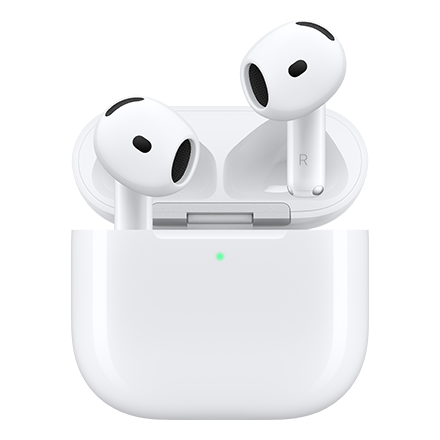
Apple
### Apple AirPods 5 with Wireless Charging Case
#### Available colors
- 
Full price: Original price$ Sale price$ Full price: $
$12.50/month for 12 months $12.50 per month for 12 months $0.00 down + tax due today Full price: Original price$ Sale price$ Full price: $ Full price: $149.99
Full price: Original price$ Sale price$ Full price: $
$12.50/month for 12 months $12.50 per month for 12 months $0.00 down + tax due today Full price: Original price$ Sale price$ Full price: $ Full price: $149.99
- Get a Month On Us + Apple AirPods 4 On Us when you activate a new 5G home internet line

Apple
### Apple AirPods 4
#### Available colors
- 
Full price: Original price$ Sale price$ Full price: $
$10.84/month for 12 months $10.84 per month for 12 months $0.00 down + tax due today Full price: Original price$ Sale price$ Full price: $ Full price: $129.99
Full price: Original price$ Sale price$ Full price: $
$10.84/month for 12 months $10.84 per month for 12 months $0.00 down + tax due today Full price: Original price$ Sale price$ Full price: $ Full price: $129.99
- 
Apple
### Apple AirPods 5
#### Available colors
- 
Full price: Original price$ Sale price$ Full price: $
$10.84/month for 12 months $10.84 per month for 12 months $0.00 down + tax due today Full price: Original price$ Sale price$ Full price: $ Full price: $129.99
Full price: Original price$ Sale price$ Full price: $
$10.84/month for 12 months $10.84 per month for 12 months $0.00 down + tax due today Full price: Original price$ Sale price$ Full price: $ Full price: $129.99
- 
Apple
### Apple EarPods, USB-C
#### Available colors
- 
Full price: Original price$ Sale price$ Full price: $
$1.67/month for 12 months $1.67 per month for 12 months $0.00 down + tax due today Full price: Original price$ Sale price$ Full price: $ Full price: $19.99
Full price: Original price$ Sale price$ Full price: $
$1.67/month for 12 months $1.67 per month for 12 months $0.00 down + tax due today Full price: Original price$ Sale price$ Full price: $ Full price: $19.99
- #### Available colors
Full price: Original price$ Sale price$ Full price: $
Full price: Original price$ Sale price$ Full price: $
## Speakers
- #### Available colors
Full price: Original price$ Sale price$ Full price: $
Full price: Original price$ Sale price$ Full price: $
- 
JBL
### JBL PartyBox 130
#### Available colors
- 
Full price: Original price$ Sale price$ Full price: $
$37.50/month for 12 months $37.50 per month for 12 months $0.00 down + tax due today Full price: Original price$ Sale price$ Full price: $ Full price: $449.99
Full price: Original price$ Sale price$ Full price: $
$37.50/month for 12 months $37.50 per month for 12 months $0.00 down + tax due today Full price: Original price$ Sale price$ Full price: $ Full price: $449.99
- 
JBL
### JBL PartyBox On-The-Go 2 Plus
#### Available colors
- 
Full price: Original price$ Sale price$ Full price: $
$35.00/month for 12 months $35.00 per month for 12 months $0.00 down + tax due today Full price: Original price$ Sale price$ Full price: $ Full price: $419.99
Full price: Original price$ Sale price$ Full price: $
$35.00/month for 12 months $35.00 per month for 12 months $0.00 down + tax due today Full price: Original price$ Sale price$ Full price: $ Full price: $419.99
- 
JBL
### JBL PartyBox Encore Essential 2
#### Available colors
- 
Full price: Original price$ Sale price$ Full price: $
$27.50/month for 12 months $27.50 per month for 12 months $0.00 down + tax due today Full price: Original price$ Sale price$ Full price: $ Full price: $329.99
Full price: Original price$ Sale price$ Full price: $
$27.50/month for 12 months $27.50 per month for 12 months $0.00 down + tax due today Full price: Original price$ Sale price$ Full price: $ Full price: $329.99
- Limited Time Offer. 40% Off

Harman Kardon
### Harman Kardon Onyx Studio 9
#### Available colors
- 
- 
Full price: Original price$ Sale price$ Full price: $
$15.00/month for 12 months $15.00 per month for 12 months $0.00 down + tax due today Full price: Original price$ Sale price$ Full price: Original price$299.99 Sale price$179.99 Full price: $
Full price: Original price$ Sale price$ Full price: $
$15.00/month for 12 months $15.00 per month for 12 months $0.00 down + tax due today Full price: Original price$ Sale price$ Full price: Original price$299.99 Sale price$179.99 Full price: $
- 
JBL
### JBL Charge 6
#### Available colors
- 
Full price: Original price$ Sale price$ Full price: $
$16.67/month for 12 months $16.67 per month for 12 months $0.00 down + tax due today Full price: Original price$ Sale price$ Full price: $ Full price: $199.99
Full price: Original price$ Sale price$ Full price: $
$16.67/month for 12 months $16.67 per month for 12 months $0.00 down + tax due today Full price: Original price$ Sale price$ Full price: $ Full price: $199.99
- 
JBL
### JBL Flip 7
#### Available colors
- 
Full price: Original price$ Sale price$ Full price: $
$12.50/month for 12 months $12.50 per month for 12 months $0.00 down + tax due today Full price: Original price$ Sale price$ Full price: $ Full price: $149.99
Full price: Original price$ Sale price$ Full price: $
$12.50/month for 12 months $12.50 per month for 12 months $0.00 down + tax due today Full price: Original price$ Sale price$ Full price: $ Full price: $149.99
- 
Beats
### Beats Pill
#### Available colors
- 
Full price: Original price$ Sale price$ Full price: $
$12.50/month for 12 months $12.50 per month for 12 months $0.00 down + tax due today Full price: Original price$ Sale price$ Full price: $ Full price: $149.99
Full price: Original price$ Sale price$ Full price: $
$12.50/month for 12 months $12.50 per month for 12 months $0.00 down + tax due today Full price: Original price$ Sale price$ Full price: $ Full price: $149.99
- 
JBL
### JBL Grip
#### Available colors
- 
Full price: Original price$ Sale price$ Full price: $
$8.34/month for 12 months $8.34 per month for 12 months $0.00 down + tax due today Full price: Original price$ Sale price$ Full price: $ Full price: $99.99
Full price: Original price$ Sale price$ Full price: $
$8.34/month for 12 months $8.34 per month for 12 months $0.00 down + tax due today Full price: Original price$ Sale price$ Full price: $ Full price: $99.99
- #### Available colors
Full price: Original price$ Sale price$ Full price: $
Full price: Original price$ Sale price$ Full price: $
## Others
- #### Available colors
Full price: Original price$ Sale price$ Full price: $
Full price: Original price$ Sale price$ Full price: $
- 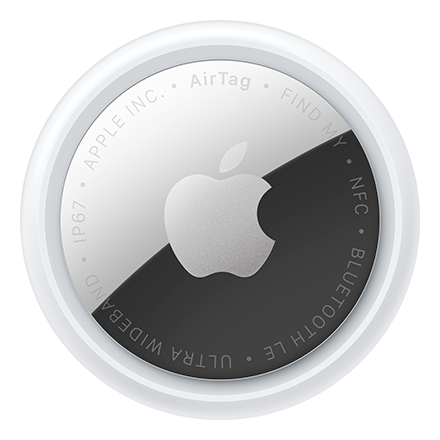
Apple
### Apple AirTag 4 Pack (2nd Generation)
#### Available colors
- 
Full price: Original price$ Sale price$ Full price: $
$8.34/month for 12 months $8.34 per month for 12 months $0.00 down + tax due today Full price: Original price$ Sale price$ Full price: $ Full price: $99.99
Full price: Original price$ Sale price$ Full price: $
$8.34/month for 12 months $8.34 per month for 12 months $0.00 down + tax due today Full price: Original price$ Sale price$ Full price: $ Full price: $99.99
- 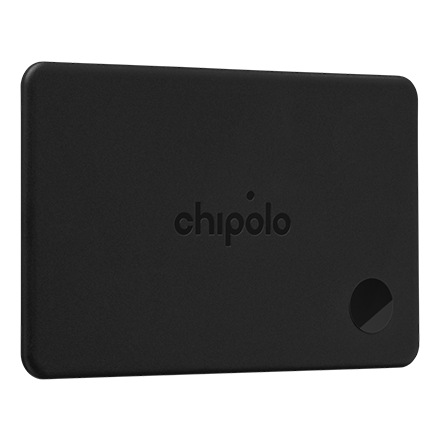
Chipolo
### Chipolo CARD Tracker Tag
#### Available colors
- 
Full price: Original price$ Sale price$ Full price: $
$3.34/month for 12 months $3.34 per month for 12 months $0.00 down + tax due today Full price: Original price$ Sale price$ Full price: $ Full price: $39.99
Full price: Original price$ Sale price$ Full price: $
$3.34/month for 12 months $3.34 per month for 12 months $0.00 down + tax due today Full price: Original price$ Sale price$ Full price: $ Full price: $39.99
- 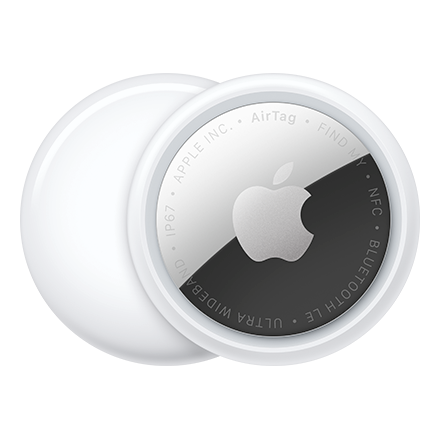
Apple
### Apple AirTag 1 Pack (2nd Generation)
#### Available colors
- 
Full price: Original price$ Sale price$ Full price: $
$2.50/month for 12 months $2.50 per month for 12 months $0.00 down + tax due today Full price: Original price$ Sale price$ Full price: $ Full price: $29.99
Full price: Original price$ Sale price$ Full price: $
$2.50/month for 12 months $2.50 per month for 12 months $0.00 down + tax due today Full price: Original price$ Sale price$ Full price: $ Full price: $29.99
- 
Chipolo
### Chipolo POP Tracker Tag
#### Available colors
- 
- 
- 
- 
Full price: Original price$ Sale price$ Full price: $
$2.50/month for 12 months $2.50 per month for 12 months $0.00 down + tax due today Full price: Original price$ Sale price$ Full price: $ Full price: $29.99
Full price: Original price$ Sale price$ Full price: $
$2.50/month for 12 months $2.50 per month for 12 months $0.00 down + tax due today Full price: Original price$ Sale price$ Full price: $ Full price: $29.99
- 
GoTo
### GoTo® Device Cleaning Kit for AirPods, smartphones, and other mobile devices
#### Available colors
- 
Full price: Original price$ Sale price$ Full price: $
$0.84/month for 12 months $0.84 per month for 12 months $0.00 down + tax due today Full price: Original price$ Sale price$ Full price: $ Full price: $9.99
Full price: Original price$ Sale price$ Full price: $
$0.84/month for 12 months $0.84 per month for 12 months $0.00 down + tax due today Full price: Original price$ Sale price$ Full price: $ Full price: $9.99
## Loading.......
- No rating yet
* * *
See 1 promotions
Buy One Apple Watch, and Get a Second Apple Watch $300 off.
manufacturer
# familyName
View Specifications
- 
- 
- 
- 
See 1 promotions
Buy One Apple Watch, and Get a Second Apple Watch $300 off.
### Color: Natural Titanium Case Translucent Gray Ocean Band
Device colors
Black Titanium Case Burgundy Alpine Loop - S
Natural Titanium Case Translucent Gray Ocean Band
Natural Titanium Case Desert Alpine Loop - M
Black Titanium Case Burgundy Alpine Loop - L
Black Titanium Case Translucent Black Ocean Band
Natural Titanium Case Sand Trail Loop - M/L
Black Titanium Case Burgundy Trail Loop - M/L
Natural Titanium Case Sand Trail Loop - S/M
Natural Titanium Case Desert Alpine Loop - S
Black Titanium Case Burgundy Alpine Loop - M
Natural Titanium Case Desert Alpine Loop - L
Black Titanium Case Burgundy Trail Loop - S/M
__In stock__ at storeLocation
__In stock__, estimated ship date: shipFromDate - shipToDate.
__Pre-order__ estimated ship date: shipFromDate
Storage and payment
Pay monthly Pay in full
__Pay monthly__
Original Price was Monthly Price is $22.23/month for 36 months
Due today $$0.00
Full price: $799.99 + tax
__Pay in full__
$799.99
\+ taxes
with promotion
Starting at
If you cancel wireless service, remaining balance on accessory becomes due. For well qualified buyers. 0% APR.
1
quantity updated 1
Add to cart
1
quantity updated 1
Add to cart
[](https://www.t-mobile.com)
## |
# Other features
longDescription
# What's in the box?
boxContents
# Additional spec details
Weight
Height
Length
Width
__Weight__
__Length__
__Height__
__Width__
To take advantage of this Metro offer, your current cart will be cleared. Would you like to continue?
# Welcome back !
It looks like you're a Metro by T-Mobile customer. Sign in to your Metro account to complete
your purchase faster.
[Login to Metro](https://www.metrobyt-mobile.com/login/start?pre2post=true)
Cancel
# Financing updated to match selected plan
Your available financing terms have been updated to reflect offers available based on your selected rate plan.
Review payments
## Skip trade in
Unlock our best deals by trading in your current device
Cancel
Continue
# Line limit reached
You already have the maximum number of phone lines in your cart.
[Go to Cart](https://www.t-mobile.com/cart)
## Hello! Want to stay logged in?
To keep your accounts safe, you'll be automatically logged out in:
Yes, stay logged in
No, log me out
## Share your screen while on a call or in store
__Get guided support from an Expert in real time__
- For your security, personal info, tabs, and notifications are automatically hidden.
- You can stop screen sharing at any time.
- Experts can only see what’s on T-Mobile.com.
- Don’t use screen share while driving or in any situation where it's unsafe to focus on your screen.
By clicking 'Accept and continue,' you are consenting to allow the Expert to view your screen for assisted navigation. This session may be recorded. To learn more, please visit the
[__T-Mobile Privacy Notice__](https://www.t-mobile.com/privacy-center/privacy-notices/t-mobile-privacy-notice).
Accept and continue
No thanks
__Next:__ Generate a code to share with your Expert
## Share this code with your Expert
code
Once your code has been successfully entered by your Expert, this window will close and continue to the session.
## Allow screen sharing with your Expert?
Personal and sensitive data is hidden for your security and privacy.
Allow
Don’t allow
## End your session?
Ending your session will stop sharing your screen, but will not end your call.
End session
Continue session
## Your session has ended
Your screen is no longer being shared with your Expert.
OK
Share again
## You are already in an active session
OK
## Your code has expired
Generate a new one to share with your Expert.
Generate new code
## Connect with T-Mobile
- [Instagram](https://www.instagram.com/tmobile/)
- [Facebook](https://www.facebook.com/TMobile)
- [X](https://twitter.com/TMobile)
- [You Tube](https://www.youtube.com/user/TMobile/custom)
### Choose language
- [English](https://www.t-mobile.com)
- [Español](https://www.t-mobile.com)
[](https://www.t-mobile.com/)
- [Instagram](https://www.instagram.com/tmobile/)
- [Facebook](https://www.facebook.com/TMobile)
- [X](https://twitter.com/TMobile)
- [You Tube](https://www.youtube.com/user/TMobile/custom)
- [About](https://www.t-mobile.com/our-story)
- [Investor relations](https://investor.t-mobile.com?INTNAV=fNav%3AAInvestorRelations)
- [Press](https://www.t-mobile.com/news)
- [Careers](https://careers.t-mobile.com?INTNAV=fNav%3ACareers)
- [Deutsche Telekom](https://www.telekom.com/en?INTNAV=fNav%3ADeutscheTelekom)
- [Puerto Rico](https://www.t-mobilepr.com/?INTNAV=fNav%3APuertoRico)
- [Privacy Notice](https://www.t-mobile.com/privacy-center/privacy-notices/t-mobile-privacy-notice)
- [Trust Center](https://security.t-mobile.com/?INTNAV=fNav%3ATrustCenter)
- [Privacy Center](https://www.t-mobile.com/privacy-center)
- [Consumer information](https://www.t-mobile.com/responsibility/consumer-info)
- [Public safety/911](https://www.t-mobile.com/responsibility/consumer-info/safety/9-1-1)
- [Terms & conditions](https://www.t-mobile.com/responsibility/legal/terms-and-conditions)
- [Terms of use](https://www.t-mobile.com/responsibility/consumer-info/policies/terms-of-use)
- [Accessibility](https://www.t-mobile.com/responsibility/consumer-info/accessibility-policy)
- [Open Internet](https://www.t-mobile.com/responsibility/consumer-info/policies/internet-service)
- [Do Not Sell or Share My Personal Information](https://www.t-mobile.com)
- [Licenses & Patents](https://www.t-mobile.com/responsibility/legal/licenses-and-patents)
- [Consumer Health Data Privacy Notice](https://www.t-mobile.com/privacy-center/privacy-notices/t-mobile-privacy-notice.html?INTNAV=fNav%3AConsumerHealthDataPrivacyNotice#health-data-privacy-notice)
- T-Mobile, the T logo, Magenta and the magenta color are registered trademarks of Deutsche Telekom AG.
- [Instagram](https://www.instagram.com/tmobile/)
- [Facebook](https://www.facebook.com/TMobile)
- [X](https://twitter.com/TMobile)
- [You Tube](https://www.youtube.com/user/TMobile/custom)
© 2026 T‑Mobile USA, Inc.

## Stay up to date with notifications
Get the latest from T-Mobile when you’re using the web. You can opt out any time.
Allow notifications Don't allow

## Get the latest from T-Mobile
Stay up to date with notifications - including offers just for you
Allow notifications Don't allow notifications

## Stay up to date with notifications
Get the latest from T-Mobile when you’re using the web. You can opt out any time.
Allow notifications Don't allow

## Get the latest from T-Mobile
Stay up to date with notifications - including offers just for you
Allow notifications Don't allow notifications