[Skip to content](https://www.t-mobile.com/dialed-in/wireless/what-do-cell-phone-bars-mean#maincontent)

Hey, looks like you need help finding something. I am here to chat if you have any questions
Skip to main content Skip to footer
[Wireless](https://www.t-mobile.com/)
[Business](https://www.t-mobile.com/business)
[Prepaid](https://prepaid.t-mobile.com/home)
[Internet](https://www.t-mobile.com/home-internet)
[](https://www.t-mobile.com)
Log in
[Plans](https://www.t-mobile.com/cell-phone-plans)
[Unlimited Phone Plans](https://www.t-mobile.com/cell-phone-plans)[Unlimited Age 55+](https://www.t-mobile.com/cell-phone-plans/unlimited-55-senior-discount-plans)[Military & Veterans](https://www.t-mobile.com/cell-phone-plans/military-discount-plans)[First Responder](https://www.t-mobile.com/cell-phone-plans/first-responder-discounts)[College Students](https://www.t-mobile.com/cell-phone-plans/student-discounts)[5G Home Internet Plans](https://www.t-mobile.com/home-internet/plans)[Fiber Internet Plans](https://www.t-mobile.com/home-internet/fiber)[Watch & Tablet Plans](https://www.t-mobile.com/cell-phone-plans/affordable-data-plans)[Prepaid Phone Plans](https://prepaid.t-mobile.com/prepaid-plans)[Business Phone Plans](https://www.t-mobile.com/business/wireless-business-plans)
[Phones & devices](https://www.t-mobile.com/cell-phones)
[Cell phones](https://www.t-mobile.com/cell-phones)[5G phones](https://www.t-mobile.com/5g/phones)[Tablets](https://www.t-mobile.com/tablets)[Smartwatches](https://www.t-mobile.com/smart-watches)[Hotspots & more](https://www.t-mobile.com/hotspots-iot-connected-devices)[Accessories](https://www.t-mobile.com/accessories)[Bring your own device](https://www.t-mobile.com/resources/bring-your-own-phone)[Tech Gift Ideas](https://www.t-mobile.com/devices/tech-gifts)
[Deals](https://www.t-mobile.com/offers)
[See all deals](https://www.t-mobile.com/offers)[Apple](https://www.t-mobile.com/offers/apple-iphone-deals)[Samsung](https://www.t-mobile.com/offers/samsung-phone-deals)[Motorola](https://www.t-mobile.com/offers/motorola-phone-deals)[Google](https://www.t-mobile.com/offers/google-phone-deals)[Revvl](https://www.t-mobile.com/offers/t-mobile-revvl-phone-deals)[Free & Zero Down Phones](https://www.t-mobile.com/switch/free-cell-phone-with-plan)
[Coverage](https://www.t-mobile.com/coverage/network)
[Our network](https://www.t-mobile.com/coverage/network)[4G & 5G Coverage map](https://www.t-mobile.com/coverage/coverage-map)[What is 5G](https://www.t-mobile.com/5g)[Satellite Phone Service](https://www.t-mobile.com/coverage/satellite-phone-service)[Rural & Small Towns](https://www.t-mobile.com/coverage/small-towns-rural-areas)[Try our network](https://www.t-mobile.com/offers/free-trial)[5G news](https://www.t-mobile.com/news/category/network)[Home Internet](https://www.t-mobile.com/home-internet/eligibility)
[Join Us](https://www.t-mobile.com/resources/how-to-join-us)
[How to switch](https://www.t-mobile.com/resources/how-to-join-us)[Bring your own phone](https://www.t-mobile.com/resources/bring-your-own-phone)[Keep your number](https://www.t-mobile.com/resources/keep-your-number)[Keep & switch](https://www.t-mobile.com/switch/keep-phone-switch-from-verizon-or-att)[Benefits](https://www.t-mobile.com/benefits)[Find your reason](https://www.t-mobile.com/membership)[T-Mobile Tuesdays](https://www.t-mobile.com/offers/t-mobile-tuesdays)
[Contact & support](https://www.t-mobile.com/contact-us)
[](https://www.t-mobile.com)[1-800-T-MOBILE](tel:1-800-866-2453)[Check order status](https://www.t-mobile.com/orders/check-order)[Help & support](https://www.t-mobile.com/support)[](https://www.t-mobile.com)
[Cart](https://www.t-mobile.com/cart)
Search
- POPULAR
[Search](javascript:void%280%29)
My account
more from T-Mobile
- [Wireless](https://www.t-mobile.com/)
- [Business](https://www.t-mobile.com/business)
- [Prepaid](https://prepaid.t-mobile.com/home)
- [Internet](https://www.t-mobile.com/home-internet)
Legal
- [Privacy Policy](https://www.t-mobile.com/privacy-center/our-practices/privacy-policy)
- [Do Not Sell My Personal Information](javascript:void%280%29)
- [Privacy Center](https://www.t-mobile.com/privacy-center)
[Log in](https://www.t-mobile.com)
[Bill pay](https://www.t-mobile.com/signin?state=eyJpbnRlbnQiOiJQYXltZW50IiwiYm9va21hcmtVcmwiOiJodHRwczovL215LnQtbW9iaWxlLmNvbS9vbmV0aW1lcGF5bWVudCJ9) [Add a line](https://www.t-mobile.com/commerce/device-intent) [Upgrade](https://www.t-mobile.com/purchase/shop) [Check order status](https://www.t-mobile.com/orders/check-order) [Ask the Community](https://www.t-mobile.com/community)
[Dialed In](https://www.t-mobile.com/dialed-in)
- [All Blogs](https://www.t-mobile.com/dialed-in/latest)
- [Devices](https://www.t-mobile.com/dialed-in/category/devices)
- [Accessories](https://www.t-mobile.com/dialed-in/category/accessories)
- [Tips & Tricks](https://www.t-mobile.com/dialed-in/category/tips-tricks)
- [Wireless 101](https://www.t-mobile.com/dialed-in/category/wireless)
- [The Signal](https://www.t-mobile.com/home-internet/the-signal/)
- [Newsroom](https://www.t-mobile.com/news)
- [All Blogs](https://www.t-mobile.com/dialed-in/latest)
- [Devices](https://www.t-mobile.com/dialed-in/category/devices)
- [Accessories](https://www.t-mobile.com/dialed-in/category/accessories)
- [Tips & Tricks](https://www.t-mobile.com/dialed-in/category/tips-tricks)
- [Wireless 101](https://www.t-mobile.com/dialed-in/category/wireless)
- [The Signal](https://www.t-mobile.com/home-internet/the-signal/)
- [Newsroom](https://www.t-mobile.com/news)
1. [Dialed In](https://www.t-mobile.com/dialed-in)
2. Category:[Wireless 101](https://www.t-mobile.com/dialed-in/category/wireless)
[Wireless 101Category](https://www.t-mobile.com/dialed-in/category/wireless)
# What do the Bars on My Phone Mean? Cell Bars Explained
Published: March 26, 2026
|7 min read
You glance at your phone and see full bars - yet your video still buffers. Or you have just one bar, but a call sounds perfectly clear.
Signal bars are a rough visual estimate of your phone’s connection to a nearby cell site (a tower or small cell) - not a precise measure of speed or call quality.

- Share "What do the Bars on My Phone Mean? Cell Bars Explained" on X
- Share "What do the Bars on My Phone Mean? Cell Bars Explained" on Facebook
- Share "What do the Bars on My Phone Mean? Cell Bars Explained" on LinkedIn
Most phones show 1–5 bars, but there’s no universal standard behind them. Even on the same carrier, two phones in the same spot can display different bar levels because each device interprets signal strength differently.
This guide explains what signal bars represent, how to check real signal strength, and what you can do to improve reception when coverage is weak.
## Key takeaways about cell bars
- Signal bars are a non-standard estimate of connection strength to a cell site, not a direct measure of speed or performance
- More bars usually mean a stronger signal, but network congestion and interference still affect real-world results
- You can improve weak signal by adjusting your environment, using Wi-Fi Calling, or adding a signal booster
## What do cell phone signal bars actually represent?
Signal bars reflect the strength of the radio signal your phone receives from the serving cell site. A stronger signal generally supports a more stable connection, but it does not guarantee faster speeds or better call quality.
There is no industry standard for how bars map to signal strength. Each device manufacturer defines its own thresholds, which is why bar displays can vary between phones - even on the same network. As your phone moves or switches between technologies (e.g., [4G LTE to 5G](https://www.t-mobile.com/dialed-in/wireless/5g-vs-4g)), the number of bars may change even if your experience stays the same.
### __Do more bars always mean faster data?__
Not necessarily. Bars show signal strength - not how busy the network is or how much capacity is available.
You can have full bars but slow speeds in crowded areas like stadiums or during rush hour. On the other hand, a lightly loaded cell site may deliver strong performance even with fewer bars.
## __How cell phone signal strength is measured__
Engineers measure signal strength in __dBm (decibel-milliwatts)__, a logarithmic unit of power. These values appear as negative numbers on your phone—closer to 0 means a stronger signal.
- Around __-55 dBm__: Excellent
- Around __-85 dBm__: Generally considered strong for indoor use, though performance can vary
- Around __-110 dBm__: Weak
On LTE and 5G networks, two additional metrics are commonly used:
- __RSRP (Reference Signal Received Power):__ Measures signal strength
- __RSRQ (Reference Signal Received Quality):__ Reflects signal quality relative to interference
These values provide a more accurate picture of performance than signal bars.
## How to check your real signal strength on iPhone and Android
[On Android](https://www.t-mobile.com/dialed-in/tips-tricks/android-phone-tips), open Settings and look for __SIM status, About phone, or Network & Internet details__. You’ll typically see Signal strength with a dBm value (and sometimes LTE/5G metrics like RSRP/RSRQ). Exact menu names differ by device and OS version. For best results, stand still for 15–30 seconds to let readings stabilize, test in multiple rooms, and take screenshots so you can compare locations later.
[On iPhone](https://www.t-mobile.com/dialed-in/tips-tricks/ios-phone-tips), enter __Field Test Mode__ by opening the phone dialer and following the device’s diagnostic steps to view LTE/5G serving cell measurements (look for RSRP in dBm and RSRQ). Simply viewing these readings is safe and won’t harm your phone. Use the same testing tips: compare rooms, note times of day, and check near windows. For a step-by-step walkthrough, see our how to test your coverage guide, and consider a short screen recording that demonstrates the iPhone and a typical Android path side-by-side.
For consistent results:
- Stand still for 15-30 seconds while measuring
- Test multiple rooms and locations
- Compare readings at different times of day
## Why your signal bars can be so misleading
Signal bars provide a simplified view of a complex connection. Bar displays can sometimes lag behind real-world conditions, especially when moving between locations or transitioning indoors and outdoors. Your phone may briefly show stronger or weaker signal than what is actually available as it updates.
Bar levels also vary by device. Different phone models, antennas, and operating systems use their own methods to translate signal strength into bars.
Because of this, two people standing side by side may see different bar counts - even though both devices are accurately reflecting their own measurements.
## 7 Factors that affect how many bars you see
Several conditions influence the signal your phone receives from a cell site:
1. __Distance and line of sight:__ Being farther from the cell site or blocked by terrain reduces signal
2. __Building materials:__ Concrete, metal, and low-E glass can significantly weaken signals
3. __Indoor layout:__ Basements, interior rooms, and elevators often have weaker reception
4. __Network congestion:__ High demand can slow speeds even with strong signal
5. __Interference:__ Overlapping signals and electronic noise can affect quality
6. __Phone design:__ Antenna placement, cases, and how you hold your phone can make small differences
7. __Frequency band:__ Low-band signals travel farther; higher bands offer more capacity but shorter range
### What to do when you only have 1–2 bars
Start with simple adjustments that improve your connection to the nearest cell site.
Test methodically by comparing rooms, noting dBm or RSRP values, and observing changes throughout the day. Even small movements - like stepping closer to a window - can sometimes improve signal strength.
Additional options include:
- Moving outdoors or near windows
- Enabling Wi-Fi Calling
- Trying different locations in your home or workspace
For more consistent improvement, [signal boosters](https://www.t-mobile.com/dialed-in/wireless/what-is-cell-phone-signal-booster) can help improve existing signal where coverage is weak but present. For homes and commercial spaces, look for reputable brands and properly sized systems; for vehicles, compact multi-carrier options are ideal. Manage expectations: a booster improves reliability and consistency; it cannot create coverage where none exists.
### 4G vs. 5G: What the icons and labels mean
Network icons show the type of connection your phone is using - not guaranteed performance.
- __4G LTE:__ Broad coverage and consistent performance
- __Low-band 5G:__ Wide coverage with similar performance to LTE
- __Mid-band 5G:__ Higher speeds with moderate coverage
- __High-band 5G (mmWave):__ Very fast speeds in limited areas
Performance depends on both the frequency band and how much demand is placed on that cell site.
## FAQs about cell phone signal bars
__What do signal bars represent?__
They estimate the strength of your connection to a nearby cell site.
__Do more bars mean faster speeds?__
No. Speed depends on network capacity, not just signal strength.
__Why do bars change when I’m not moving?__
Your phone may switch between nearby cell sites or frequency bands, or update its readings.
__What is a good signal strength?__
Around -85 dBm or better typically supports reliable indoor use.
__Why do I have full bars but slow internet?__
Network congestion, device performance, or server limits can reduce speeds even with strong signal.
__Do phone cases affect signal?__
Most cases have minimal impact, but thick or metal cases can slightly reduce performance in weak-signal areas.
__Can weather affect signal?__
Severe weather can impact higher-frequency signals, though effects are usually minor.
__You might also be interested in:__
[T-Mobile Network Coverage](https://www.t-mobile.com/coverage/network)
[What Is a Cell Phone Signal Booster? How It Works, Who Needs It & What to Consider](https://www.t-mobile.com/dialed-in/wireless/what-is-cell-phone-signal-booster)
[4G vs. 5G: Speed Comparison Explained](https://www.t-mobile.com/dialed-in/wireless/5g-vs-4g)
[What are the Benefits of 5G?](https://www.t-mobile.com/dialed-in/wireless/benefits-of-5g)
__Sources:__
- [https://www.wired.com/story/5g-5-bars-decoding-smartphone-signal-icons/](https://www.wired.com/story/5g-5-bars-decoding-smartphone-signal-icons/)
- [https://www.digi.com/support/knowledge-base/understanding-lte-signal-strength-values](https://www.digi.com/support/knowledge-base/understanding-lte-signal-strength-values)
- [https://eugen-barilyuk.medium.com/signal-strength-in-dbm-the-key-to-reliable-mobile-172a39e70125](https://eugen-barilyuk.medium.com/signal-strength-in-dbm-the-key-to-reliable-mobile-172a39e70125)
- [https://www.digi.com/support/knowledge-base/understanding-lte-signal-strength-values](https://www.digi.com/support/knowledge-base/understanding-lte-signal-strength-values)
Tags
- [5G](https://www.t-mobile.com/dialed-in/archive/5g)
- [Messaging](https://www.t-mobile.com/dialed-in/archive/messaging)
- [Phone](https://www.t-mobile.com/dialed-in/archive/phone)
## Related Articles
[Read More](https://www.t-mobile.com/dialed-in/wireless/5g-uc)
[](https://www.t-mobile.com/dialed-in/wireless/5g-uc)
[Wireless 101](https://www.t-mobile.com/dialed-in/category/wireless)
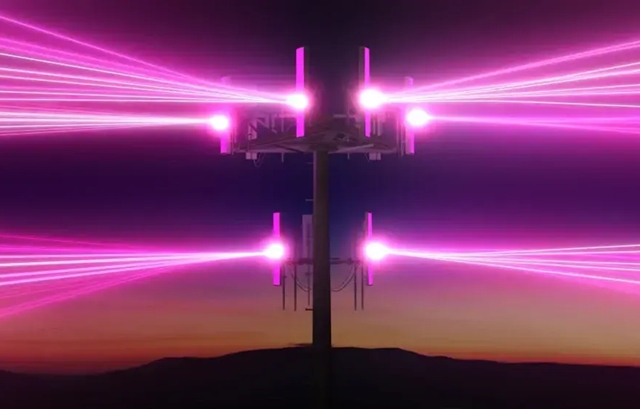
## [What is 5G UC? Meaning, Coverage, and Speeds Explained](https://www.t-mobile.com/dialed-in/wireless/5g-uc)
July 16, 2026
NEW
[Read More](https://www.t-mobile.com/dialed-in/wireless/what-is-an-apn)
[](https://www.t-mobile.com/dialed-in/wireless/what-is-an-apn)
[Wireless 101](https://www.t-mobile.com/dialed-in/category/wireless)
## [What is an APN and How Do Access Point Names Work?](https://www.t-mobile.com/dialed-in/wireless/what-is-an-apn)
June 18, 2026
NEW
[Read More](https://www.t-mobile.com/dialed-in/wireless/what-is-device-protection-plan)
[](https://www.t-mobile.com/dialed-in/wireless/what-is-device-protection-plan)
[Wireless 101](https://www.t-mobile.com/dialed-in/category/wireless)
## [Device Protection Plans: Benefits, Costs, and How to Choose Coverage](https://www.t-mobile.com/dialed-in/wireless/what-is-device-protection-plan)
June 30, 2026
### Get Connected with T-Mobile! Shop Now for your ideal phone.
[Shop now](https://www.t-mobile.com/cell-phones)
## Follow T-Mobile
- [](https://www.instagram.com/tmobile/)
- [](https://www.facebook.com/TMobile)
- [](https://twitter.com/TMobile)
- [](https://www.youtube.com/user/TMobile/custom)
[English](https://t-mobile.com)[Español](https://es.t-mobile.com)
Even more plans
Even more plans
- [Senior phone plans](https://www.t-mobile.com/cell-phone-plans/unlimited-55-senior-discount-plans)
- [International phone plans](https://www.t-mobile.com/cell-phone-plans/international-roaming-plans)
- [International passes](https://www.t-mobile.com/cell-phone-plans/international-roaming-plans/unlimited-calling-data-pass)
- [Home Internet plans](https://www.t-mobile.com/home-internet/plans)
- [Phone and internet bundles](https://www.t-mobile.com/cell-phone-plans/phone-home-internet-bundle)
- [Hotspot plans](https://www.t-mobile.com/cell-phone-plans/affordable-data-plans/hotspots)
- [Business phone plans](https://www.t-mobile.com/business/wireless-business-plans)
Shop devices by brand
Shop devices by brand
- [iPhones](https://www.t-mobile.com/cell-phones/brand/apple)
- [iPads](https://www.t-mobile.com/tablets/brand/apple)
- [Apple Watches](https://www.t-mobile.com/smart-watches/brand/apple)
- [Galaxy phones](https://www.t-mobile.com/cell-phones/brand/samsung)
- [Samsung tablets](https://www.t-mobile.com/tablets/brand/samsung)
- [Samsung watches](https://www.t-mobile.com/smart-watches/brand/samsung)
- [Motorola phones](https://www.t-mobile.com/cell-phones/brand/motorola)
- [Google Pixel phones](https://www.t-mobile.com/cell-phones/brand/google)
New featured cell phones
New featured cell phones
- [New Apple iPhone Duo](https://www.t-mobile.com/cell-phone/apple-iphone-duo)
- [New Apple iPhone 18 Pro](https://www.t-mobile.com/cell-phone/apple-iphone-18-pro)
- [New Apple iPhone 18 Pro Max](https://www.t-mobile.com/cell-phone/apple-iphone-18-pro-max)
- [New Samsung Galaxy Z Fold8](https://www.t-mobile.com/cell-phone/samsung-galaxy-z-fold8)
- [New Google Pixel 11](https://www.t-mobile.com/cell-phone/google-pixel-11)
New featured tablets, smartwatches & more
New featured tablets, smartwatches & more
- [Apple iPad Mini (A17 Pro)](https://www.t-mobile.com/tablet/apple-ipad-mini-a17-pro)
- [Apple iPad (A16)](https://www.t-mobile.com/tablet/apple-ipad-a16)
- [Apple Watch SE 3 40mm](https://www.t-mobile.com/smart-watch/apple-watch-se-3-40mm)
- [T-Mobile Revvl Tab 2](https://www.t-mobile.com/tablet/t-mobile-revvl-tab-2)
- [Samsung Galaxy Tab A11+ 5G](https://www.t-mobile.com/tablet/samsung-galaxy-tab-a11-plus-5g)
- [Samsung Galaxy Watch Ultra2](https://www.t-mobile.com/smart-watch/samsung-galaxy-watch-ultra2)
Helpful consumer guides
Helpful consumer guides
- [Dialed In](https://www.t-mobile.com/dialed-in)
- [Cell Phone BYOD Guide](https://www.t-mobile.com/dialed-in/devices/what-is-byod-bring-your-own-device)
- [The 6 Best Samsung Phones of 2026](https://www.t-mobile.com/dialed-in/devices/best-samsung-phones)
- [iPhone 18 Series: Specs, Price and Release Dates](https://www.t-mobile.com/dialed-in/devices/iphone-18-series-specs-features)
- [How Does Satellite Phone Service Work?](https://www.t-mobile.com/dialed-in/wireless/how-satellite-phone-service-works)
T-Mobile customer benefits
T-Mobile customer benefits
- [TV streaming deals](https://www.t-mobile.com/tv-streaming)
- [T-Mobile Tuesdays](https://www.t-mobile.com/offers/t-mobile-tuesdays)
- [In-flight wi-fi](https://www.t-mobile.com/benefits/travel/in-flight-wifi)
- [Refer-a-Friend](https://referral.t-mobile.com/)
- [Device protection plan](https://www.t-mobile.com/benefits/phone-protection-plans)
- [Protection 360® HomeTech](https://www.t-mobile.com/benefits/phone-protection-plans/p360-home-tech)
Switch to T-Mobile
Switch to T-Mobile
- [How to switch to T-Mobile](https://www.t-mobile.com/resources/how-to-join-us)
- [Try our 5G network](https://www.t-mobile.com/offers/free-trial)
- [Bring your own device](https://www.t-mobile.com/resources/bring-your-own-phone)
- [Switch to T-Mobile from Verizon or AT&T](https://www.t-mobile.com/switch/keep-phone-switch-from-verizon-or-att)
- [Family freedom deal](https://www.t-mobile.com/switch/pay-off-carrier-etf-phone-deal)
- [Cell phone trade-in](https://www.t-mobile.com/devices/phone-trade-in)
Additional support
Additional support
- [View return policy](https://www.t-mobile.com/responsibility/legal/return-policy)
- [Contact us](https://www.t-mobile.com/contact-us)
- [Billing](https://www.t-mobile.com/support/account/whats-impacting-your-bill)
- [Shipping & pickup options](https://www.t-mobile.com/customers/shipping-dates)
- [Free Internet for Students](https://www.t-mobile.com/brand/project-10-million)
- [Redeem a rebate](https://promotions.t-mobile.com/)
- [Domestic Violence Resources](https://www.t-mobile.com/support/account/keeping-customers-safe-connected)
About T-Mobile
About T-Mobile
- [Our Story](https://www.t-mobile.com/our-story)
- [T-Mobile careers](https://careers.t-mobile.com/)
- [Privacy Center](https://www.t-mobile.com/privacy-center)
- [Newsroom](https://www.t-mobile.com/news)
- [Corporate Responsibility](https://www.t-mobile.com/responsibility)
[](https://www.t-mobile.com)
- [About](https://www.t-mobile.com/our-story)
- [Investor relations](https://investor.t-mobile.com/default.aspx)
- [Press](https://www.t-mobile.com/news)
- [Careers](https://careers.t-mobile.com)
- [Deutsche Telekom](https://www.telekom.com/en)
- [Puerto Rico](https://www.t-mobilepr.com/)
- [Privacy Notice](https://www.t-mobile.com/privacy-center/privacy-notices/t-mobile-privacy-notice)
- [Trust Center](https://security.t-mobile.com/)
- [Privacy Center](https://www.t-mobile.com/privacy-center)
- [Consumer information](https://www.t-mobile.com/responsibility/consumer-info)
- [Public safety/911](https://www.t-mobile.com/responsibility/consumer-info/safety/9-1-1)
- [Terms & conditions](https://www.t-mobile.com/responsibility/legal/terms-and-conditions)
- [Terms of use](https://www.t-mobile.com/responsibility/consumer-info/policies/terms-of-use)
- [Accessibility](https://www.t-mobile.com/responsibility/consumer-info/accessibility-policy)
- [Open Internet](https://www.t-mobile.com/responsibility/consumer-info/policies/internet-service)
- [Do Not Sell or Share My Personal Information](javascript:void%280%29)
- [Licenses & Patents](https://www.t-mobile.com/responsibility/legal/licenses-and-patents)
- [Consumer Health Data Privacy Notice](https://www.t-mobile.com/privacy-center/privacy-notices/t-mobile-privacy-notice.html#health-data-privacy-notice)
- [T-Mobile, the T logo, Magenta and the magenta color are registered trademarks of Deutsche Telekom AG.](https://www.t-mobile.com)
- [](https://www.instagram.com/tmobile/)
- [](https://www.facebook.com/TMobile)
- [](https://twitter.com/TMobile)
- [](https://www.youtube.com/user/TMobile/custom)
© 2026 T‑Mobile USA, Inc.
Top