[Skip to content](https://www.t-mobile.com/dialed-in/tips-tricks/smart-home-technology-protection-keep-devices-safe#maincontent)

Hey, looks like you need help finding something. I am here to chat if you have any questions
Skip to main content Skip to footer
[Wireless](https://www.t-mobile.com/)
[Business](https://www.t-mobile.com/business)
[Prepaid](https://prepaid.t-mobile.com/home)
[Internet](https://www.t-mobile.com/home-internet)
[](https://www.t-mobile.com)
Log in
[Plans](https://www.t-mobile.com/cell-phone-plans)
[Unlimited Phone Plans](https://www.t-mobile.com/cell-phone-plans)[Unlimited Age 55+](https://www.t-mobile.com/cell-phone-plans/unlimited-55-senior-discount-plans)[Military & Veterans](https://www.t-mobile.com/cell-phone-plans/military-discount-plans)[First Responder](https://www.t-mobile.com/cell-phone-plans/first-responder-discounts)[College Students](https://www.t-mobile.com/cell-phone-plans/student-discounts)[5G Home Internet Plans](https://www.t-mobile.com/home-internet/plans)[Fiber Internet Plans](https://www.t-mobile.com/home-internet/fiber)[Watch & Tablet Plans](https://www.t-mobile.com/cell-phone-plans/affordable-data-plans)[Prepaid Phone Plans](https://prepaid.t-mobile.com/prepaid-plans)[Business Phone Plans](https://www.t-mobile.com/business/wireless-business-plans)
[Phones & devices](https://www.t-mobile.com/cell-phones)
[Cell phones](https://www.t-mobile.com/cell-phones)[5G phones](https://www.t-mobile.com/5g/phones)[Tablets](https://www.t-mobile.com/tablets)[Smartwatches](https://www.t-mobile.com/smart-watches)[Hotspots & more](https://www.t-mobile.com/hotspots-iot-connected-devices)[Accessories](https://www.t-mobile.com/accessories)[Bring your own device](https://www.t-mobile.com/resources/bring-your-own-phone)[Tech Gift Ideas](https://www.t-mobile.com/devices/tech-gifts)
[Deals](https://www.t-mobile.com/offers)
[See all deals](https://www.t-mobile.com/offers)[Apple](https://www.t-mobile.com/offers/apple-iphone-deals)[Samsung](https://www.t-mobile.com/offers/samsung-phone-deals)[Motorola](https://www.t-mobile.com/offers/motorola-phone-deals)[Google](https://www.t-mobile.com/offers/google-phone-deals)[Revvl](https://www.t-mobile.com/offers/t-mobile-revvl-phone-deals)[Free & Zero Down Phones](https://www.t-mobile.com/switch/free-cell-phone-with-plan)
[Coverage](https://www.t-mobile.com/coverage/network)
[Our network](https://www.t-mobile.com/coverage/network)[4G & 5G Coverage map](https://www.t-mobile.com/coverage/coverage-map)[What is 5G](https://www.t-mobile.com/5g)[Satellite Phone Service](https://www.t-mobile.com/coverage/satellite-phone-service)[Rural & Small Towns](https://www.t-mobile.com/coverage/small-towns-rural-areas)[Try our network](https://www.t-mobile.com/offers/free-trial)[5G news](https://www.t-mobile.com/news/category/network)[Home Internet](https://www.t-mobile.com/home-internet/eligibility)
[Join Us](https://www.t-mobile.com/resources/how-to-join-us)
[How to switch](https://www.t-mobile.com/resources/how-to-join-us)[Bring your own phone](https://www.t-mobile.com/resources/bring-your-own-phone)[Keep your number](https://www.t-mobile.com/resources/keep-your-number)[Keep & switch](https://www.t-mobile.com/switch/keep-phone-switch-from-verizon-or-att)[Benefits](https://www.t-mobile.com/benefits)[Find your reason](https://www.t-mobile.com/membership)[T-Mobile Tuesdays](https://www.t-mobile.com/offers/t-mobile-tuesdays)
[Contact & support](https://www.t-mobile.com/contact-us)
[](https://www.t-mobile.com)[1-800-T-MOBILE](tel:1-800-866-2453)[Check order status](https://www.t-mobile.com/orders/check-order)[Help & support](https://www.t-mobile.com/support)[](https://www.t-mobile.com)
[Cart](https://www.t-mobile.com/cart)
Search
- POPULAR
[Search](javascript:void%280%29)
My account
more from T-Mobile
- [Wireless](https://www.t-mobile.com/)
- [Business](https://www.t-mobile.com/business)
- [Prepaid](https://prepaid.t-mobile.com/home)
- [Internet](https://www.t-mobile.com/home-internet)
Legal
- [Privacy Policy](https://www.t-mobile.com/privacy-center/our-practices/privacy-policy)
- [Do Not Sell My Personal Information](javascript:void%280%29)
- [Privacy Center](https://www.t-mobile.com/privacy-center)
[Log in](https://www.t-mobile.com)
[Bill pay](https://www.t-mobile.com/signin?state=eyJpbnRlbnQiOiJQYXltZW50IiwiYm9va21hcmtVcmwiOiJodHRwczovL215LnQtbW9iaWxlLmNvbS9vbmV0aW1lcGF5bWVudCJ9) [Add a line](https://www.t-mobile.com/commerce/device-intent) [Upgrade](https://www.t-mobile.com/purchase/shop) [Check order status](https://www.t-mobile.com/orders/check-order) [Ask the Community](https://www.t-mobile.com/community)
[Dialed In](https://www.t-mobile.com/dialed-in)
- [All Blogs](https://www.t-mobile.com/dialed-in/latest)
- [Devices](https://www.t-mobile.com/dialed-in/category/devices)
- [Accessories](https://www.t-mobile.com/dialed-in/category/accessories)
- [Tips & Tricks](https://www.t-mobile.com/dialed-in/category/tips-tricks)
- [Wireless 101](https://www.t-mobile.com/dialed-in/category/wireless)
- [The Signal](https://www.t-mobile.com/home-internet/the-signal/)
- [Newsroom](https://www.t-mobile.com/news)
Keep your home tech covered.
[Explore Protection 360® HomeTech.](https://www.t-mobile.com/benefits/phone-protection-plans/p360-home-tech)
- [All Blogs](https://www.t-mobile.com/dialed-in/latest)
- [Devices](https://www.t-mobile.com/dialed-in/category/devices)
- [Accessories](https://www.t-mobile.com/dialed-in/category/accessories)
- [Tips & Tricks](https://www.t-mobile.com/dialed-in/category/tips-tricks)
- [Wireless 101](https://www.t-mobile.com/dialed-in/category/wireless)
- [The Signal](https://www.t-mobile.com/home-internet/the-signal/)
- [Newsroom](https://www.t-mobile.com/news)
1. [Dialed In](https://www.t-mobile.com/dialed-in)
2. Category:[Tips & Tricks](https://www.t-mobile.com/dialed-in/category/tips-tricks)
[Tips & TricksCategory](https://www.t-mobile.com/dialed-in/category/tips-tricks)
# Smart Home Technology Protection: A Guide to Keeping Your Devices Safe
Published: June 25, 2026
|11 min read
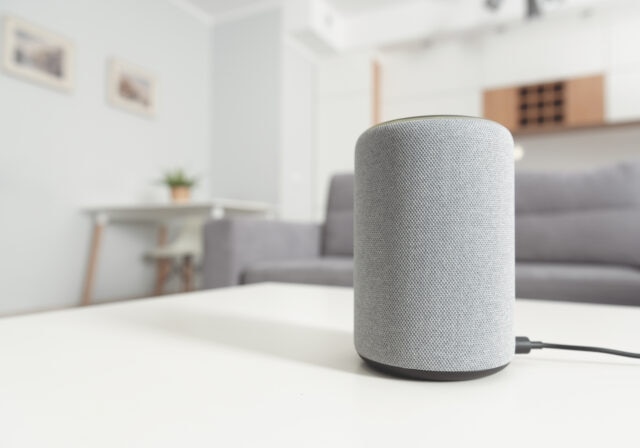
Smart home technology protection is about keeping your connected devices safe from two kinds of trouble: digital risks and everyday damage. Smart cameras, voice assistants, thermostats, doorbells, routers, speakers, tablets, and smart TVs can make life easier, but they also need the right security settings and physical care.
#### Jump to a Section^
1. [Common risks to smart home technology](https://www.t-mobile.com#common-risks)
2. [Steps to secure your home Wi-Fi network](https://www.t-mobile.com#secure-network)
3. [How to lock down smart cameras, voice assistants, and other devices](https://www.t-mobile.com#lock-down-devices)
4. [Protecting smart home devices from everyday damage](https://www.t-mobile.com#protecting-devices)
5. [Consider whether a home tech protection plan makes sense](https://www.t-mobile.com#protection-plan)
6. [Planning new smart home purchases with safety in mind](https://www.t-mobile.com#new-purchases)
7. [What to do if you suspect a smart home security issue](https://www.t-mobile.com#security-issue)
- Share "Smart Home Technology Protection: A Guide to Keeping Your Devices Safe " on X
- Share "Smart Home Technology Protection: A Guide to Keeping Your Devices Safe " on Facebook
- Share "Smart Home Technology Protection: A Guide to Keeping Your Devices Safe " on LinkedIn
In this article, we’ll break down how to secure your home Wi-Fi network, protect smart home devices from hackers and damage, use stronger account protections, and respond if something seems off. Think of it as a home checkup for your connected tech—minus the clipboard and awkward waiting room music.
## 3 key takeaways for smart home technology protection
- Secure your home Wi-Fi first. Update router settings, use WPA3 or WPA2 encryption, and separate smart devices on a guest or [IoT network](https://www.t-mobile.com/devices/iot) when possible.
- Protect every device. Use strong passwords, enable updates, review privacy settings, and place devices away from heat, water, and high-traffic areas.
- Act quickly if something seems wrong. Disconnect suspicious devices, change passwords, enable MFA, install updates, and check your router for unknown devices.
## Common risks to smart home technology
Smart home risks usually fall into two buckets: cybersecurity issues and physical damage. Both can interrupt your day, expose personal information, or leave an important device offline when you need it.
Digital risks often start with weak passwords, outdated firmware, unsecured Wi-Fi, or privacy settings that are too open. Start with your router, changing default settings, enabling encryption, checking for updates, and protecting each connected device with steps like changing default passwords and using two-factor authentication when available.
Physical risks are more ordinary but just as frustrating. Power surges, moisture, heat, dust, drops, loose cords, and poor placement can shorten the life of connected devices. A smart camera with strong privacy settings is not much help if it gets knocked off a shelf or damaged by weather.
## 6 steps to secure your home Wi-Fi network
Your router is the front door to your connected home. Securing it helps protect every smart home device connected to it.
### 1. Change the router admin password.
Your router admin login controls network settings. Change the default username and password to something long and unique.
### 2. Use strong Wi-Fi encryption.
Choose WPA3 if your router supports it, or WPA2 if WPA3 is not available. Avoid older, less secure options.
### 3. Rename your network.
Your Wi-Fi network name, also called an SSID, should not include your name, address, apartment number, or router model.
### 4. Create a guest or IoT network.
Put smart devices on a separate network when possible. This can help limit their access to laptops, phones, and other personal devices.
### 5. Disable settings you do not use.
Turn off remote router management unless you need it. Also remove old devices you no longer use from the network.
### 6. Keep router firmware updated.
Firmware is the built-in software that helps your router run. Updates may fix bugs, improve performance, and patch security issues.
Also pay attention to where your router lives. Keep it in a dry, open area with room for airflow. Avoid placing it in a closed cabinet, near a heater, next to a sink, or behind heavy objects that can trap heat or weaken the signal.
## How to lock down smart cameras, voice assistants, and other devices
Once your Wi-Fi network is in better shape, move to the devices themselves. Each smart home device usually has its own app, account, privacy controls, and update settings.
| Protection | What it helps with | Example |
|------------------|----------------------------|----------------------------------------|
| Strong password | Reduces guessing risk | A unique password for your camera app |
| Password manager | Stores passwords safely | One saved login per smart home account |
| MFA | Adds a second sign-in step | App code after entering a password |
| Screen lock | Protects device access | Face or fingerprint unlock on a phone |
| VPN | Helps on public Wi-Fi | Checking smart apps away from home |
Use this device-by-device checklist to reduce common risks:
- __Smart cameras and video doorbells__: Change default passwords, limit who can view feeds, disable public sharing, and review motion-triggered recording settings. Place indoor cameras thoughtfully, especially in private spaces, but be sure to check local laws before placing cameras or audio-enabled devices in private areas of your home.
- __Voice assistants and smart speakers__: Review voice purchasing, saved voice history, microphone controls, and connected third-party apps. Mute the microphone when privacy matters most.
- __Smart thermostats__: Enable app security, check account access, and keep firmware updated. A thermostat may not seem sensitive, but it can reveal occupancy patterns.
- __Smart locks and garage controls__: Use strong passcodes, remove old users, and check activity logs if available. Avoid sharing access codes broadly.
- __Smart appliances, plugs, and lights__: Turn on updates, remove devices you no longer use, and connect them to your guest or IoT network when possible.
A good rule: if a feature does not help you, turn it off. Public feeds, broad sharing permissions, unnecessary integrations, and old app connections can create extra risk without adding much value.
## Protecting smart home devices from everyday damage
Smart home devices live in busy places: kitchens, entryways, porches, hallways, garages, and living rooms. A few setup choices can help them last longer and work more reliably.
The table below shows common damage risks and simple ways to reduce them.
| Risk | Devices affected | Prevention tip |
|----------------|-------------------------------------|--------------------------------------------|
| Power surge | Routers, hubs, smart TVs, computers | Use surge protectors where appropriate |
| Heat buildup | Routers, speakers, hubs, laptops | Keep vents clear and avoid direct sunlight |
| Moisture | Cameras, speakers, sensors, tablets | Keep indoor devices away from damp areas |
| Drops or bumps | Tablets, remotes, speakers, laptops | Use cases, mounts, stands, or safe storage |
| Dust buildup | Routers, ports, speakers, sensors | Clean gently with a dry microfiber cloth |
| Loose wiring | Cameras, doorbells, routers, hubs | Secure cables and replace damaged cords |
Watch for warning signs like overheating, buzzing sounds, flickering screens, swollen batteries, loose plugs, repeated disconnects, or a burning smell. If you notice any of these, stop using the device and check the manufacturer’s safety guidance.
## Consider whether a home tech protection plan makes sense
A [home tech protection plan](https://www.t-mobile.com/benefits/phone-protection-plans/p360-home-tech) can add an extra layer of support for the connected devices you rely on to run your home every day. While security settings help protect your privacy and accounts, a protection plan may help with repairs and replacements if eligible devices break down or run into issues.
A protection plan may be especially helpful if your home has several connected devices, such as smart cameras, smart thermostats, video doorbells, smart TVs, laptops, tablets, speakers, or smart locks. It will not replace good security habits, but it can help reduce stress and save your wallet when a covered device stops working or you need help troubleshooting.
## Planning new smart home purchases with safety in mind
Before buying a new smart home device, look beyond the price and features. Security support and durability matter, too.
Ask these questions before you buy:
- Does the device receive firmware updates?
- Does the app support MFA?
- Can you control data sharing, camera recording, or microphone access?
- Is the device rated for where you plan to use it?
- Does it need a case, mount, surge protector, or weatherproof setup?
- Can it work on a guest or IoT network?
- Are household members comfortable with cameras or microphones in that space?
Avoid devices with unclear update policies, vague privacy settings, or no visible support information. A low price may not feel like a deal if the device stops working quickly or never receives security updates.
## What to do if you suspect a smart home security issue
If a device acts strangely, stay calm and work through the basics. Warning signs may include unknown logins, unfamiliar devices on your network, changed settings, unusual camera activity, or sudden data spikes.
1. Disconnect the suspicious device.
2. Unplug it or remove it from Wi-Fi while you investigate.
3. Change related passwords.
4. Update the device app, router admin login, Wi-Fi password, and linked email account.
5. Turn on MFA.
6. Add MFA to device accounts, email, and other connected services where available.
7. Install updates.
8. Update the device firmware, router firmware, and smart home apps.
9. Check your router.
10. Review connected devices and look for names or activity you do not recognize.
11. Get help if problems continue.
12. Contact the device maker, your internet provider, or a qualified professional if you cannot regain control.
If the issue seems physical, such as overheating, water exposure, or electrical damage, stop using the device and follow the manufacturer’s safety guidance.
## FAQs about smart home technology protection
__What is smart home technology protection?__
Smart home technology protection means securing connected devices from digital risks and physical damage. It includes Wi-Fi security, strong passwords, MFA, updates, privacy settings, safe placement, and basic device care.
__How do I secure my home Wi-Fi network for smart devices?__
Change your router admin password, use WPA3 or WPA2 encryption, rename your network, and set up a guest or IoT network when possible. Also keep router firmware updated.
__Should smart home devices be on a separate network?__
Yes, when possible. A separate guest or IoT network can help limit how much access smart devices have to your main phones, laptops, and personal files.
__How can I protect smart cameras from hacking?__
Use strong passwords, enable MFA, update firmware, limit shared users, and review camera access logs when available. Also avoid public sharing unless you fully understand the privacy impact.
__How can I protect smart home devices from damage?__
Keep devices away from water, heat, dust, and high-traffic areas. Use secure mounts, safe charging accessories, surge protectors where appropriate, and cases for portable electronics.
__Do smart home devices need surge protection?__
Many connected devices may benefit from surge protection, especially routers, smart TVs, hubs, computers, and home theater equipment. Surge protectors may reduce risk from power spikes, though they may not prevent every electrical issue.
__Can heat damage smart home technology?__
Yes. Heat can affect performance and may shorten device life. Keep routers, hubs, speakers, and cameras away from direct sunlight, heaters, vents, and enclosed spaces that trap heat.
__What smart home settings should I review first?__
Start with passwords, MFA, firmware updates, privacy controls, shared users, and app permissions. For cameras and voice assistants, also review recording, microphone, and history settings.
__How often should I update smart home devices?__
Turn on automatic updates when available. If automatic updates are not offered, check device and app settings every few months.
__What should I do if a smart device acts strange?__
Disconnect it, change related passwords, enable MFA, install updates, and check your router for unknown devices. If the issue continues, contact the device maker or your internet provider.
__Does a VPN protect smart home devices?__
A VPN can help protect your personal device when using public Wi-Fi to access smart home apps. It does not replace router security, device updates, or smart home account protections.
__What are signs a smart home device may be damaged?__
Overheating, flickering screens, buzzing sounds, swollen batteries, loose plugs, repeated disconnects, or a burning smell may signal a problem. Stop using the device immediately, unplug it if safe to do so, and follow the manufacturer's safety guidance.
## How to keep smart home technology protection simple over time
Smart home technology protection comes down to a few repeatable habits: secure your Wi-Fi, update your devices, use strong account protections, place devices carefully, and check for signs of damage. These steps can help protect your privacy, reduce device issues, and keep your connected home running more smoothly.
You may also want to consider whether a protection plan for connected devices that your home depends on makes sense for you. For example, T-Mobile’s optional Protection 360® HomeTech plan covers repair or replacement on unlimited eligible Wi-Fi enabled home devices such as smart TVs, Wi-Fi thermostats, Bluetooth speakers, laptops and more, no matter when or where you purchased it, so you don’t have to worry if any one of your vital devices stop working. The included 24/7 tech support experts will even help set up new devices, and help remove viruses. Smartphone protection is not included and can be purchased [separately](https://www.t-mobile.com/benefits/phone-protection-plans).
A protection plan will not replace strong passwords, updates, or careful device placement. But it may add support if eligible connected devices break down, experience power surge issues, or need troubleshooting.
__You might also be interested in:__
- [IoT Devices](https://www.t-mobile.com/devices/iot)
- [Protection 360 HomeTech](https://www.t-mobile.com/benefits/phone-protection-plans/p360-home-tech)
__Sources:__
- [https://www.pcmag.com/explainers/your-smart-home-is-a-target-for-hackers-lock-it-down-with-these-quick-tips](https://www.pcmag.com/explainers/your-smart-home-is-a-target-for-hackers-lock-it-down-with-these-quick-tips)
- [https://www.lifewire.com/smart-home-security-tips-11788637](https://www.lifewire.com/smart-home-security-tips-11788637)
- [https://www.mcafee.com/learn/protect-smart-home-security-threats/](https://www.mcafee.com/learn/protect-smart-home-security-threats/)
Tags
- [Education](https://www.t-mobile.com/dialed-in/archive/education)
- [Security and Privacy](https://www.t-mobile.com/dialed-in/archive/security-and-privacy)
## Related Articles
NEW
[Read More](https://www.t-mobile.com/dialed-in/tips-tricks/lost-stolen-phone-tips)
[](https://www.t-mobile.com/dialed-in/tips-tricks/lost-stolen-phone-tips)
[Tips & Tricks](https://www.t-mobile.com/dialed-in/category/tips-tricks)
## [How Do I Find My Phone? What to Do If Your Phone Is Lost or Stolen](https://www.t-mobile.com/dialed-in/tips-tricks/lost-stolen-phone-tips)
September 3, 2026
NEW
[Read More](https://www.t-mobile.com/dialed-in/tips-tricks/reduce-screen-time-kids)
[](https://www.t-mobile.com/dialed-in/tips-tricks/reduce-screen-time-kids)
[Tips & Tricks](https://www.t-mobile.com/dialed-in/category/tips-tricks)
## [How to Reduce Screen Time for Kids Without Turning It Into a Daily Battle](https://www.t-mobile.com/dialed-in/tips-tricks/reduce-screen-time-kids)
September 1, 2026
NEW
[Read More](https://www.t-mobile.com/dialed-in/tips-tricks/how-to-get-your-own-phone-plan)
[](https://www.t-mobile.com/dialed-in/tips-tricks/how-to-get-your-own-phone-plan)
[Tips & Tricks](https://www.t-mobile.com/dialed-in/category/tips-tricks)
## [How to Get Your Own Phone Plan and Move Off a Parent’s Plan](https://www.t-mobile.com/dialed-in/tips-tricks/how-to-get-your-own-phone-plan)
August 6, 2026
### Get Connected with T-Mobile! Shop Now for your ideal phone.
[Shop now](https://www.t-mobile.com/cell-phones)
## Follow T-Mobile
- [](https://www.instagram.com/tmobile/)
- [](https://www.facebook.com/TMobile)
- [](https://twitter.com/TMobile)
- [](https://www.youtube.com/user/TMobile/custom)
[English](https://t-mobile.com)[Español](https://es.t-mobile.com)
Even more plans
Even more plans
- [Senior phone plans](https://www.t-mobile.com/cell-phone-plans/unlimited-55-senior-discount-plans)
- [International phone plans](https://www.t-mobile.com/cell-phone-plans/international-roaming-plans)
- [International passes](https://www.t-mobile.com/cell-phone-plans/international-roaming-plans/unlimited-calling-data-pass)
- [Home Internet plans](https://www.t-mobile.com/home-internet/plans)
- [Phone and internet bundles](https://www.t-mobile.com/cell-phone-plans/phone-home-internet-bundle)
- [Hotspot plans](https://www.t-mobile.com/cell-phone-plans/affordable-data-plans/hotspots)
- [Business phone plans](https://www.t-mobile.com/business/wireless-business-plans)
Shop devices by brand
Shop devices by brand
- [iPhones](https://www.t-mobile.com/cell-phones/brand/apple)
- [iPads](https://www.t-mobile.com/tablets/brand/apple)
- [Apple Watches](https://www.t-mobile.com/smart-watches/brand/apple)
- [Galaxy phones](https://www.t-mobile.com/cell-phones/brand/samsung)
- [Samsung tablets](https://www.t-mobile.com/tablets/brand/samsung)
- [Samsung watches](https://www.t-mobile.com/smart-watches/brand/samsung)
- [Motorola phones](https://www.t-mobile.com/cell-phones/brand/motorola)
- [Google Pixel phones](https://www.t-mobile.com/cell-phones/brand/google)
New featured cell phones
New featured cell phones
- [New Apple iPhone Duo](https://www.t-mobile.com/cell-phone/apple-iphone-duo)
- [New Apple iPhone 18 Pro](https://www.t-mobile.com/cell-phone/apple-iphone-18-pro)
- [New Apple iPhone 18 Pro Max](https://www.t-mobile.com/cell-phone/apple-iphone-18-pro-max)
- [New Apple iPhone Ultra](https://www.t-mobile.com/cell-phone/apple-iphone-ultra)
- [New Samsung Galaxy Z Fold8](https://www.t-mobile.com/cell-phone/samsung-galaxy-z-fold8)
- [New Google Pixel 11](https://www.t-mobile.com/cell-phone/google-pixel-11)
New featured tablets, smartwatches & more
New featured tablets, smartwatches & more
- [Apple iPad Mini (A17 Pro)](https://www.t-mobile.com/tablet/apple-ipad-mini-a17-pro)
- [Apple iPad (A16)](https://www.t-mobile.com/tablet/apple-ipad-a16)
- [Apple Watch SE 3 40mm](https://www.t-mobile.com/smart-watch/apple-watch-se-3-40mm)
- [T-Mobile Revvl Tab 2](https://www.t-mobile.com/tablet/t-mobile-revvl-tab-2)
- [Samsung Galaxy Tab A11+ 5G](https://www.t-mobile.com/tablet/samsung-galaxy-tab-a11-plus-5g)
- [Samsung Galaxy Watch Ultra2](https://www.t-mobile.com/smart-watch/samsung-galaxy-watch-ultra2)
Helpful consumer guides
Helpful consumer guides
- [Dialed In](https://www.t-mobile.com/dialed-in)
- [Cell Phone BYOD Guide](https://www.t-mobile.com/dialed-in/devices/what-is-byod-bring-your-own-device)
- [The 6 Best Samsung Phones of 2026](https://www.t-mobile.com/dialed-in/devices/best-samsung-phones)
- [iPhone 18 Series: Specs, Price and Release Dates](https://www.t-mobile.com/dialed-in/devices/iphone-18-series-specs-features)
- [How Does Satellite Phone Service Work?](https://www.t-mobile.com/dialed-in/wireless/how-satellite-phone-service-works)
T-Mobile customer benefits
T-Mobile customer benefits
- [TV streaming deals](https://www.t-mobile.com/tv-streaming)
- [T-Mobile Tuesdays](https://www.t-mobile.com/offers/t-mobile-tuesdays)
- [In-flight wi-fi](https://www.t-mobile.com/benefits/travel/in-flight-wifi)
- [Refer-a-Friend](https://referral.t-mobile.com/)
- [Device protection plan](https://www.t-mobile.com/benefits/phone-protection-plans)
- [Protection 360® HomeTech](https://www.t-mobile.com/benefits/phone-protection-plans/p360-home-tech)
Switch to T-Mobile
Switch to T-Mobile
- [How to switch to T-Mobile](https://www.t-mobile.com/resources/how-to-join-us)
- [Try our 5G network](https://www.t-mobile.com/offers/free-trial)
- [Bring your own device](https://www.t-mobile.com/resources/bring-your-own-phone)
- [Switch to T-Mobile from Verizon or AT&T](https://www.t-mobile.com/switch/keep-phone-switch-from-verizon-or-att)
- [Family freedom deal](https://www.t-mobile.com/switch/pay-off-carrier-etf-phone-deal)
- [Cell phone trade-in](https://www.t-mobile.com/devices/phone-trade-in)
Additional support
Additional support
- [View return policy](https://www.t-mobile.com/responsibility/legal/return-policy)
- [Contact us](https://www.t-mobile.com/contact-us)
- [Billing](https://www.t-mobile.com/support/account/whats-impacting-your-bill)
- [Shipping & pickup options](https://www.t-mobile.com/customers/shipping-dates)
- [Free Internet for Students](https://www.t-mobile.com/brand/project-10-million)
- [Redeem a rebate](https://promotions.t-mobile.com/)
- [Domestic Violence Resources](https://www.t-mobile.com/support/account/keeping-customers-safe-connected)
About T-Mobile
About T-Mobile
- [Our Story](https://www.t-mobile.com/our-story)
- [T-Mobile careers](https://careers.t-mobile.com/)
- [Privacy Center](https://www.t-mobile.com/privacy-center)
- [Newsroom](https://www.t-mobile.com/news)
- [Corporate Responsibility](https://www.t-mobile.com/responsibility)
[](https://www.t-mobile.com)
- [About](https://www.t-mobile.com/our-story)
- [Investor relations](https://investor.t-mobile.com/default.aspx)
- [Press](https://www.t-mobile.com/news)
- [Careers](https://careers.t-mobile.com)
- [Deutsche Telekom](https://www.telekom.com/en)
- [Puerto Rico](https://www.t-mobilepr.com/)
- [Privacy Notice](https://www.t-mobile.com/privacy-center/privacy-notices/t-mobile-privacy-notice)
- [Trust Center](https://security.t-mobile.com/)
- [Privacy Center](https://www.t-mobile.com/privacy-center)
- [Consumer information](https://www.t-mobile.com/responsibility/consumer-info)
- [Public safety/911](https://www.t-mobile.com/responsibility/consumer-info/safety/9-1-1)
- [Terms & conditions](https://www.t-mobile.com/responsibility/legal/terms-and-conditions)
- [Terms of use](https://www.t-mobile.com/responsibility/consumer-info/policies/terms-of-use)
- [Accessibility](https://www.t-mobile.com/responsibility/consumer-info/accessibility-policy)
- [Open Internet](https://www.t-mobile.com/responsibility/consumer-info/policies/internet-service)
- [Do Not Sell or Share My Personal Information](javascript:void%280%29)
- [Licenses & Patents](https://www.t-mobile.com/responsibility/legal/licenses-and-patents)
- [Consumer Health Data Privacy Notice](https://www.t-mobile.com/privacy-center/privacy-notices/t-mobile-privacy-notice.html#health-data-privacy-notice)
- [T-Mobile, the T logo, Magenta and the magenta color are registered trademarks of Deutsche Telekom AG.](https://www.t-mobile.com)
- [](https://www.instagram.com/tmobile/)
- [](https://www.facebook.com/TMobile)
- [](https://twitter.com/TMobile)
- [](https://www.youtube.com/user/TMobile/custom)
© 2026 T‑Mobile USA, Inc.
Top