[Skip to content](https://www.t-mobile.com/dialed-in/devices/what-is-byod-bring-your-own-device#maincontent)

Hey, looks like you need help finding something. I am here to chat if you have any questions
Skip to main content Skip to footer
[Wireless](https://www.t-mobile.com/)
[Business](https://www.t-mobile.com/business)
[Prepaid](https://prepaid.t-mobile.com/home)
[Internet](https://www.t-mobile.com/home-internet)
[](https://www.t-mobile.com)
Log in
[Plans](https://www.t-mobile.com/cell-phone-plans)
[Unlimited Phone Plans](https://www.t-mobile.com/cell-phone-plans)[Unlimited Age 55+](https://www.t-mobile.com/cell-phone-plans/unlimited-55-senior-discount-plans)[Military & Veterans](https://www.t-mobile.com/cell-phone-plans/military-discount-plans)[First Responder](https://www.t-mobile.com/cell-phone-plans/first-responder-discounts)[College Students](https://www.t-mobile.com/cell-phone-plans/student-discounts)[5G Home Internet Plans](https://www.t-mobile.com/home-internet/plans)[Fiber Internet Plans](https://www.t-mobile.com/home-internet/fiber)[Watch & Tablet Plans](https://www.t-mobile.com/cell-phone-plans/affordable-data-plans)[Prepaid Phone Plans](https://prepaid.t-mobile.com/prepaid-plans)[Business Phone Plans](https://www.t-mobile.com/business/wireless-business-plans)
[Phones & devices](https://www.t-mobile.com/cell-phones)
[Cell phones](https://www.t-mobile.com/cell-phones)[5G phones](https://www.t-mobile.com/5g/phones)[Tablets](https://www.t-mobile.com/tablets)[Smartwatches](https://www.t-mobile.com/smart-watches)[Hotspots & more](https://www.t-mobile.com/hotspots-iot-connected-devices)[Accessories](https://www.t-mobile.com/accessories)[Bring your own device](https://www.t-mobile.com/resources/bring-your-own-phone)[Tech Gift Ideas](https://www.t-mobile.com/devices/tech-gifts)
[Deals](https://www.t-mobile.com/offers)
[See all deals](https://www.t-mobile.com/offers)[Apple](https://www.t-mobile.com/offers/apple-iphone-deals)[Samsung](https://www.t-mobile.com/offers/samsung-phone-deals)[Motorola](https://www.t-mobile.com/offers/motorola-phone-deals)[Google](https://www.t-mobile.com/offers/google-phone-deals)[Revvl](https://www.t-mobile.com/offers/t-mobile-revvl-phone-deals)[Free & Zero Down Phones](https://www.t-mobile.com/switch/free-cell-phone-with-plan)
[Coverage](https://www.t-mobile.com/coverage/network)
[Our network](https://www.t-mobile.com/coverage/network)[4G & 5G Coverage map](https://www.t-mobile.com/coverage/coverage-map)[What is 5G](https://www.t-mobile.com/5g)[Satellite Phone Service](https://www.t-mobile.com/coverage/satellite-phone-service)[Rural & Small Towns](https://www.t-mobile.com/coverage/small-towns-rural-areas)[Try our network](https://www.t-mobile.com/offers/free-trial)[5G news](https://www.t-mobile.com/news/category/network)[Home Internet](https://www.t-mobile.com/home-internet/eligibility)
[Join Us](https://www.t-mobile.com/resources/how-to-join-us)
[How to switch](https://www.t-mobile.com/resources/how-to-join-us)[Bring your own phone](https://www.t-mobile.com/resources/bring-your-own-phone)[Keep your number](https://www.t-mobile.com/resources/keep-your-number)[Keep & switch](https://www.t-mobile.com/switch/keep-phone-switch-from-verizon-or-att)[Benefits](https://www.t-mobile.com/benefits)[Find your reason](https://www.t-mobile.com/membership)[T-Mobile Tuesdays](https://www.t-mobile.com/offers/t-mobile-tuesdays)
[Contact & support](https://www.t-mobile.com/contact-us)
[](https://www.t-mobile.com)[1-800-T-MOBILE](tel:1-800-866-2453)[Check order status](https://www.t-mobile.com/orders/check-order)[Help & support](https://www.t-mobile.com/support)[](https://www.t-mobile.com)
[Cart](https://www.t-mobile.com/cart)
Search
- POPULAR
[Search](javascript:void%280%29)
My account
more from T-Mobile
- [Wireless](https://www.t-mobile.com/)
- [Business](https://www.t-mobile.com/business)
- [Prepaid](https://prepaid.t-mobile.com/home)
- [Internet](https://www.t-mobile.com/home-internet)
Legal
- [Privacy Policy](https://www.t-mobile.com/privacy-center/our-practices/privacy-policy)
- [Do Not Sell My Personal Information](javascript:void%280%29)
- [Privacy Center](https://www.t-mobile.com/privacy-center)
[Log in](https://www.t-mobile.com)
[Bill pay](https://www.t-mobile.com/signin?state=eyJpbnRlbnQiOiJQYXltZW50IiwiYm9va21hcmtVcmwiOiJodHRwczovL215LnQtbW9iaWxlLmNvbS9vbmV0aW1lcGF5bWVudCJ9) [Add a line](https://www.t-mobile.com/commerce/device-intent) [Upgrade](https://www.t-mobile.com/purchase/shop) [Check order status](https://www.t-mobile.com/orders/check-order) [Ask the Community](https://www.t-mobile.com/community)
[Dialed In](https://www.t-mobile.com/dialed-in)
- [All Blogs](https://www.t-mobile.com/dialed-in/latest)
- [Devices](https://www.t-mobile.com/dialed-in/category/devices)
- [Accessories](https://www.t-mobile.com/dialed-in/category/accessories)
- [Tips & Tricks](https://www.t-mobile.com/dialed-in/category/tips-tricks)
- [Wireless 101](https://www.t-mobile.com/dialed-in/category/wireless)
- [The Signal](https://www.t-mobile.com/home-internet/the-signal/)
- [Newsroom](https://www.t-mobile.com/news)
- [All Blogs](https://www.t-mobile.com/dialed-in/latest)
- [Devices](https://www.t-mobile.com/dialed-in/category/devices)
- [Accessories](https://www.t-mobile.com/dialed-in/category/accessories)
- [Tips & Tricks](https://www.t-mobile.com/dialed-in/category/tips-tricks)
- [Wireless 101](https://www.t-mobile.com/dialed-in/category/wireless)
- [The Signal](https://www.t-mobile.com/home-internet/the-signal/)
- [Newsroom](https://www.t-mobile.com/news)
1. [Dialed In](https://www.t-mobile.com/dialed-in)
2. Category:[Devices](https://www.t-mobile.com/dialed-in/category/devices)
[DevicesCategory](https://www.t-mobile.com/dialed-in/category/devices)
# Cell Phone BYOD Guide: Bring Your Own Device to Any Plan
Published: April 15, 2026
|11 min read
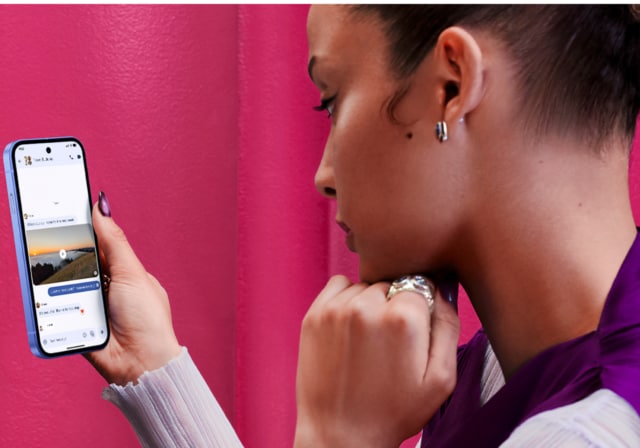
Bring Your Own Device (BYOD), also called Bring Your Own Phone (BYOP), is taking the smartphone you already own and activating it on a new wireless carrier or plan instead of buying a new device from the carrier. You keep your phone, photos and apps, and usually your phone number, and simply start service with a new provider using a SIM card or an eSIM.
- Share "Cell Phone BYOD Guide: Bring Your Own Device to Any Plan" on X
- Share "Cell Phone BYOD Guide: Bring Your Own Device to Any Plan" on Facebook
- Share "Cell Phone BYOD Guide: Bring Your Own Device to Any Plan" on LinkedIn
In practical terms, cell phone BYOD works like this: you confirm your phone is compatible with the new network and unlocked, choose a plan (often a SIM‑only plan), get a physical SIM or download an [eSIM,](https://www.t-mobile.com/dialed-in/wireless/what-is-an-esim-card) activate, and you’re done.
In this article, you’ll learn the benefits of cell phone BYOD, how to check compatibility and confirm your phone is unlocked, and explore how to set up BYOD and compare plans.
### Key takeaways for BYOD
- Cell phone BYOD means bringing your existing, compatible and unlocked phone to a new carrier and activating it with a SIM or eSIM instead of buying a new device.
- To set up BYOD, check compatibility with your [IMEI](https://www.t-mobile.com/dialed-in/wireless/what-is-an-imei-number), confirm the phone is unlocked, choose a plan, get a physical SIM or eSIM, and complete activation to start using your service.
- Pick a cell phone plan by balancing price, coverage, and flexibility across prepaid plans, traditional monthly plans, or MVNO/SIM‑only options, prioritizing features like data caps, hotspot rules, 5G access, and taxes and fees.
__The bottom line:__ BYOD is ideal if you like your current device, want to cut monthly costs, or prefer flexibility without long equipment commitments. If you’re new to [switching providers](https://www.t-mobile.com/dialed-in/tips-tricks/how-to-switch-phone-carriers), see our guide to switching carriers and our coverage explainer to understand how networks and signal quality may vary by location.
## 6 Benefits of cell phone BYOD
BYOD can help reduce costs in many cases, depending on your plan and device situation. It also typically makes switching plans or carriers easier while keeping your setup intact.
6 benefits of BYOD include:
1. Save money by avoiding device payments and fees
2. Access more plan options, including prepaid and MVNOs
3. Switch carriers more easily with fewer commitments
4. Keep your apps, settings, and photos
5. Reduce e-waste by using your phone longer
6. Great for budget-conscious users, travelers, and frequent switchers
## How to set up BYOD: 8 Easy steps
In some cases, setup can be completed the same day if you prepare the essentials. Use this checklist to go from your old provider to active service on a new one without losing your number.
1. Back up your phone and update its software (Settings > General/Software Update on iPhone; Settings > System > Software update on Android).
2. Check compatibility using the new carrier’s BYOD tool—enter your IMEI to confirm support and features.
3. Confirm the phone is unlocked. If not, contact your current carrier to request an unlock (Requirements vary by carrier, but eligibility usually requires the device to be paid off and active for a set time).
4. Choose a plan that fits your data needs and budget — verify whether taxes and fees are included in the advertised price.
5. Choose SIM type: physical SIM card or eSIM (if your phone supports it – Many smartphones released since 2020 [support eSIM](https://www.esim-now.com/guide/esim-compatible-phones-2026?), though availability varies by model and region.)
6. Buy the plan/SIM and start activation: insert the SIM or scan the eSIM QR code, then follow prompts.
7. Port your phone number during checkout or activation by providing your account number and transfer PIN from the old carrier.
8. Test everything: place a call, send/receive texts, load a web page on mobile data, and try hotspot if included.
## Checking whether your phone is compatible with a new network
Compatibility means your phone supports the network technologies, bands, and features your new carrier uses - primarily 4G LTE and 5G. Many modern iPhone and Samsung Galaxy models are designed for broad compatibility, but exact support varies by model and region.
Older or carrier‑specific versions may lack certain bands, leading to slower speeds or missing features like Wi‑Fi calling or 5G access. That’s why the IMEI‑based BYOD checker is crucial: __it reads your device’s profile and tells you what will work.__
When you run the IMEI through a compatibility tool, you’ll typically see results such as fully compatible, partially compatible, incompatible, or blocked. Here’s what those mean so you can set proper expectations before you switch.
| Compatibility status | What it means | Features you may get | What to do next |
|----------------------|---------------------------------------------------------------------------------------------------|--------------------------------------------------------------------------------------------------------------|-----------------------------------------------------------------------------|
| Fully compatible | Your phone supports required LTE/5G bands and carrier features. | Voice, text, LTE/5G data, Wi‑Fi calling, hotspot (depending on your plan, device, and coverage areas). | Proceed with BYOD; choose SIM or eSIM and activate. |
| Partially compatible | Some bands/features are missing (e.g., limited 5G or missing VoLTE on older models). | Core services work; speeds or advanced features may be limited. | Consider whether reduced performance fits your needs; compare plan options. |
| Incompatible | The device lacks essential technologies or bands (common with very old GSM/CDMA‑specific models). | Service may not work at all or only for basic voice/text. | Use a different device or consider upgrading before switching. |
| Blocked | The IMEI is reported lost/stolen or has an unpaid balance that prevents activation. | Activation may be restricted due to prior account or device status issues. Contact your carrier for details. | Resolve the block with the current carrier or use an eligible device. |
## Locked vs. unlocked phones: What you need for BYOD
A locked phone is restricted to the original carrier; an unlocked phone can be used with other carriers that are technically compatible. For BYOD, you almost always need an unlocked device so the new carrier’s SIM or eSIM can activate on the phone.
Most carriers, like large brands and prepaid providers alike, have unlocking policies that require your device to be paid off, active for a minimum period, and in good standing with no fraud flags. You can usually check lock status in Settings or by contacting your current carrier’s support. If locked, request an unlock; approval can take anywhere from minutes to a few business days depending on the situation.
## Activating service: SIM cards, eSIMs, and APN settings
Activating service depends on your setup. With a physical SIM card, insert the card, restart your device if needed, and follow the on-screen prompts. With eSIM, scan a QR code or enter an activation code to download your profile - your line is typically ready within minutes. Most smartphones released after 2020, such as recent iPhone, Samsung Galaxy, and Google Pixel models, support eSIM technology, making activation even faster without a physical card.
You can also port your existing number during sign-up by providing your account number and transfer PIN. Your old service remains active until the transfer completes, then your new line takes over automatically.
If data or picture messaging doesn’t work right away, check your [APN settings](https://www.t-mobile.com/support/devices/not-sold-by-t-mobile/byod-t-mobile-data-and-apn-settings), which control how your phone connects to data and MMS. Most devices update these automatically, but some require manual entry. If issues continue after BYOD activation, restart your phone, confirm the port is complete, and verify APN settings. If needed, contact support with your IMEI and order details.
## BYOD and cell phone plans: How to pick the right one
Using BYOD lets you activate service without purchasing a new phone—often marketed as SIM‑only. You’ll bring your own device, pick a line, and start service with either a physical SIM or an eSIM.
Prepaid emphasizes price and flexibility with pay‑in‑advance billing. Monthly plans tend to include premium features and roaming, sometimes at a higher cost. MVNOs (mobile virtual network operators) resell access on major networks and often deliver aggressive BYOD savings with straightforward pricing.
Focus on features that affect your real monthly cost and experience: hotspot allowances, 5G access, international roaming, and whether taxes and fees are included in the advertised rate.
| Plan type | Typical price range | Flexibility/commitment | 5G access/prioritization | Hotspot rules | Taxes/fees handling |
|--------------------|---------------------|--------------------------------------------|----------------------------------------------------|--------------------------------------------------|------------------------------------------------|
| Prepaid (SIM‑only) | Low-mid | Month‑to‑month; easy to change or pause | Often included; may be deprioritized at peak times | Typically limited by plan (e.g., 5–10 GB) | Frequently included in price or clearly listed |
| Postpaid | Mid-high | Monthly billing; device financing optional | Full 5G access with higher priority data | Generous or unlimited (subject to fair‑use) | Often added at checkout; can raise total cost |
| MVNO SIM‑Only | Low-mid | Very flexible; easy to switch | Uses major networks; prioritization varies | Ranges from none to moderate; check plan details | Commonly taxes/fees included or minimal |
## When BYOD might not be the best option
BYOD isn’t perfect for everyone. Very old, damaged, or carrier‑specific phones may be incompatible or deliver a subpar experience due to missing LTE/5G bands or features.
If you’re a heavy 5G user or want hardware‑specific capabilities (advanced camera systems, satellite messaging, or specialized [mmWave](https://www.t-mobile.com/dialed-in/wireless/5g-mmwave-technology) performance), upgrading to a newer iPhone or Samsung Galaxy may be the better long‑term value.
Financing or strong trade‑in credits can occasionally outweigh BYOD savings, especially if you’d upgrade soon anyway. If BYOD doesn’t fit, consider a trade‑in or certified‑refurbished upgrade and revisit BYOD on your next plan change.
Other factors to consider are:
- Your phone fails the IMEI compatibility check (incompatible or blocked).
- The device is still locked or under a financing agreement you can’t close.
- You need features only newer 5G devices provide (e.g., better band support, advanced hotspot, satellite messaging).
- Your device is physically damaged or battery‑degraded and not worth carrying over.
- A trade‑in or bundle deal yields a lower total cost than keeping your old phone.
## FAQs about BYOD
__Is BYOD cheaper than buying a new phone from a carrier?__
Often, yes. BYOD lets you avoid monthly device payments and choose lower‑cost SIM‑only plans. Your exact savings depend on the plan you pick and whether any device financing or trade‑in deals would outweigh BYOD.
__Can I keep my phone number when I do BYOD?__
Yes. During sign-up or activation, choose to transfer (or “port”) your number - this simply means bringing your current phone number with you to a new carrier. You’ll need to provide your current account number and a transfer PIN. Keep your old service active until the transfer is complete.
__Does BYOD work with prepaid plans?__
Absolutely. Prepaid carriers and MVNOs commonly support BYOD with SIM‑only options. Just confirm compatibility and unlock status before you switch.
__How do I check if my phone is compatible for BYOD?__
Use the new carrier’s BYOD compatibility checker and enter your IMEI. Results will indicate whether your device is fully compatible, partially compatible, incompatible, or blocked.
__Do I need to pay off my phone before doing BYOD?__
Yes, in most cases. If your phone is still being financed or under contract, it typically must be fully paid off before your current carrier will unlock it. An unpaid balance can also result in the device being blocked from activation on another network.
__Will I lose my data if I switch carriers with BYOD?__
No. Switching carriers does not erase your phone. Your photos, apps, contacts, and settings remain on the device. Still, it’s smart to back up your phone before making changes—just in case you need to reset network settings during activation.
__How long does BYOD activation take?__
Activation can take just a few minutes with eSIM or slightly longer with a physical SIM card. If you’re transferring your phone number (porting), the process may take anywhere from a few minutes to a few hours, depending on your previous carrier.
__Can I switch to BYOD if my phone was originally purchased internationally?__
Possibly. International models may lack certain LTE or 5G bands used in the U.S., which can limit speeds or coverage. Running the IMEI through the compatibility checker is the best way to confirm whether your device will work properly.
__Is BYOD worth it if my phone’s battery health is low?__
It depends. If your battery depletes quickly or your device is several years old, the savings from BYOD may be short-term. In some cases, replacing the battery or upgrading to a newer device could offer better long-term value.
*\*Compatibility, features, and performance may vary based on your device, plan, and coverage area. Always check with your carrier for the most accurate and up-to-date requirements.*
__You might also be interested in:__
- [Bring Your Own Phone](https://www.t-mobile.com/resources/bring-your-own-phone)
- [What Is An IMEI Number & How Can I Find Mine?](https://www.t-mobile.com/dialed-in/wireless/what-is-an-imei-number)
- [T-Mobile Data & APN Settings](https://www.t-mobile.com/support/devices/not-sold-by-t-mobile/byod-t-mobile-data-and-apn-settings)
- [T-Mobile SIM Unlock Policy](https://www.t-mobile.com/responsibility/consumer-info/policies/sim-unlock-policy)
Tags
- [Education](https://www.t-mobile.com/dialed-in/archive/education)
- [Phone](https://www.t-mobile.com/dialed-in/archive/phone)
- [Tablet](https://www.t-mobile.com/dialed-in/archive/tablet)
- [Watches](https://www.t-mobile.com/dialed-in/archive/watches)
## Related Articles
NEW
[Read More](https://www.t-mobile.com/dialed-in/devices/history-evolution-of-samsung-galaxy-smartphones)
[](https://www.t-mobile.com/dialed-in/devices/history-evolution-of-samsung-galaxy-smartphones)
[Devices](https://www.t-mobile.com/dialed-in/category/devices)
## [Samsung Galaxy Timeline: 16 Years of Smartphone Innovation & Evolution](https://www.t-mobile.com/dialed-in/devices/history-evolution-of-samsung-galaxy-smartphones)
September 21, 2026
NEW
[Read More](https://www.t-mobile.com/dialed-in/devices/best-samsung-phones)
[](https://www.t-mobile.com/dialed-in/devices/best-samsung-phones)
[Devices](https://www.t-mobile.com/dialed-in/category/devices)
## [The 7 Best Samsung Phones of 2026: Navigating the Choices to Find Your Ideal Device](https://www.t-mobile.com/dialed-in/devices/best-samsung-phones)
September 22, 2026
NEW
[Read More](https://www.t-mobile.com/dialed-in/devices/signs-to-upgrade-phone)
[](https://www.t-mobile.com/dialed-in/devices/signs-to-upgrade-phone)
[Devices](https://www.t-mobile.com/dialed-in/category/devices)
## [11 Signs It’s Time to Upgrade Your Phone](https://www.t-mobile.com/dialed-in/devices/signs-to-upgrade-phone)
September 29, 2026
### Get Connected with T-Mobile! Shop Now for your ideal phone.
[Shop now](https://www.t-mobile.com/cell-phones)
## Follow T-Mobile
- [](https://www.instagram.com/tmobile/)
- [](https://www.facebook.com/TMobile)
- [](https://twitter.com/TMobile)
- [](https://www.youtube.com/user/TMobile/custom)
[English](https://t-mobile.com)[Español](https://es.t-mobile.com)
Even more plans
Even more plans
- [Senior phone plans](https://www.t-mobile.com/cell-phone-plans/unlimited-55-senior-discount-plans)
- [International phone plans](https://www.t-mobile.com/cell-phone-plans/international-roaming-plans)
- [International passes](https://www.t-mobile.com/cell-phone-plans/international-roaming-plans/unlimited-calling-data-pass)
- [Home Internet plans](https://www.t-mobile.com/home-internet/plans)
- [Phone and internet bundles](https://www.t-mobile.com/cell-phone-plans/phone-home-internet-bundle)
- [Hotspot plans](https://www.t-mobile.com/cell-phone-plans/affordable-data-plans/hotspots)
- [Business phone plans](https://www.t-mobile.com/business/wireless-business-plans)
Shop devices by brand
Shop devices by brand
- [iPhones](https://www.t-mobile.com/cell-phones/brand/apple)
- [iPads](https://www.t-mobile.com/tablets/brand/apple)
- [Apple Watches](https://www.t-mobile.com/smart-watches/brand/apple)
- [Galaxy phones](https://www.t-mobile.com/cell-phones/brand/samsung)
- [Samsung tablets](https://www.t-mobile.com/tablets/brand/samsung)
- [Samsung watches](https://www.t-mobile.com/smart-watches/brand/samsung)
- [Motorola phones](https://www.t-mobile.com/cell-phones/brand/motorola)
- [Google Pixel phones](https://www.t-mobile.com/cell-phones/brand/google)
New featured cell phones
New featured cell phones
- [New Apple iPhone Duo](https://www.t-mobile.com/cell-phone/apple-iphone-duo)
- [New Apple iPhone 18 Pro](https://www.t-mobile.com/cell-phone/apple-iphone-18-pro)
- [New Apple iPhone 18 Pro Max](https://www.t-mobile.com/cell-phone/apple-iphone-18-pro-max)
- [New Samsung Galaxy Z Fold8](https://www.t-mobile.com/cell-phone/samsung-galaxy-z-fold8)
- [New Google Pixel 11](https://www.t-mobile.com/cell-phone/google-pixel-11)
New featured tablets, smartwatches & more
New featured tablets, smartwatches & more
- [Apple iPad Mini (A17 Pro)](https://www.t-mobile.com/tablet/apple-ipad-mini-a17-pro)
- [Apple iPad (A16)](https://www.t-mobile.com/tablet/apple-ipad-a16)
- [Apple Watch SE 3 40mm](https://www.t-mobile.com/smart-watch/apple-watch-se-3-40mm)
- [T-Mobile Revvl Tab 2](https://www.t-mobile.com/tablet/t-mobile-revvl-tab-2)
- [Samsung Galaxy Tab A11+ 5G](https://www.t-mobile.com/tablet/samsung-galaxy-tab-a11-plus-5g)
- [Samsung Galaxy Watch Ultra2](https://www.t-mobile.com/smart-watch/samsung-galaxy-watch-ultra2)
Helpful consumer guides
Helpful consumer guides
- [Dialed In](https://www.t-mobile.com/dialed-in)
- [Cell Phone BYOD Guide](https://www.t-mobile.com/dialed-in/devices/what-is-byod-bring-your-own-device)
- [The 6 Best Samsung Phones of 2026](https://www.t-mobile.com/dialed-in/devices/best-samsung-phones)
- [iPhone 18 Series: Specs, Price and Release Dates](https://www.t-mobile.com/dialed-in/devices/iphone-18-series-specs-features)
- [How Does Satellite Phone Service Work?](https://www.t-mobile.com/dialed-in/wireless/how-satellite-phone-service-works)
T-Mobile customer benefits
T-Mobile customer benefits
- [TV streaming deals](https://www.t-mobile.com/tv-streaming)
- [T-Mobile Tuesdays](https://www.t-mobile.com/offers/t-mobile-tuesdays)
- [In-flight wi-fi](https://www.t-mobile.com/benefits/travel/in-flight-wifi)
- [Refer-a-Friend](https://referral.t-mobile.com/)
- [Device protection plan](https://www.t-mobile.com/benefits/phone-protection-plans)
- [Protection 360® HomeTech](https://www.t-mobile.com/benefits/phone-protection-plans/p360-home-tech)
Switch to T-Mobile
Switch to T-Mobile
- [How to switch to T-Mobile](https://www.t-mobile.com/resources/how-to-join-us)
- [Try our 5G network](https://www.t-mobile.com/offers/free-trial)
- [Bring your own device](https://www.t-mobile.com/resources/bring-your-own-phone)
- [Switch to T-Mobile from Verizon or AT&T](https://www.t-mobile.com/switch/keep-phone-switch-from-verizon-or-att)
- [Family freedom deal](https://www.t-mobile.com/switch/pay-off-carrier-etf-phone-deal)
- [Cell phone trade-in](https://www.t-mobile.com/devices/phone-trade-in)
Additional support
Additional support
- [View return policy](https://www.t-mobile.com/responsibility/legal/return-policy)
- [Contact us](https://www.t-mobile.com/contact-us)
- [Billing](https://www.t-mobile.com/support/account/whats-impacting-your-bill)
- [Shipping & pickup options](https://www.t-mobile.com/customers/shipping-dates)
- [Free Internet for Students](https://www.t-mobile.com/brand/project-10-million)
- [Redeem a rebate](https://promotions.t-mobile.com/)
- [Domestic Violence Resources](https://www.t-mobile.com/support/account/keeping-customers-safe-connected)
About T-Mobile
About T-Mobile
- [Our Story](https://www.t-mobile.com/our-story)
- [T-Mobile careers](https://careers.t-mobile.com/)
- [Privacy Center](https://www.t-mobile.com/privacy-center)
- [Newsroom](https://www.t-mobile.com/news)
- [Corporate Responsibility](https://www.t-mobile.com/responsibility)
[](https://www.t-mobile.com)
- [About](https://www.t-mobile.com/our-story)
- [Investor relations](https://investor.t-mobile.com/default.aspx)
- [Press](https://www.t-mobile.com/news)
- [Careers](https://careers.t-mobile.com)
- [Deutsche Telekom](https://www.telekom.com/en)
- [Puerto Rico](https://www.t-mobilepr.com/)
- [Privacy Notice](https://www.t-mobile.com/privacy-center/privacy-notices/t-mobile-privacy-notice)
- [Trust Center](https://security.t-mobile.com/)
- [Privacy Center](https://www.t-mobile.com/privacy-center)
- [Consumer information](https://www.t-mobile.com/responsibility/consumer-info)
- [Public safety/911](https://www.t-mobile.com/responsibility/consumer-info/safety/9-1-1)
- [Terms & conditions](https://www.t-mobile.com/responsibility/legal/terms-and-conditions)
- [Terms of use](https://www.t-mobile.com/responsibility/consumer-info/policies/terms-of-use)
- [Accessibility](https://www.t-mobile.com/responsibility/consumer-info/accessibility-policy)
- [Open Internet](https://www.t-mobile.com/responsibility/consumer-info/policies/internet-service)
- [Do Not Sell or Share My Personal Information](javascript:void%280%29)
- [Licenses & Patents](https://www.t-mobile.com/responsibility/legal/licenses-and-patents)
- [Consumer Health Data Privacy Notice](https://www.t-mobile.com/privacy-center/privacy-notices/t-mobile-privacy-notice.html#health-data-privacy-notice)
- [T-Mobile, the T logo, Magenta and the magenta color are registered trademarks of Deutsche Telekom AG.](https://www.t-mobile.com)
- [](https://www.instagram.com/tmobile/)
- [](https://www.facebook.com/TMobile)
- [](https://twitter.com/TMobile)
- [](https://www.youtube.com/user/TMobile/custom)
© 2026 T‑Mobile USA, Inc.
Top