[Skip to content](https://www.t-mobile.com/dialed-in/devices/signs-to-upgrade-phone#maincontent)

Hey, looks like you need help finding something. I am here to chat if you have any questions
Skip to main content Skip to footer
[Wireless](https://www.t-mobile.com/)
[Business](https://www.t-mobile.com/business)
[Prepaid](https://prepaid.t-mobile.com/home)
[Internet](https://www.t-mobile.com/home-internet)
[](https://www.t-mobile.com)
Log in
[Plans](https://www.t-mobile.com/cell-phone-plans)
[Unlimited Phone Plans](https://www.t-mobile.com/cell-phone-plans)[Unlimited Age 55+](https://www.t-mobile.com/cell-phone-plans/unlimited-55-senior-discount-plans)[Military & Veterans](https://www.t-mobile.com/cell-phone-plans/military-discount-plans)[First Responder](https://www.t-mobile.com/cell-phone-plans/first-responder-discounts)[College Students](https://www.t-mobile.com/cell-phone-plans/student-discounts)[5G Home Internet Plans](https://www.t-mobile.com/home-internet/plans)[Fiber Internet Plans](https://www.t-mobile.com/home-internet/fiber)[Watch & Tablet Plans](https://www.t-mobile.com/cell-phone-plans/affordable-data-plans)[Prepaid Phone Plans](https://prepaid.t-mobile.com/prepaid-plans)[Business Phone Plans](https://www.t-mobile.com/business/wireless-business-plans)
[Phones & devices](https://www.t-mobile.com/cell-phones)
[Cell phones](https://www.t-mobile.com/cell-phones)[5G phones](https://www.t-mobile.com/5g/phones)[Tablets](https://www.t-mobile.com/tablets)[Smartwatches](https://www.t-mobile.com/smart-watches)[Hotspots & more](https://www.t-mobile.com/hotspots-iot-connected-devices)[Accessories](https://www.t-mobile.com/accessories)[Bring your own device](https://www.t-mobile.com/resources/bring-your-own-phone)[Tech Gift Ideas](https://www.t-mobile.com/devices/tech-gifts)
[Deals](https://www.t-mobile.com/offers)
[See all deals](https://www.t-mobile.com/offers)[Apple](https://www.t-mobile.com/offers/apple-iphone-deals)[Samsung](https://www.t-mobile.com/offers/samsung-phone-deals)[Motorola](https://www.t-mobile.com/offers/motorola-phone-deals)[Google](https://www.t-mobile.com/offers/google-phone-deals)[Revvl](https://www.t-mobile.com/offers/t-mobile-revvl-phone-deals)[Free & Zero Down Phones](https://www.t-mobile.com/switch/free-cell-phone-with-plan)
[Coverage](https://www.t-mobile.com/coverage/network)
[Our network](https://www.t-mobile.com/coverage/network)[4G & 5G Coverage map](https://www.t-mobile.com/coverage/coverage-map)[What is 5G](https://www.t-mobile.com/5g)[Satellite Phone Service](https://www.t-mobile.com/coverage/satellite-phone-service)[Rural & Small Towns](https://www.t-mobile.com/coverage/small-towns-rural-areas)[Try our network](https://www.t-mobile.com/offers/free-trial)[5G news](https://www.t-mobile.com/news/category/network)[Home Internet](https://www.t-mobile.com/home-internet/eligibility)
[Join Us](https://www.t-mobile.com/resources/how-to-join-us)
[How to switch](https://www.t-mobile.com/resources/how-to-join-us)[Bring your own phone](https://www.t-mobile.com/resources/bring-your-own-phone)[Keep your number](https://www.t-mobile.com/resources/keep-your-number)[Keep & switch](https://www.t-mobile.com/switch/keep-phone-switch-from-verizon-or-att)[Benefits](https://www.t-mobile.com/benefits)[Find your reason](https://www.t-mobile.com/membership)[T-Mobile Tuesdays](https://www.t-mobile.com/offers/t-mobile-tuesdays)
[Contact & support](https://www.t-mobile.com/contact-us)
[](https://www.t-mobile.com)[1-800-T-MOBILE](tel:1-800-866-2453)[Check order status](https://www.t-mobile.com/orders/check-order)[Help & support](https://www.t-mobile.com/support)[](https://www.t-mobile.com)
[Cart](https://www.t-mobile.com/cart)
Search
- POPULAR
[Search](javascript:void%280%29)
My account
more from T-Mobile
- [Wireless](https://www.t-mobile.com/)
- [Business](https://www.t-mobile.com/business)
- [Prepaid](https://prepaid.t-mobile.com/home)
- [Internet](https://www.t-mobile.com/home-internet)
Legal
- [Privacy Policy](https://www.t-mobile.com/privacy-center/our-practices/privacy-policy)
- [Do Not Sell My Personal Information](javascript:void%280%29)
- [Privacy Center](https://www.t-mobile.com/privacy-center)
[Log in](https://www.t-mobile.com)
[Bill pay](https://www.t-mobile.com/signin?state=eyJpbnRlbnQiOiJQYXltZW50IiwiYm9va21hcmtVcmwiOiJodHRwczovL215LnQtbW9iaWxlLmNvbS9vbmV0aW1lcGF5bWVudCJ9) [Add a line](https://www.t-mobile.com/commerce/device-intent) [Upgrade](https://www.t-mobile.com/purchase/shop) [Check order status](https://www.t-mobile.com/orders/check-order) [Ask the Community](https://www.t-mobile.com/community)
[Dialed In](https://www.t-mobile.com/dialed-in)
- [All Blogs](https://www.t-mobile.com/dialed-in/latest)
- [Devices](https://www.t-mobile.com/dialed-in/category/devices)
- [Accessories](https://www.t-mobile.com/dialed-in/category/accessories)
- [Tips & Tricks](https://www.t-mobile.com/dialed-in/category/tips-tricks)
- [Wireless 101](https://www.t-mobile.com/dialed-in/category/wireless)
- [The Signal](https://www.t-mobile.com/home-internet/the-signal/)
- [Newsroom](https://www.t-mobile.com/news)
- [All Blogs](https://www.t-mobile.com/dialed-in/latest)
- [Devices](https://www.t-mobile.com/dialed-in/category/devices)
- [Accessories](https://www.t-mobile.com/dialed-in/category/accessories)
- [Tips & Tricks](https://www.t-mobile.com/dialed-in/category/tips-tricks)
- [Wireless 101](https://www.t-mobile.com/dialed-in/category/wireless)
- [The Signal](https://www.t-mobile.com/home-internet/the-signal/)
- [Newsroom](https://www.t-mobile.com/news)
1. [Dialed In](https://www.t-mobile.com/dialed-in)
2. Category:[Devices](https://www.t-mobile.com/dialed-in/category/devices)
[DevicesCategory](https://www.t-mobile.com/dialed-in/category/devices)
# 11 Signs It’s Time to Upgrade Your Phone
Published: September 29, 2026
|10 min read
Your phone does a lot: texts, photos, maps, banking, tickets, two-factor codes, family group chats, and the occasional “why is this app frozen again?” moment. So when it starts acting off, it can be hard to know whether you need a quick fix or a full upgrade.

#### Jump to a Section^
1. [Critical signs you should get a new phone soon](https://www.t-mobile.com#signs)
2. [Performance red flags that make daily use frustrating](https://www.t-mobile.com#performance)
3. [Battery, charging, and hardware problems that may justify an upgrade](https://www.t-mobile.com#problems)
- Share "11 Signs It’s Time to Upgrade Your Phone " on X
- Share "11 Signs It’s Time to Upgrade Your Phone " on Facebook
- Share "11 Signs It’s Time to Upgrade Your Phone " on LinkedIn
The clearest signs it’s time to upgrade your phone usually fall into three groups: safety and security issues, performance problems, and hardware wear that gets in the way of everyday use. In this article, we’ll cover the biggest signs it’s time to upgrade your smartphone.
*This article is provided for general informational purposes only. The decision of whether and when to upgrade your device rests entirely with you, based on your own needs, preferences, and budget.*
## 3 Key takeaways about when you should get a new phone
- Upgrade soon if security or safety is the issue. A phone that no longer receives security updates, can’t run important apps, has a swollen battery, or overheats during light use deserves prompt attention.
- Repair may make sense when the problem is isolated. If your phone still gets updates and only one part is acting up, such as the battery or charging port, a repair may help you keep it longer.
- Plan before the phone fully fails. Early warning signs, like constant crashes or unreliable charging, give you time to back up your data, compare options, and protect trade-in or resale value.
[SHOP PHONES](https://t-mobile.com/cell-phones)
## 3 Critical signs you should get a new phone soon
Some phone problems are more than annoying. They can affect safety, security, or your ability to use essential apps.
1. The biggest red flag is __missing security updates__. Security updates help patch vulnerabilities in your phone’s operating system. That matters because your phone often holds sensitive information, including email, photos, payment apps, banking apps, saved passwords, and authentication codes. If your phone no longer receives security updates, it may still turn on, but it may not be the best place to manage sensitive accounts.
2. You should also __pay attention when important apps stop working__. If your banking, payment, authentication, work, or password manager apps no longer install or update because your operating system is too old, that is a strong sign your phone is falling behind.
3. __Safety issues__ should move even higher on the list. Stop using the phone and seek professional service if you notice a swollen or bulging battery, a screen lifting from the frame, a strong chemical smell, or heat that feels unusual during light use. Apple notes that iPhones may temporarily pause charging when a device is too hot or too cold, and unusual heat behavior can be a sign that something needs attention.
### How to check your phone’s update status
You do not need to be a tech expert to check whether your phone is still supported.
On __iPhone__, go to Settings > General > Software Update. Apple's security releases page also lists current iOS security updates and which devices they apply to.
On __Android__, the path can vary by brand, but it is usually under Settings > System > Software update or Settings > Security and privacy > System and updates.
On __Pixel phones__, Google states you can find your Android version and security update level in Settings. Google has also published update-support timelines for its Pixel lineup, though the exact number of years can vary by model and may be updated over time - check Google's support page for your specific device to confirm current details.
For __Samsung Galaxy devices__, update support depends on the model. Samsung has published multi-year commitments for OS upgrades and security updates on its newer Galaxy devices, but the specifics vary by model and region - check Samsung's official device support page to confirm what applies to your phone.
## Performance red flags that make daily use frustrating
A little lag happens. A phone can stutter after a big update, during low battery, or when too many apps are open.
The bigger concern is repeated slowdown that interrupts normal use. If your keyboard takes a second to respond, the camera misses the moment, apps freeze during simple tasks, or the phone restarts on its own, your device may be struggling to keep up.
Two common parts affect performance: the processor and random access memory, often called RAM. The processor handles the work. RAM helps your phone keep apps ready in the background. When newer apps need more power than your older hardware can provide, your phone may feel slow even after you restart it.
Watch for these 7 performance warning signs:
1. Apps crash several times a week.
2. The camera takes too long to open or save photos.
3. Your phone freezes when switching between apps.
4. The keyboard lags while typing.
5. The phone restarts during normal use.
6. Video calls, maps, or games cause sudden shutdowns.
7. Performance got much worse after a recent operating system update.
Try a few basic fixes. Restart the phone, delete apps you no longer use, move large photos and videos to backup storage, install available updates, and check whether one app is causing the problem.
If those steps do not help, the issue may be deeper than clutter. A phone that can no longer handle your normal routine may be ready for replacement, especially if it is also out of security support or has battery problems.
## Battery, charging, and hardware problems that may justify an upgrade
Battery trouble is one of the most common reasons people start thinking about a new phone. The tricky part is that a weak battery does not always mean the whole phone is finished.
A battery may need service if your phone drains unusually fast, shuts down at 20% or 30%, loses power during camera use, or needs multiple charges to get through a normal day. Apple says actual battery performance depends on how the device is used and charged, and iPhone users can check battery health and maximum capacity on supported models.
Charging issues deserve a close look, too. A loose charging port, unreliable cable connection, or phone that only charges at a specific angle can turn every low-battery moment into a tiny drama. Sometimes the fix is simple, like replacing a damaged cable. Other times, the port may need repair.
Hardware issues may also point toward an upgrade when they affect daily use:
- __Constant storage warnings__: You have to delete photos, apps, or messages just to install updates.
- __Failing buttons__: Power, volume, or mute controls no longer respond reliably.
- __Camera problems__: Photos are blurry, the camera app freezes, or video calls look poor even in good lighting.
- __Connectivity issues__: Wi-Fi, Bluetooth, or mobile data disconnects often, even after restarting and updating.
- __Cracked or failing screen__: Touch response is unreliable, the display flickers, or cracks make the phone harder to use.
- __Water or impact damage__: Problems appear days or weeks after a spill or drop.
Cosmetic wear alone does not mean you need a new phone. A scratched back, small scuff, or worn case may be harmless. Functional damage is different. When damage affects charging, typing, unlocking, calling, or app use, it becomes part of the upgrade decision.
## FAQs about upgrading your phone
__When should you get a new phone?__
It may be time to upgrade when your phone no longer receives security updates, essential apps stop working, the battery becomes unsafe, or performance problems interrupt normal use. A single issue may be repairable, but several problems at once can point toward replacement.
__Should I upgrade my phone if it still works?__
Not always. If your phone is secure, reliable, and handles your daily routine, you may be able to keep using it. Upgrade planning becomes more important when the phone is unsupported, damaged, slow, or no longer compatible with the apps you need.
__Is poor battery life a reason to buy a new phone?__
Poor battery life can be a reason to upgrade, but it can also be a reason to replace the battery. If the phone still gets updates and works well otherwise, battery service may be enough. If poor battery life comes with overheating, shutdowns, or other major issues, replacement may be worth considering.
__What phone problems should I not ignore?__
Do not ignore a swollen battery, repeated overheating, random shutdowns, missing security updates, or apps that handle sensitive information no longer working. These problems can affect safety, security, or everyday reliability.
__Is it safe to use a phone without security updates?__
It may carry more risk, especially for banking, payments, email, password managers, and work accounts. Security updates help fix vulnerabilities, so an unsupported phone is usually not ideal for sensitive tasks.
__Why does my phone keep crashing?__
Crashes can come from buggy apps, low storage, battery problems, or aging hardware. Try updating apps, restarting the phone, and clearing storage first. If crashes continue across multiple apps, the phone may be struggling with newer software demands.
__Should I replace my phone if the charging port is loose?__
A loose charging port may be repairable if the rest of the phone is in good shape. If the port problem happens alongside poor battery life, slow performance, or outdated software, upgrading may be the more practical move.
__Does a cracked screen mean I need a new phone?__
A cracked screen does not always mean you need a new phone. Minor cosmetic cracks may be repairable. Consider upgrading if the touch screen fails, the display flickers, glass pieces loosen, or repair costs are high compared with replacement options.
__What should I do before upgrading my phone?__
Back up your data, confirm your passwords, transfer authentication apps, remove personal information from the old phone, and check trade-in or resale requirements. It also helps to keep both phones available for a few days during setup.
__How do I choose my next phone?__
Start by listing the top two or three problems with your current phone. Then choose a device that addresses those needs, such as better battery life, more storage, improved camera features, longer software support, or stronger performance for gaming and multitasking.
__Is it better to repair or replace an older phone?__
Repair may be better when one part is failing and the phone still receives security updates. Replacement may make more sense when the phone has multiple issues, no longer gets updates, or repair costs approach the price of a comparable device.
__Can storage problems make my phone feel old?__
Yes. Low storage can make updates harder, slow app performance, and create constant cleanup chores. If you always run out of space, your next phone may need more storage than your current model.
## Upgrade your smartphone when reliability starts to slip
The best phone upgrade timing is not about chasing every new release. It is about having a phone that feels safe, secure, and dependable for the way you use it every day.
If your phone still gets updates, works smoothly, and only has a minor issue, a repair or cleanup may buy you more time. If you see major signs it’s time to upgrade your phone, such as missing security updates, unsafe battery behavior, constant crashes, or failing hardware, start planning your next move before the phone makes the decision for you.
__You may also be interested in__
- [Should I Repair or Replace My Phone?](https://www.t-mobile.com/dialed-in/tips-tricks/repair-or-replace-phone)
- [How to Transfer Data to a New Phone](https://www.t-mobile.com/switch/device-switch-data-transfer-guide)
- [What Is an IMEI Number and How Can I Find Mine?](https://www.t-mobile.com/dialed-in/wireless/what-is-an-imei-number)
- [Bring Your Own Unlocked Phone](https://www.t-mobile.com/resources/bring-your-own-phone)
__Sources__
- [https://www.cisa.gov/sites/default/files/publications/Mobile%20Security%20Tip%20Card\_3\_0.pdf](https://www.cisa.gov/sites/default/files/publications/Mobile%20Security%20Tip%20Card_3_0.pdf)
- [https://support.apple.com/en-us/100100](https://support.apple.com/en-us/100100)
- [https://support.apple.com/en-us/118431](https://support.apple.com/en-us/118431)
- [https://support.apple.com/en-us/106348](https://support.apple.com/en-us/106348)
- [https://www.apple.com/batteries/service-and-recycling/](https://www.apple.com/batteries/service-and-recycling/)
- [https://support.google.com/pixelphone/answer/4457705](https://support.google.com/pixelphone/answer/4457705)
- [https://www.samsungmobilepress.com/articles/samsung-galaxy-s25-series-sets-the-standard-of-ai-phone-as-a-true-ai-companion](https://www.samsungmobilepress.com/articles/samsung-galaxy-s25-series-sets-the-standard-of-ai-phone-as-a-true-ai-companion)
Tags
- [Phone](https://www.t-mobile.com/dialed-in/archive/phone)
## Related Articles
NEW
[Read More](https://www.t-mobile.com/dialed-in/devices/history-evolution-of-samsung-galaxy-smartphones)
[](https://www.t-mobile.com/dialed-in/devices/history-evolution-of-samsung-galaxy-smartphones)
[Devices](https://www.t-mobile.com/dialed-in/category/devices)
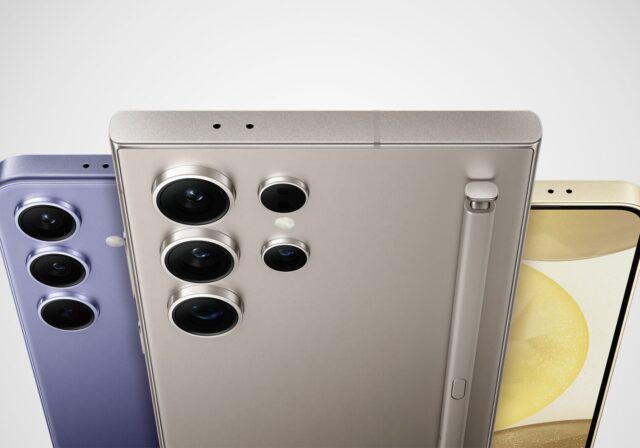
## [Samsung Galaxy Timeline: 16 Years of Smartphone Innovation & Evolution](https://www.t-mobile.com/dialed-in/devices/history-evolution-of-samsung-galaxy-smartphones)
September 21, 2026
NEW
[Read More](https://www.t-mobile.com/dialed-in/devices/tablet-vs-laptop-buying-guide)
[](https://www.t-mobile.com/dialed-in/devices/tablet-vs-laptop-buying-guide)
[Devices](https://www.t-mobile.com/dialed-in/category/devices)
## [Tablet vs. Laptop: How to Choose the Right Device in 2026](https://www.t-mobile.com/dialed-in/devices/tablet-vs-laptop-buying-guide)
October 1, 2026
NEW
[Read More](https://www.t-mobile.com/dialed-in/devices/best-samsung-phones)
[](https://www.t-mobile.com/dialed-in/devices/best-samsung-phones)
[Devices](https://www.t-mobile.com/dialed-in/category/devices)
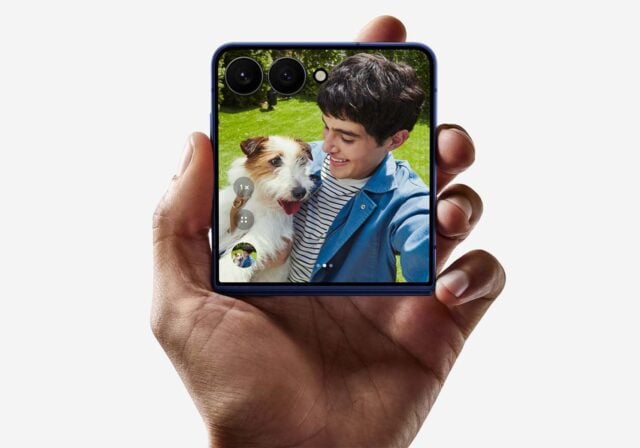
## [The 7 Best Samsung Phones of 2026: Navigating the Choices to Find Your Ideal Device](https://www.t-mobile.com/dialed-in/devices/best-samsung-phones)
September 22, 2026
### Get Connected with T-Mobile! Shop Now for your ideal phone.
[Shop now](https://www.t-mobile.com/cell-phones)
## Follow T-Mobile
- [](https://www.instagram.com/tmobile/)
- [](https://www.facebook.com/TMobile)
- [](https://twitter.com/TMobile)
- [](https://www.youtube.com/user/TMobile/custom)
[English](https://t-mobile.com)[Español](https://es.t-mobile.com)
Even more plans
Even more plans
- [Senior phone plans](https://www.t-mobile.com/cell-phone-plans/unlimited-55-senior-discount-plans)
- [International phone plans](https://www.t-mobile.com/cell-phone-plans/international-roaming-plans)
- [International passes](https://www.t-mobile.com/cell-phone-plans/international-roaming-plans/unlimited-calling-data-pass)
- [Home Internet plans](https://www.t-mobile.com/home-internet/plans)
- [Phone and internet bundles](https://www.t-mobile.com/cell-phone-plans/phone-home-internet-bundle)
- [Hotspot plans](https://www.t-mobile.com/cell-phone-plans/affordable-data-plans/hotspots)
- [Business phone plans](https://www.t-mobile.com/business/wireless-business-plans)
Shop devices by brand
Shop devices by brand
- [iPhones](https://www.t-mobile.com/cell-phones/brand/apple)
- [iPads](https://www.t-mobile.com/tablets/brand/apple)
- [Apple Watches](https://www.t-mobile.com/smart-watches/brand/apple)
- [Galaxy phones](https://www.t-mobile.com/cell-phones/brand/samsung)
- [Samsung tablets](https://www.t-mobile.com/tablets/brand/samsung)
- [Samsung watches](https://www.t-mobile.com/smart-watches/brand/samsung)
- [Motorola phones](https://www.t-mobile.com/cell-phones/brand/motorola)
- [Google Pixel phones](https://www.t-mobile.com/cell-phones/brand/google)
New featured cell phones
New featured cell phones
- [New Apple iPhone Duo](https://www.t-mobile.com/cell-phone/apple-iphone-duo)
- [New Apple iPhone 18 Pro](https://www.t-mobile.com/cell-phone/apple-iphone-18-pro)
- [New Apple iPhone 18 Pro Max](https://www.t-mobile.com/cell-phone/apple-iphone-18-pro-max)
- [New Samsung Galaxy Z Fold8](https://www.t-mobile.com/cell-phone/samsung-galaxy-z-fold8)
- [New Google Pixel 11](https://www.t-mobile.com/cell-phone/google-pixel-11)
New featured tablets, smartwatches & more
New featured tablets, smartwatches & more
- [Apple iPad Mini (A17 Pro)](https://www.t-mobile.com/tablet/apple-ipad-mini-a17-pro)
- [Apple iPad (A16)](https://www.t-mobile.com/tablet/apple-ipad-a16)
- [Apple Watch SE 3 40mm](https://www.t-mobile.com/smart-watch/apple-watch-se-3-40mm)
- [T-Mobile Revvl Tab 2](https://www.t-mobile.com/tablet/t-mobile-revvl-tab-2)
- [Samsung Galaxy Tab A11+ 5G](https://www.t-mobile.com/tablet/samsung-galaxy-tab-a11-plus-5g)
- [Samsung Galaxy Watch Ultra2](https://www.t-mobile.com/smart-watch/samsung-galaxy-watch-ultra2)
Helpful consumer guides
Helpful consumer guides
- [Dialed In](https://www.t-mobile.com/dialed-in)
- [Cell Phone BYOD Guide](https://www.t-mobile.com/dialed-in/devices/what-is-byod-bring-your-own-device)
- [The 6 Best Samsung Phones of 2026](https://www.t-mobile.com/dialed-in/devices/best-samsung-phones)
- [iPhone 18 Series: Specs, Price and Release Dates](https://www.t-mobile.com/dialed-in/devices/iphone-18-series-specs-features)
- [How Does Satellite Phone Service Work?](https://www.t-mobile.com/dialed-in/wireless/how-satellite-phone-service-works)
T-Mobile customer benefits
T-Mobile customer benefits
- [TV streaming deals](https://www.t-mobile.com/tv-streaming)
- [T-Mobile Tuesdays](https://www.t-mobile.com/offers/t-mobile-tuesdays)
- [In-flight wi-fi](https://www.t-mobile.com/benefits/travel/in-flight-wifi)
- [Refer-a-Friend](https://referral.t-mobile.com/)
- [Device protection plan](https://www.t-mobile.com/benefits/phone-protection-plans)
- [Protection 360® HomeTech](https://www.t-mobile.com/benefits/phone-protection-plans/p360-home-tech)
Switch to T-Mobile
Switch to T-Mobile
- [How to switch to T-Mobile](https://www.t-mobile.com/resources/how-to-join-us)
- [Try our 5G network](https://www.t-mobile.com/offers/free-trial)
- [Bring your own device](https://www.t-mobile.com/resources/bring-your-own-phone)
- [Switch to T-Mobile from Verizon or AT&T](https://www.t-mobile.com/switch/keep-phone-switch-from-verizon-or-att)
- [Family freedom deal](https://www.t-mobile.com/switch/pay-off-carrier-etf-phone-deal)
- [Cell phone trade-in](https://www.t-mobile.com/devices/phone-trade-in)
Additional support
Additional support
- [View return policy](https://www.t-mobile.com/responsibility/legal/return-policy)
- [Contact us](https://www.t-mobile.com/contact-us)
- [Billing](https://www.t-mobile.com/support/account/whats-impacting-your-bill)
- [Shipping & pickup options](https://www.t-mobile.com/customers/shipping-dates)
- [Free Internet for Students](https://www.t-mobile.com/brand/project-10-million)
- [Redeem a rebate](https://promotions.t-mobile.com/)
- [Domestic Violence Resources](https://www.t-mobile.com/support/account/keeping-customers-safe-connected)
About T-Mobile
About T-Mobile
- [Our Story](https://www.t-mobile.com/our-story)
- [T-Mobile careers](https://careers.t-mobile.com/)
- [Privacy Center](https://www.t-mobile.com/privacy-center)
- [Newsroom](https://www.t-mobile.com/news)
- [Corporate Responsibility](https://www.t-mobile.com/responsibility)
[](https://www.t-mobile.com)
- [About](https://www.t-mobile.com/our-story)
- [Investor relations](https://investor.t-mobile.com/default.aspx)
- [Press](https://www.t-mobile.com/news)
- [Careers](https://careers.t-mobile.com)
- [Deutsche Telekom](https://www.telekom.com/en)
- [Puerto Rico](https://www.t-mobilepr.com/)
- [Privacy Notice](https://www.t-mobile.com/privacy-center/privacy-notices/t-mobile-privacy-notice)
- [Trust Center](https://security.t-mobile.com/)
- [Privacy Center](https://www.t-mobile.com/privacy-center)
- [Consumer information](https://www.t-mobile.com/responsibility/consumer-info)
- [Public safety/911](https://www.t-mobile.com/responsibility/consumer-info/safety/9-1-1)
- [Terms & conditions](https://www.t-mobile.com/responsibility/legal/terms-and-conditions)
- [Terms of use](https://www.t-mobile.com/responsibility/consumer-info/policies/terms-of-use)
- [Accessibility](https://www.t-mobile.com/responsibility/consumer-info/accessibility-policy)
- [Open Internet](https://www.t-mobile.com/responsibility/consumer-info/policies/internet-service)
- [Do Not Sell or Share My Personal Information](javascript:void%280%29)
- [Licenses & Patents](https://www.t-mobile.com/responsibility/legal/licenses-and-patents)
- [Consumer Health Data Privacy Notice](https://www.t-mobile.com/privacy-center/privacy-notices/t-mobile-privacy-notice.html#health-data-privacy-notice)
- [T-Mobile, the T logo, Magenta and the magenta color are registered trademarks of Deutsche Telekom AG.](https://www.t-mobile.com)
- [](https://www.instagram.com/tmobile/)
- [](https://www.facebook.com/TMobile)
- [](https://twitter.com/TMobile)
- [](https://www.youtube.com/user/TMobile/custom)
© 2026 T‑Mobile USA, Inc.
Top