[Skip to main content](https://www.t-mobile.com#content-main)
Screen share in progress. End session.
All information on this page is hidden from your Expert.
All personal information on this page is hidden from your Expert.
[](https://www.t-mobile.com/)
Log in
[Cart](https://www.t-mobile.com/cart)
[](https://www.t-mobile.com/)
Search
Search Submit search query Close out of search
RECENT SEARCHES0 recent searches
POPULAR0 popular search suggestions
Categoriesundefined categories
Suggestions0 search suggestions
TOP SUGGESTIONS
- [](https://www.t-mobile.com)
undefined top suggestions
- [Plans](https://www.t-mobile.com/cell-phone-plans) Plans
- Mobile plans
- [Unlimited Phone Plans](https://www.t-mobile.com/cell-phone-plans)
- [Unlimited Age 55+](https://www.t-mobile.com/cell-phone-plans/unlimited-55-senior-discount-plans)
- [Military & Veterans](https://www.t-mobile.com/cell-phone-plans/military-discount-plans)
- [First Responder](https://www.t-mobile.com/cell-phone-plans/first-responder-discounts)
- [College Students](https://www.t-mobile.com/cell-phone-plans/student-discounts)
- Other plans
- [5G Home Internet Plans](https://www.t-mobile.com/home-internet/plans)
- [Fiber Internet Plans](https://www.t-mobile.com/home-internet/fiber)
- [Watch & Tablet Plans](https://www.t-mobile.com/cell-phone-plans/affordable-data-plans)
- [Prepaid Phone Plans](https://prepaid.t-mobile.com/prepaid-plans)
- [Business Phone Plans](https://www.t-mobile.com/business/wireless-business-plans)
- [Phones & devices](https://www.t-mobile.com/cell-phones) Phones & devices
- [Cell phones](https://www.t-mobile.com/cell-phones)
- [5G phones](https://www.t-mobile.com/5g/phones)
- [Tablets](https://www.t-mobile.com/tablets)
- [Smartwatches](https://www.t-mobile.com/smart-watches)
- [Hotspots & more](https://www.t-mobile.com/hotspots-iot-connected-devices)
- [Accessories](https://www.t-mobile.com/accessories)
- [Bring your own device](https://www.t-mobile.com/resources/bring-your-own-phone)
- [Tech Gift Ideas](https://www.t-mobile.com/devices/tech-gifts)
- [Deals](https://www.t-mobile.com/offers) Deals
- [See all deals](https://www.t-mobile.com/offers)
- [Apple](https://www.t-mobile.com/offers/apple-iphone-deals)
- [Samsung](https://www.t-mobile.com/offers/samsung-phone-deals)
- [Motorola](https://www.t-mobile.com/offers/motorola-phone-deals)
- [Google](https://www.t-mobile.com/offers/google-phone-deals)
- [Revvl](https://www.t-mobile.com/offers/t-mobile-revvl-phone-deals)
- [Free & Zero Down Phones](https://www.t-mobile.com/switch/free-cell-phone-with-plan)
- [Coverage](https://www.t-mobile.com/coverage/network) Coverage
- [Our network](https://www.t-mobile.com/coverage/network)
- [4G & 5G Coverage map](https://www.t-mobile.com/coverage/coverage-map)
- [What is 5G](https://www.t-mobile.com/5g)
- [Satellite Phone Service](https://www.t-mobile.com/coverage/satellite-phone-service)
- [Rural & Small Towns](https://www.t-mobile.com/coverage/small-towns-rural-areas)
- [Try our network](https://www.t-mobile.com/offers/free-trial)
- [5G news](https://www.t-mobile.com/news/category/network)
- [Home Internet](https://www.t-mobile.com/home-internet/eligibility)
- [Join Us](https://www.t-mobile.com/resources/how-to-join-us) Join Us
- Switch to T-Mobile
- [How to switch](https://www.t-mobile.com/resources/how-to-join-us)
- [Bring your own phone](https://www.t-mobile.com/resources/bring-your-own-phone)
- [Keep your number](https://www.t-mobile.com/resources/keep-your-number)
- [Keep & switch](https://www.t-mobile.com/switch/keep-phone-switch-from-verizon-or-att)
- [Family Freedom](https://www.t-mobile.com/switch/pay-off-carrier-etf-phone-deal)
- [Try our network](https://www.t-mobile.com/offers/free-trial)
- Customer benefits
- [See all benefits](https://www.t-mobile.com/benefits)
- [Find your reason](https://www.t-mobile.com/membership)
- [TV & streaming](https://www.t-mobile.com/tv-streaming)
- [Travel benefits](https://www.t-mobile.com/benefits/travel)
- [Music & concert perks](https://www.t-mobile.com/benefits/music-deals)
- [Block scam calls](https://www.t-mobile.com/benefits/scam-shield)
- [T-Mobile Tuesdays](https://www.t-mobile.com/offers/t-mobile-tuesdays)
[Find a store](https://www.t-mobile.com/stores?INTNAV=tNav%3AStoreLocator)
[Contact & support](https://www.t-mobile.com/contact-us) Contact & support
- [1-800-T-MOBILE](tel:1-800-866-2453)
- [Check order status](https://www.t-mobile.com/orders/order-status)
- [Help & support](https://www.t-mobile.com/support)
- Screen share with an Expert
[Cart](https://www.t-mobile.com/cart)
Search
Search Submit search query Close out of search
RECENT SEARCHES0 recent searches
POPULAR0 popular search suggestions
Categoriesundefined categories
Suggestions0 search suggestions
TOP SUGGESTIONS
- [](https://www.t-mobile.com)
undefined top suggestions
My account
[Log in](https://www.t-mobile.com/account/dashboard) [Back to my account](https://www.t-mobile.com/account/dashboard)
- [Bill pay](https://www.t-mobile.com/bill/summary)
- [Add a line](https://www.t-mobile.com/commerce/device-intent?INTNAV=tNav%3AMyAccount%3AAddALine)
- [Upgrade](https://www.t-mobile.com/purchase/shop)
- [Check order status](https://www.t-mobile.com/orders/check-order)
- [Ask the Community](https://www.t-mobile.com/community/?INTNAV=tNav%3AMyAccount%3ACommunity)
more from T-Mobile
- [Wireless](https://www.t-mobile.com/)
- [Business](https://www.t-mobile.com/business)
- [Prepaid](https://prepaid.t-mobile.com/home)
- [Internet](https://www.t-mobile.com/home-internet)
Legal
- [Privacy Policy](https://www.t-mobile.com/privacy-center/our-practices/privacy-policy)
- [Do Not Sell or Share My Personal Information](https://www.t-mobile.com/dns?Brand=Magenta&Site=Sell_Web&Origin_URL=https%3A%2F%2Fwww.t-mobile.com)
- [Privacy Center](https://www.t-mobile.com/privacy-center)
[](https://www.t-mobile.com)
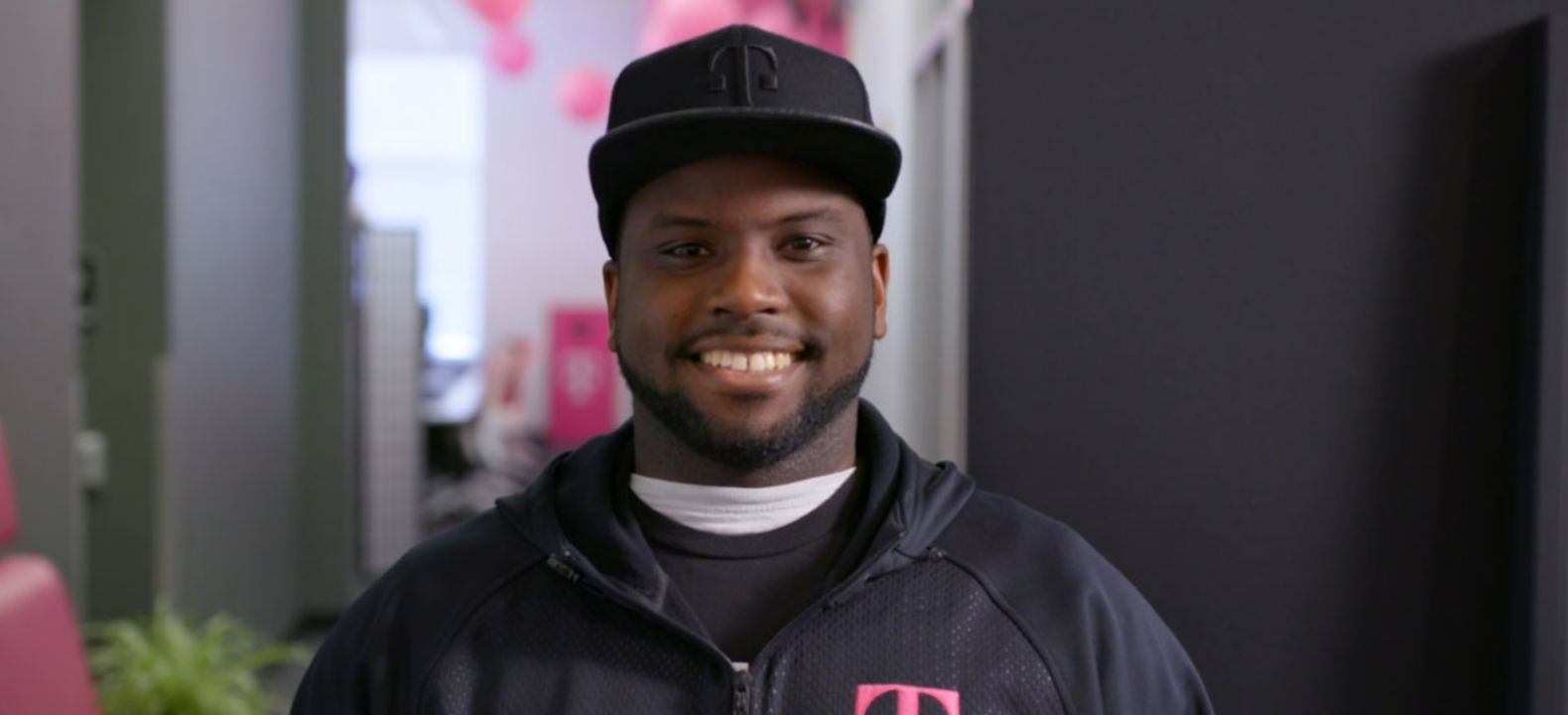
FROM THE NEWSROOM
# The best care in wireless just got better.
[Read the full story](https://www.t-mobile.com/news/introducing-tex) [View all news](https://www.t-mobile.com/news)
## The best care in wireless just got better.

OUR STORY
## We deliver outstanding wireless experiences.
People come first. That's what makes us the Un-carrier. See the path we've forged for our customers.
[Meet the Un-carrier](https://www.t-mobile.com/our-story.html)
## We deliver outstanding wireless experiences.
RESPONSIBILITY
## Giving back while looking ahead.
Our responsibility extends beyond the boardroom. Through community projects, disaster relief efforts, and green initiatives, the planet and our fellow human beings are always top of mind.
[See what we're doing](https://www.t-mobile.com/responsibility.html)
## Giving back while looking ahead.
INVESTORS
## Another record year.
[Get the latest](http://investor.t-mobile.com/)
## Another record year.
CAREERS
## Join the team.
Working for T‑Mobile is like working with a big, crazy, innovative family. We’re always looking for driven, passionate team members who want to have fun and grow within our organization.
[Find your place](https://careers.t-mobile.com)
## Join the team.
## Hello! Want to stay logged in?
To keep your accounts safe, you'll be automatically logged out in:
Yes, stay logged in
No, log me out
## Share your screen while on a call or in store
__Get guided support from an Expert in real time__
- For your security, personal info, tabs, and notifications are automatically hidden.
- You can stop screen sharing at any time.
- Experts can only see what’s on T-Mobile.com.
- Don’t use screen share while driving or in any situation where it's unsafe to focus on your screen.
By clicking 'Accept and continue,' you are consenting to allow the Expert to view your screen for assisted navigation. This session may be recorded. To learn more, please visit the
[__T-Mobile Privacy Notice__](https://www.t-mobile.com/privacy-center/privacy-notices/t-mobile-privacy-notice).
Accept and continue
No thanks
__Next:__ Generate a code to share with your Expert
## Share this code with your Expert
code
Once your code has been successfully entered by your Expert, this window will close and continue to the session.
## Allow screen sharing with your Expert?
Personal and sensitive data is hidden for your security and privacy.
Allow
Don’t allow
## End your session?
Ending your session will stop sharing your screen, but will not end your call.
End session
Continue session
## Your session has ended
Your screen is no longer being shared with your Expert.
OK
Share again
## You are already in an active session
OK
## Your code has expired
Generate a new one to share with your Expert.
Generate new code
## Follow T-Mobile
- [Instagram](https://www.instagram.com/tmobile/)
- [Facebook](https://www.facebook.com/TMobile)
- [X](https://twitter.com/TMobile)
- [You Tube](https://www.youtube.com/user/TMobile/custom)
### Choose language
- [English](https://www.t-mobile.com)
- [Español](https://www.t-mobile.com)
- ## Even more plans
Even more plans
- [Senior phone plans](https://www.t-mobile.com/cell-phone-plans/unlimited-55-senior-discount-plans)
- [International phone plans](https://www.t-mobile.com/cell-phone-plans/international-roaming-plans)
- [International passes](https://www.t-mobile.com/cell-phone-plans/international-roaming-plans/unlimited-calling-data-pass)
- [Home Internet plans](https://www.t-mobile.com/home-internet/plans)
- [Phone and internet bundles](https://www.t-mobile.com/cell-phone-plans/phone-home-internet-bundle)
- [Hotspot data plans](https://www.t-mobile.com/cell-phone-plans/affordable-data-plans/hotspots)
- [Business phone plans](https://www.t-mobile.com/business/wireless-business-plans)
- ## Shop devices by brand
Shop devices by brand
- [iPhones](https://www.t-mobile.com/cell-phones/brand/apple)
- [iPads](https://www.t-mobile.com/tablets/brand/apple)
- [Apple Watches](https://www.t-mobile.com/smart-watches/brand/apple)
- [Galaxy phones](https://www.t-mobile.com/cell-phones/brand/samsung)
- [Samsung tablets](https://www.t-mobile.com/tablets/brand/samsung)
- [Samsung watches](https://www.t-mobile.com/smart-watches/brand/samsung)
- [Motorola phones](https://www.t-mobile.com/cell-phones/brand/motorola)
- [Google Pixel phones](https://www.t-mobile.com/cell-phones/brand/google)
- ## New featured cell phones
New featured cell phones
- [New Apple iPhone Duo](https://www.t-mobile.com/cell-phone/apple-iphone-duo)
- [New Apple iPhone 18 Pro](https://www.t-mobile.com/cell-phone/apple-iphone-18-pro)
- [New Apple iPhone 18 Pro Max](https://www.t-mobile.com/cell-phone/apple-iphone-18-pro-max)
- [New Samsung Galaxy Z Fold8](https://www.t-mobile.com/cell-phone/samsung-galaxy-z-fold8)
- [New Google Pixel 11](https://www.t-mobile.com/cell-phone/google-pixel-11)
- ## New featured tablets, smartwatches & more
New featured tablets, smartwatches & more
- [Apple iPad Mini (A17 Pro)](https://www.t-mobile.com/tablet/apple-ipad-mini-a17-pro)
- [Apple iPad (A16)](https://www.t-mobile.com/tablet/apple-ipad-a16)
- [Apple Watch SE 3 40mm](https://www.t-mobile.com/smart-watch/apple-watch-se-3-40mm)
- [T-Mobile Revvl Tab 2](https://www.t-mobile.com/tablet/t-mobile-revvl-tab-2)
- [Samsung Galaxy Tab A11+ 5G](https://www.t-mobile.com/tablet/samsung-galaxy-tab-a11-plus-5g)
- [Samsung Galaxy Watch Ultra2](https://www.t-mobile.com/smart-watch/samsung-galaxy-watch-ultra2)
- ## Helpful consumer guides
Helpful consumer guides
- [Dialed In](https://www.t-mobile.com/dialed-in)
- [Cell Phone BYOD Guide](https://www.t-mobile.com/dialed-in/devices/what-is-byod-bring-your-own-device)
- [The 6 Best Samsung Phones of 2026](https://www.t-mobile.com/dialed-in/devices/best-samsung-phones)
- [iPhone 18 Series: Specs, Price and Release Dates](https://www.t-mobile.com/dialed-in/devices/iphone-18-series-specs-features)
- [How Does Satellite Phone Service Work?](https://www.t-mobile.com/dialed-in/wireless/how-satellite-phone-service-works)
- ## T-Mobile customer benefits
T-Mobile customer benefits
- [TV streaming deals](https://www.t-mobile.com/tv-streaming)
- [T-Mobile Tuesdays](https://www.t-mobile.com/offers/t-mobile-tuesdays)
- [In-flight wi-fi](https://www.t-mobile.com/benefits/travel/in-flight-wifi)
- [Refer-a-Friend](https://referral.t-mobile.com/?INTNAV=fNav%3AT-MobileCustomerBenefits%3ARefer-a-Friend)
- [Device protection plan](https://www.t-mobile.com/benefits/phone-protection-plans)
- [Protection 360® HomeTech](https://www.t-mobile.com/benefits/phone-protection-plans/p360-home-tech)
- ## Switch to T-Mobile
Switch to T-Mobile
- [How to switch to T-Mobile](https://www.t-mobile.com/resources/how-to-join-us)
- [Try our 5G network](https://www.t-mobile.com/offers/free-trial)
- [Bring your own device](https://www.t-mobile.com/resources/bring-your-own-phone)
- [Switch to T-Mobile from Verizon or AT&T](https://www.t-mobile.com/switch/keep-phone-switch-from-verizon-or-att)
- [Family freedom deal](https://www.t-mobile.com/switch/pay-off-carrier-etf-phone-deal)
- [Cell phone trade-in](https://www.t-mobile.com/devices/phone-trade-in)
- ## Additional support
Additional support
- [View return policy](https://www.t-mobile.com/responsibility/legal/return-policy)
- [Contact us](https://www.t-mobile.com/contact-us)
- [Billing](https://www.t-mobile.com/support/account/whats-impacting-your-bill)
- [Shipping & pickup options](https://www.t-mobile.com/customers/shipping-dates)
- [Free Internet for Students](https://www.t-mobile.com/brand/project-10-million)
- [Redeem a rebate](https://promotions.t-mobile.com/?INTNAV=fNav%3AAdditionalSupport%3ARedeemARebate)
- [Domestic Violence Resources](https://www.t-mobile.com/support/account/keeping-customers-safe-connected)
- ## About T-Mobile
About T-Mobile
- [Our Story](https://www.t-mobile.com/our-story)
- [T-Mobile careers](https://careers.t-mobile.com/?INTNAV=fNav%3AAboutT-Mobile%3AOurStory%3AT-MobileCareers)
- [Privacy Center](https://www.t-mobile.com/privacy-center)
- [Newsroom](https://www.t-mobile.com/news)
- [Corporate Responsibility](https://www.t-mobile.com/responsibility)
[](https://www.t-mobile.com/)
- [Instagram](https://www.instagram.com/tmobile/)
- [Facebook](https://www.facebook.com/TMobile)
- [X](https://twitter.com/TMobile)
- [You Tube](https://www.youtube.com/user/TMobile/custom)
- [About](https://www.t-mobile.com/our-story)
- [Investor relations](https://investor.t-mobile.com?INTNAV=fNav%3AAInvestorRelations)
- [Press](https://www.t-mobile.com/news)
- [Careers](https://careers.t-mobile.com?INTNAV=fNav%3ACareers)
- [Deutsche Telekom](https://www.telekom.com/en?INTNAV=fNav%3ADeutscheTelekom)
- [Puerto Rico](https://www.t-mobilepr.com/?INTNAV=fNav%3APuertoRico)
- [Privacy Notice](https://www.t-mobile.com/privacy-center/privacy-notices/t-mobile-privacy-notice)
- [Trust Center](https://security.t-mobile.com/?INTNAV=fNav%3ATrustCenter)
- [Privacy Center](https://www.t-mobile.com/privacy-center)
- [Consumer information](https://www.t-mobile.com/responsibility/consumer-info)
- [Public safety/911](https://www.t-mobile.com/responsibility/consumer-info/safety/9-1-1)
- [Terms & conditions](https://www.t-mobile.com/responsibility/legal/terms-and-conditions)
- [Terms of use](https://www.t-mobile.com/responsibility/consumer-info/policies/terms-of-use)
- [Accessibility](https://www.t-mobile.com/responsibility/consumer-info/accessibility-policy)
- [Open Internet](https://www.t-mobile.com/responsibility/consumer-info/policies/internet-service)
- [Do Not Sell or Share My Personal Information](https://www.t-mobile.com)
- [Licenses & Patents](https://www.t-mobile.com/responsibility/legal/licenses-and-patents)
- [Consumer Health Data Privacy Notice](https://www.t-mobile.com/privacy-center/privacy-notices/t-mobile-privacy-notice.html?INTNAV=fNav%3AConsumerHealthDataPrivacyNotice#health-data-privacy-notice)
- T-Mobile, the T logo, Magenta and the magenta color are registered trademarks of Deutsche Telekom AG.
- [Instagram](https://www.instagram.com/tmobile/)
- [Facebook](https://www.facebook.com/TMobile)
- [X](https://twitter.com/TMobile)
- [You Tube](https://www.youtube.com/user/TMobile/custom)
© 2026 T‑Mobile USA, Inc.

## Stay up to date with notifications
Get the latest from T-Mobile when you’re using the web. You can opt out any time.
Allow notifications Don't allow

## Get the latest from T-Mobile
Stay up to date with notifications - including offers just for you
Allow notifications Don't allow notifications
## The best care in wireless just got better.
## We deliver outstanding wireless experiences.
## Giving back while looking ahead.
## Another record year.
## Join the team.

## Stay up to date with notifications
Get the latest from T-Mobile when you’re using the web. You can opt out any time.
Allow notifications Don't allow

## Get the latest from T-Mobile
Stay up to date with notifications - including offers just for you
Allow notifications Don't allow notifications