[Skip to main content](https://www.t-mobile.com#content-main)
[](https://www.t-mobile.com/)
Log in
[](https://www.t-mobile.com/)
Search
Search Submit search query Close out of search
RECENT SEARCH0 recent searches
POPULAR0 popular search suggestions
Categoriesundefined categories
Suggestions0 search suggestions
TOP SUGGESTIONS
- [](https://www.t-mobile.com)
undefined top suggestions
- [Our story](https://www.t-mobile.com/our-story) Our story
- [Un-carrier history](https://www.t-mobile.com/our-story/un-carrier-history)
- [Network & innovation](https://www.t-mobile.com/our-story/network-and-innovation)
- [Awards](https://www.t-mobile.com/our-story/awards)
- [Leadership](https://www.t-mobile.com/our-story/executive-leadership-team)
- [Working together](https://www.t-mobile.com/our-story/working-together)
- [Responsibility](https://www.t-mobile.com/responsibility) Responsibility
- [Governance](https://www.t-mobile.com/responsibility/governance)
- [People](https://www.t-mobile.com/responsibility/people)
- [Communities](https://www.t-mobile.com/responsibility/community)
- [Planet](https://www.t-mobile.com/responsibility/planet)
- [Privacy Center](https://www.t-mobile.com/privacy-center)
- [Legal Center](https://www.t-mobile.com/responsibility/legal)
- [Reporting](https://www.t-mobile.com/responsibility/reporting)
- [Newsroom](https://www.t-mobile.com/news) Newsroom
- Categories
- [Network](https://www.t-mobile.com/news/category/network)
- [Devices](https://www.t-mobile.com/news/category/devices)
- [Un-carrier](https://www.t-mobile.com/news/category/un-carrier)
- [Community](https://www.t-mobile.com/news/category/community)
- [Offers](https://www.t-mobile.com/news/category/offers)
- [Business](https://www.t-mobile.com/news/category/business)
- Newsroom
- [Press](https://www.t-mobile.com/news/press)
- [Stories & blogs](https://www.t-mobile.com/news/stories)
- [Brand Assets](https://www.t-mobile.com/news/media-library)
- [Fact sheets](https://www.t-mobile.com/news/fact-sheets)
- [Media Contacts](https://www.t-mobile.com/news/contact-us)
- [Investors](https://investor.t-mobile.com/overview/default.aspx?INTNAV=tNav%3AInvestors) Investors
- [Financial performance](https://investor.t-mobile.com/financials/quarterly-results/default.aspx?INTNAV=tNav%3AInvestors%3AFinancialPerformance)
- [News & events](https://investor.t-mobile.com/events-and-presentations/news/default.aspx?INTNAV=tNav%3AInvestors%3ANewsAndEvents)
- [Stock chart](https://investor.t-mobile.com/stock-info/Stock-Quote--Chart/default.aspx?INTNAV=tNav%3AInvestors%3AStockChart)
- [Corporate governance](https://investor.t-mobile.com/governance/governance-documents/default.aspx?INTNAV=tNav%3AInvestors%3ACorporateGovernance)
- [Resources](https://investor.t-mobile.com/resources/investor-faqs/default.aspx?INTNAV=tNav%3AInvestors%3AResources)
- [Careers](https://careers.t-mobile.com?INTNAV=tNav%3ACareers) Careers
- [Current openings](https://careers.t-mobile.com/jobs?INTNAV=tNav%3ACareers%3ACurrentOpenings)
- [Careers home](https://careers.t-mobile.com/?INTNAV=tNav%3ACareers%3ACareersHome)
- [Culture & benefits](https://careers.t-mobile.com/culture-and-benefits?INTNAV=tNav%3ACareers%3ACultureAndBenefits)
- [Employee login](https://www.myworkday.com/tmobile?INTNAV=tNav%3ACareers%3AEmployeeLogin)
- [Applicant logins](https://tmobile.wd1.myworkdayjobs.com/en-US/External/login?INTNAV=tNav%3ACareers%3AApplicantLogins)
[Support](https://www.t-mobile.com/support/)
Search
Search Submit search query Close out of search
RECENT SEARCH0 recent searches
POPULAR0 popular search suggestions
Categoriesundefined categories
Suggestions0 search suggestions
TOP SUGGESTIONS
- [](https://www.t-mobile.com)
undefined top suggestions
My account
[Log in](https://www.t-mobile.com/signin?state=eyJpbnRlbnQiOiJMb2dpbiIsImJvb2ttYXJrVXJsIjoiaHR0cHM6Ly93d3cudC1tb2JpbGUuY29tL2FjY291bnQvZGFzaGJvYXJkIn0%3D&INTNAV=tNav%3ALogIn) [Back to my account](https://www.t-mobile.com/account/dashboard)
Quick actions
- [Bill pay](https://www.t-mobile.com/bill/summary)
- [Add a line](https://www.t-mobile.com/signin?state=eyJpbnRlbnQiOiJBQUwiLCJib29rbWFya1VybCI6Imh0dHBzOi8vbXkudC1tb2JpbGUuY29tL3B1cmNoYXNlL2RldmljZS1pbnRlbnQifQ&INTNAV=tNav%3AMyAccount%3AAddALine)
- [Upgrade](https://www.t-mobile.com/purchase/shop)
- [Check order status](https://www.t-mobile.com/orders/check-order)
- [Ask the Community](https://www.t-mobile.com/community/?INTNAV=tNav%3AMyAccount%3ACommunity)
more from T-Mobile
- [Wireless](https://www.t-mobile.com/)
- [Business](https://www.t-mobile.com/business)
- [Prepaid](https://prepaid.t-mobile.com/home)
- [Internet](https://www.t-mobile.com/home-internet)
[](https://www.t-mobile.com)
OUR COMMUNITIES
# Making every connection count.

Digital connectivity is central to the personal, economic, and social vitality of people and communities everywhere. That's why we are committed to investing in our communities with the goal of making digital access and affordability a reality for everyone.
Our success relies on the trust of our customers, suppliers, business partners, and one another. We strive to earn it every day—through uncompromising ethical conduct, socially and environmentally responsible business practices, and good governance.
## How we use our resources and scale to make every connection count.
2024 Highlights
## 6.3M
students connected through Project 10Million since launch.
## $1.1B
provided in funding and in-kind products and services to support communities.
## 89K
volunteer hours logged through our Magenta Match platform.
## ~15K
non-profits and community organizations supported.
Learn about the impact we are having on communities across the country in our most recent Corporate Responsibility Report.
[Read report now , opens in a new window](https://www.t-mobile.com/content/dam/digx/tmobile/us/en/pdf/T-Mobile-2024-Corporate-Responsibility-Report.pdf)
DIGITAL ACCESS FOR ALL
## Bridging the digital divide.
See how we are making great strides to increase network access, affordability, and digital literacy.

## Closing the digital divide in education. [Closing the digital divide in education.](https://www.t-mobile.com) Closing the digital divide in education.
We’re offering free and highly subsidized internet connectivity to up to 10 million eligible student households across the U.S. through [Project 10Million](https://www.t-mobile.com/brand/project-10-million).
[Project 10Million](https://www.t-mobile.com/brand/project-10-million)
## Closing the digital divide in education.

## Connecting for Good. [Connecting for Good.](https://www.t-mobile.com) Connecting for Good.
T-Mobile is committed to providing up to 200,000 lines of free service with unlimited talk, text, and data on Metro by T-Mobile with the option to extend at a discounted rate after the first year.
## Connecting for Good.

## Bringing choice and speed to communities across the country. [Bringing choice and speed to communities across the country.](https://www.t-mobile.com) Bringing choice and speed to communities across the country.
We're expanding our network into communities that have been traditionally overlooked by other providers because access to reliable, high-speed connectivity is a game changer for the social and economic vitality of people and places everywhere.
## Bringing choice and speed to communities across the country.
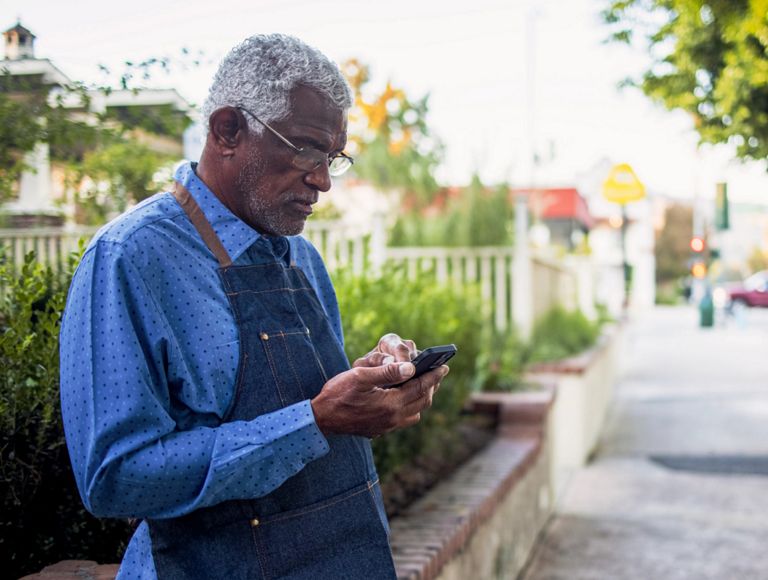
## Investing in a more digitally inclusive society. [Investing in a more digitally inclusive society.](https://www.t-mobile.com) Investing in a more digitally inclusive society.
Connectivity is only half of the solution in today’s digital world. T-Mobile continues to provide funding for impactful programs to equip people and businesses with the tools needed to navigate—and thrive—in our connected world.
## Investing in a more digitally inclusive society.
COMMUNITY INVESTMENT
## Investing in our employees and our communities.
Making philanthropic investments that support our commitment to digital access and empowering our employees to support the causes closest to their hearts.

## Supporting our employees to give back. [Supporting our employees to give back.](https://www.t-mobile.com) Supporting our employees to give back.
Through __Magenta Match,__ we empower our employees to volunteer and donate to the causes they care the most about. Funded by the T-Mobile Foundation, Magenta Match matches employee financial donations dollar for dollar, and $15 per volunteer hour, for a total of up to $2,000 a year per employee.
## Supporting our employees to give back.

## Empowering Team Magenta to invest in our communities. [Empowering Team Magenta to invest in our communities.](https://www.t-mobile.com) Empowering Team Magenta to invest in our communities.
T-Mobile proudly offers __Volun-T__, our national employee grant program that offers any employee, or group of employees, the opportunity to apply for a volunteer-based grant in their local communities; enabling all employees, irrespective of socio-economic status, the opportunity to work with non-profits on issues that directly impact the vitality of their community.
## Empowering Team Magenta to invest in our communities.

## Hometown Grants: Our commitment to rural America. [Hometown Grants: Our commitment to rural America.](https://www.t-mobile.com) Hometown Grants: Our commitment to rural America.
We're supporting small towns and rural communities across America with grants that connect and revitalize these areas. We believe in the potential of every community, and through __T-Mobile Hometown Grants__, we can help bridge the digital gap and invest in communities that need it most. This 5-year commitment to bring 5G to rural America is one of many ways we’re standing with these regions to create pathways for rural economic vitality now, and in the future.
[Learn more , opens in a new window](https://www.t-mobile.com/brand/hometown-grants)
## Hometown Grants: Our commitment to rural America.

## Investing in our headquarter communities. [Investing in our headquarter communities.](https://www.t-mobile.com) Investing in our headquarter communities.
T-Mobile's __HQ Grants__ program supports non-profits in the Seattle and Kansas City areas that provide digital connectivity solutions, digital literacy training, job skilling to prepare citizens to compete in the digital economy, as well as issues specific to these communities.
[Learn more](https://www.t-mobile.com/responsibility/community/hq-grants)
## Investing in our headquarter communities.
T-MOBILE NEWSROOM
## Supporting communities when and where it matters most.

## Disaster response & preparedness.
When disasters strike—we respond to keep our customers, and communities, connected.
[See us in action , opens in a new window](https://www.t-mobile.com/news/emergency-response)
## Disaster response & preparedness.

## Community news.
When it comes to building connections, people supporting people is the real story.
[Read the stories](https://www.t-mobile.com/news/category/community)
## Community news.
## Check out our other Corporate Responsibility pages:
- [Our Responsibility](https://www.t-mobile.com/responsibility)
- [Our Governance](https://www.t-mobile.com/responsibility/governance?%3Ficid=MGPO_TMO_U_TMOCPSOCRS_EV73DG84CVJIG7IX34281)
- [Our People](https://www.t-mobile.com/responsibility/people)
- [Our Planet](https://www.t-mobile.com/responsibility/planet)
## Hello! Want to stay logged in?
To keep your accounts safe, you'll be automatically logged out in:
Yes, stay logged in
No, log me out
## Share your screen while on a call or in store
__Get guided support from an Expert in real time__
- For your security, personal info, tabs, and notifications are automatically hidden.
- You can stop screen sharing at any time.
- Experts can only see what’s on T-Mobile.com.
- Don’t use screen share while driving or in any situation where it's unsafe to focus on your screen.
By clicking 'Accept and continue,' you are consenting to allow the Expert to view your screen for assisted navigation. This session may be recorded. To learn more, please visit the
[__T-Mobile Privacy Notice__](https://www.t-mobile.com/privacy-center/privacy-notices/t-mobile-privacy-notice).
Accept and continue
No thanks
__Next:__ Generate a code to share with your Expert
## Share this code with your Expert
code
Once your code has been successfully entered by your Expert, this window will close and continue to the session.
## Allow screen sharing with your Expert?
Personal and sensitive data is hidden for your security and privacy.
Allow
Don’t allow
## End your session?
Ending your session will stop sharing your screen, but will not end your call.
End session
Continue session
## Your session has ended
Your screen is no longer being shared with your Expert.
OK
Share again
## You are already in an active session
OK
## Your code has expired
Generate a new one to share with your Expert.
Generate new code
## Connect with T-Mobile
- [Instagram](https://www.instagram.com/tmobile/)
- [Facebook](https://www.facebook.com/TMobile)
- [X](https://twitter.com/TMobile)
- [You Tube](https://www.youtube.com/user/TMobile/custom)
- [English](https://www.t-mobile.com)
- [Español](https://www.t-mobile.com)
- ### Contact us
Contact us
- [Contact information](https://www.t-mobile.com/contact-us)
- [Check order status](https://www.t-mobile.com/order-status)
- [View return policy](https://www.t-mobile.com/responsibility/legal/return-policy)
- [Get a rebate](https://promotions.t-mobile.com/?INTNAV=fNav%3AContactUs%3AGetRebate)
- [Find a store](https://www.t-mobile.com/store-locator?INTNAV=fNav%3AContactUs%3AFindStore)
- [Trade-in program](https://www.t-mobile.com/resources/phone-trade-in)
- ### Support
Support
- [Device support](https://www.t-mobile.com/support/phones-tablets-devices)
- [Questions about your bill](https://www.t-mobile.com/support/account)
- [Plans & services](https://www.t-mobile.com/support/plans-features)
- [Activate your prepaid phone or device](https://prepaid.t-mobile.com/home)
- [Refill your prepaid account](https://prepaid.t-mobile.com/direct-to-account)
- [International rates](https://www.t-mobile.com/travel-abroad-with-simple-global)
- ### T-Mobile Wireless
T-Mobile Wireless
- [Cell phone plans](https://www.t-mobile.com/cell-phone-plans)
- [Cell phones](https://www.t-mobile.com/cell-phones)
- [Phone & device deals](https://www.t-mobile.com/offers)
- [5G & 4G coverage map](https://www.t-mobile.com/coverage/coverage-map)
- [How to switch](https://www.t-mobile.com/resources/how-to-join-us)
- ### T-Mobile for Business
T-Mobile for Business
- [Business plans](https://www.t-mobile.com/business/wireless-business-plans)
- [Internet of Things](https://www.t-mobile.com/business/solutions/iot)
[](https://www.t-mobile.com/)
- [About](https://www.t-mobile.com/our-story)
- [Investor relations](https://investor.t-mobile.com/default.aspx?INTNAV=fNav%3AInvestorRelations)
- [Press](https://www.t-mobile.com/news)
- [Careers](https://careers.t-mobile.com?INTNAV=fNav%3ACareers)
- [Deutsche Telekom](https://www.telekom.com/en?INTNAV=fNav%3ADeutscheTelekom)
- [Puerto Rico](https://www.t-mobilepr.com/?INTNAV=fNav%3APuertoRico)
- [Privacy Notice](https://www.t-mobile.com/privacy-center/privacy-notices/t-mobile-privacy-notice)
- [Trust Center](https://security.t-mobile.com/?INTNAV=fNav%3ATrustCenter)
- [Privacy Center](https://www.t-mobile.com/privacy-center)
- [Consumer information](https://www.t-mobile.com/responsibility/consumer-info)
- [Public safety/911](https://www.t-mobile.com/responsibility/consumer-info/safety/9-1-1)
- [Terms & conditions](https://www.t-mobile.com/responsibility/legal/terms-and-conditions)
- [Terms of use](https://www.t-mobile.com/responsibility/consumer-info/policies/terms-of-use)
- [Accessibility](https://www.t-mobile.com/responsibility/consumer-info/accessibility-policy)
- [Open Internet](https://www.t-mobile.com/responsibility/consumer-info/policies/internet-service)
- [Do Not Sell or Share My Personal Information](https://www.t-mobile.com)
- [Licenses & Patents](https://www.t-mobile.com/responsibility/legal/licenses-and-patents)
- [Consumer Health Data Privacy Notice](https://www.t-mobile.com/privacy-center/privacy-notices/t-mobile-privacy-notice.html?INTNAV=fNav%3AConsumerHealthDataPrivacyNotice#health-data-privacy-notice)
- T-Mobile, the T logo, Magenta and the magenta color are registered trademarks of Deutsche Telekom AG.
- [Instagram](https://www.instagram.com/tmobile/)
- [Facebook](https://www.facebook.com/TMobile)
- [X](https://twitter.com/TMobile)
- [You Tube](https://www.youtube.com/user/TMobile/custom)
© 2026 T‑Mobile USA, Inc.

## Stay up to date with notifications
Get the latest from T-Mobile when you’re using the web. You can opt out any time.
Allow notifications Don't allow

## Get the latest from T-Mobile
Stay up to date with notifications - including offers just for you
Allow notifications Don't allow notifications
## Closing the digital divide in education.
## Connecting for Good.
## Bringing choice and speed to communities across the country.
## Investing in a more digitally inclusive society.
## Supporting our employees to give back.
## Empowering Team Magenta to invest in our communities.
## Hometown Grants: Our commitment to rural America.
## Investing in our headquarter communities.
## Disaster response & preparedness.
## Community news.

## Stay up to date with notifications
Get the latest from T-Mobile when you’re using the web. You can opt out any time.
Allow notifications Don't allow

## Get the latest from T-Mobile
Stay up to date with notifications - including offers just for you
Allow notifications Don't allow notifications